Standing Desk Converters Adjustable Height
Imagine spending over 2,000 hours a year sitting at a desk, that’s the reality for most office workers. The stiffness in your lower back, the afternoon energy crashes, the nagging feeling that your body was simply not designed for this. Now imagine solving all of that without replacing your entire desk. That’s exactly where Standing Desk Converters Adjustable Height come in.
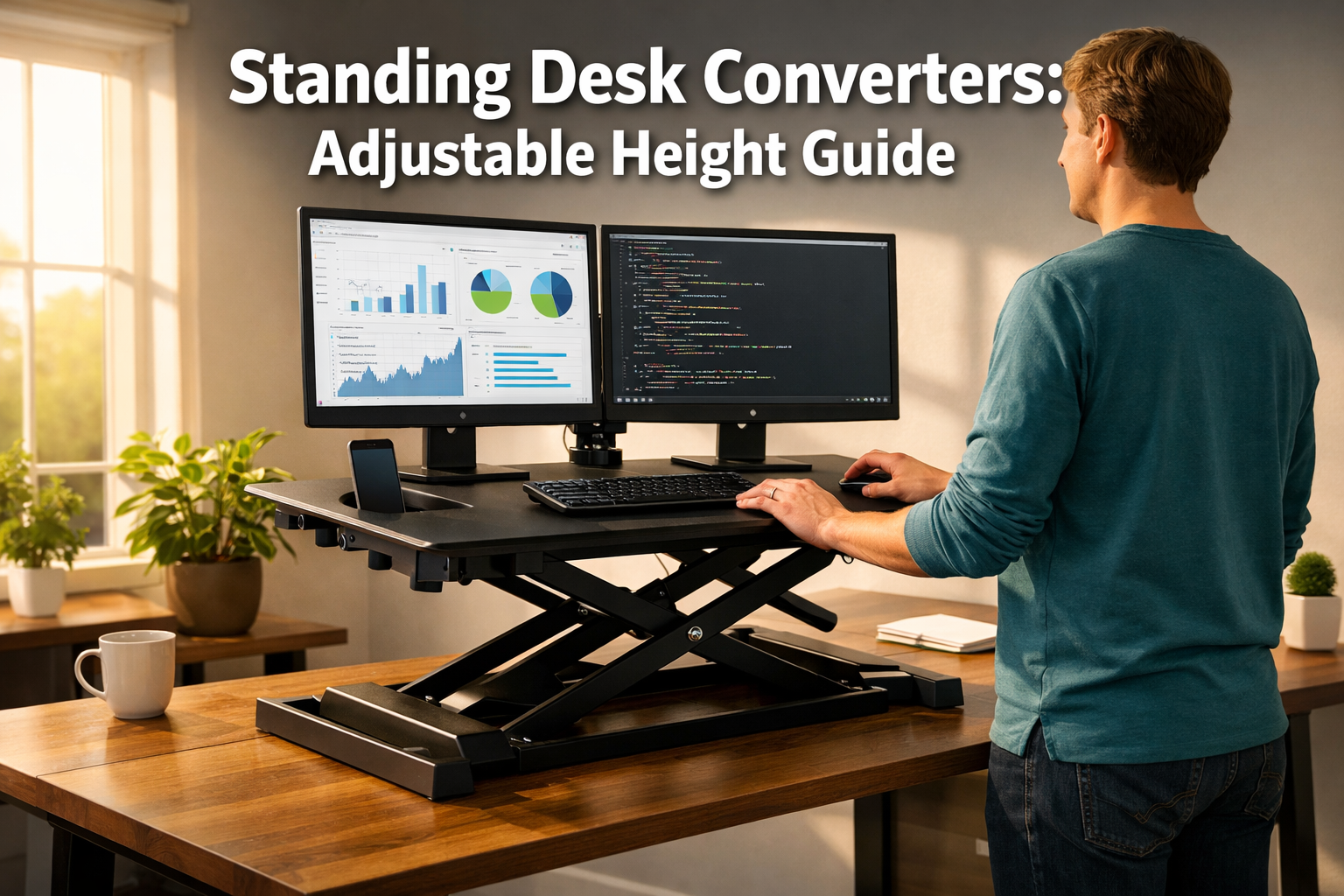
These clever devices sit right on top of an existing desk and let users switch between sitting and standing positions in seconds.
Whether working from a corporate cubicle or a compact home office, a height-adjustable desk converter offers a budget-friendly, space-saving path to a healthier workday, and in 2026, the options are better than ever.
Key Takeaways 📌
- Standing desk converters adjustable height sit on top of an existing desk, eliminating the need to buy a full standing desk while still enabling sit-stand transitions.
- Top-rated models in 2026 include the Vivo K Series (best overall), VariDesk Pro Plus 36 (gold standard for stability), and Ergotron WorkFit-TL (best for healthcare settings).
- Manual converters require no assembly and are more affordable, while electric converters offer one-touch height changes at a higher price point.
- Converters typically support 35–55 lbs, which is enough for a laptop and one or two monitors, but less than a full standing desk’s 250 lb capacity.
- Pairing a converter with an ergonomic footrest or active chair can reduce back strain by up to 35%, maximizing the health benefits.
What Are Standing Desk Converters Adjustable Height — and Why Do They Matter?
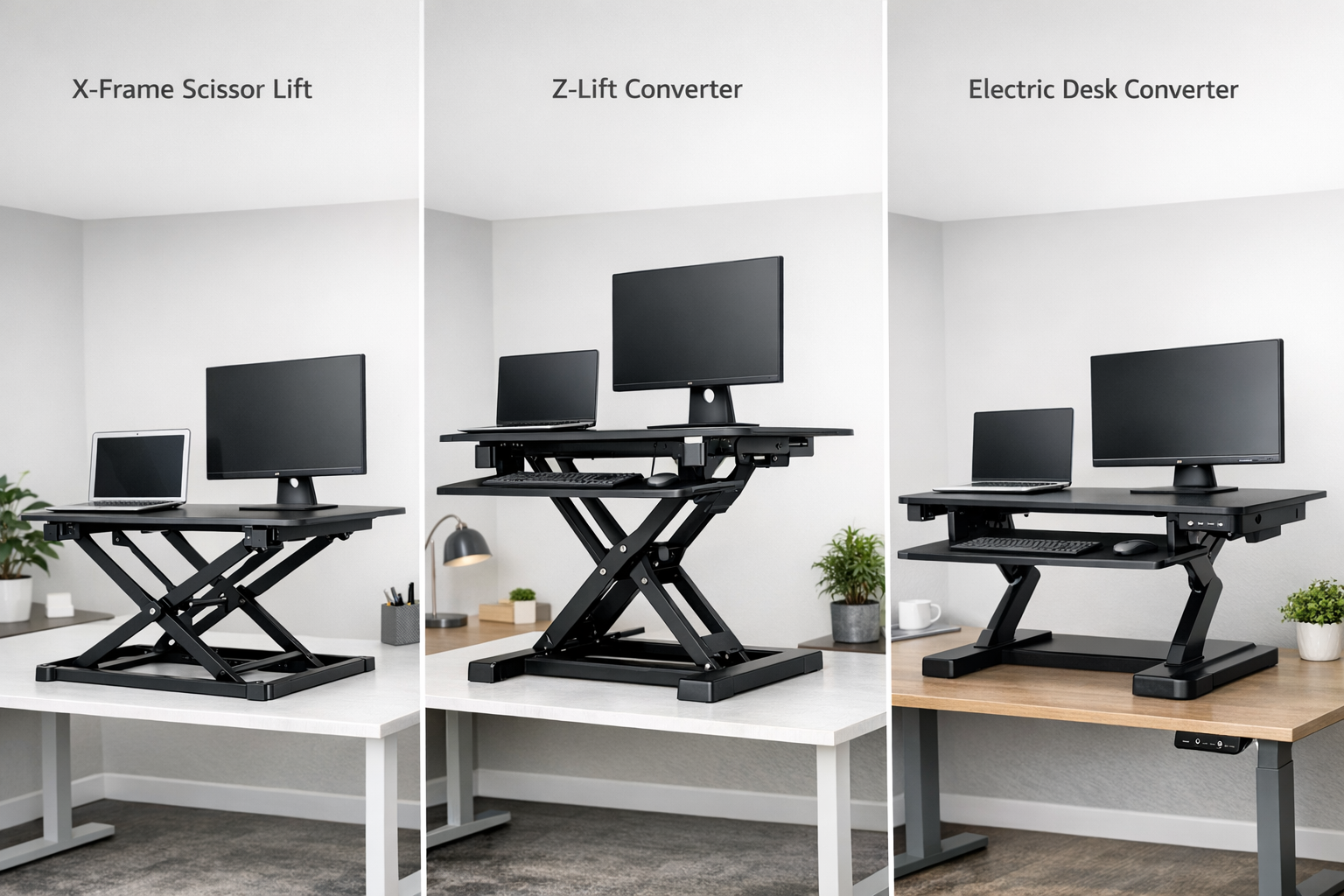
A standing desk converter with adjustable height is a platform that sits on an existing desk surface. It raises monitors, keyboards, and other essentials to a comfortable standing height, then lowers back down for seated work. Think of it as an upgrade layer, no tools, no assembly headaches, and no need to throw out a perfectly good desk.
The Problem They Solve
Sarah, a freelance graphic designer in Austin, loved her vintage oak desk. It had character, storage, and sentimental value. But after years of sitting eight hours a day, her back pain became unbearable. A full standing desk would have cost her $700 or more and meant parting with her beloved desk.
Instead, she invested in a standing desk converter for under $300. Within weeks, her pain decreased, and her energy levels soared. Sarah’s story is not unique, it’s the reason these converters have exploded in popularity.
How They Differ from Full Standing Desks
| Feature | Standing Desk Converter | Full Standing Desk |
|---|---|---|
| Price Range | $150–$500 | $400–$1,500+ |
| Weight Capacity | 35–55 lbs | 150–250+ lbs |
| Assembly Required | None to minimal | 15–60 minutes |
| Portability | High (sits on any desk) | Low (permanent fixture) |
| Surface Area | Moderate (26–42 inches wide) | Large (48–72 inches wide) |
| Best For | Renters, testers, budget-conscious users | Long-term investment, heavy setups |
Full standing desks offer superior stability and larger work surfaces, but converters win on affordability, portability, and convenience. For anyone renting an apartment, sharing an office, or simply wanting to test the standing desk lifestyle before committing, a converter is the smarter first step.
If you’re exploring full desk options too, check out this guide to find the best adjustable height office desks for your workspace.
Top Standing Desk Converters Adjustable Height in 2026: Models Worth Considering
The market for height-adjustable desk converters has matured significantly. Here are the standout models earning praise from reviewers and ergonomic experts in 2026.
🏆 Vivo K Series — Best Overall
The Vivo K Series has been named the best overall standing desk converter by Business Insider in early 2026. Its X-shaped frame provides rock-solid stability, and it’s available in widths ranging from 26 to 42 inches — making it suitable for desks as narrow as 16 inches.
Why users love it:
- Straight-up lift mechanism (no overhang into your space)
- Fits tight spaces perfectly
- Supports a laptop plus a monitor with ease
- Affordable price point
💡 Pro Tip: The Vivo K Series is ideal for compact home offices. If you’re working with limited square footage, also explore our roundup of smart office desks for small spaces.
🥈 VariDesk Pro Plus 36 — The Gold Standard
The VariDesk Pro Plus 36 has long been considered the benchmark for standing desk converters. Its patented spring-lift mechanism allows smooth manual adjustment to a maximum height of 17.5 inches. It supports dual monitors comfortably and includes a dedicated keyboard tray.
Strengths:
- Zero assembly — arrives ready to use out of the box
- Exceptional stability at all height settings
- Trusted in corporate and medical environments
- Large 36-inch workspace
One limitation: It requires two hands to adjust. However, VariDesk now offers an electric version that eliminates this minor inconvenience.
🥉 Ergotron WorkFit-TL — Best for Healthcare & Lab Settings
The Ergotron WorkFit-TL uses proprietary Constant Force technology that makes height adjustments feel nearly effortless. It’s built to medical-grade durability standards, making it a favorite in hospitals, laboratories, and clinical workstations.
Key highlights:
- One-hand height adjustment
- Ultra-smooth lift mechanism
- Built to withstand demanding environments
- Excellent for shared workstations
Flexispot EM7 — Best Electric Option
For those who prefer one-touch electronic controls, the Flexispot EM7 delivers motorized height adjustment at a mid-range price. It’s quieter than many competitors and offers a generous height range.
Keep in mind: Some electric models lack programmable presets, so verify this feature before purchasing.
Manual vs. Electric Standing Desk Converters: Which Adjustable Height Mechanism Is Right for You?
Choosing between a manual and electric converter is one of the most important decisions buyers face. Here’s a clear breakdown:
Manual Converters
How they work: Manual converters use spring-loaded, pneumatic, or counterbalance mechanisms. Users squeeze a lever or handle and push the platform up or down.
Best for:
- Budget-conscious buyers
- Those who want zero assembly
- Users who don’t adjust height frequently throughout the day
Popular examples: VariDesk Pro Plus 36, Vivo K Series
Electric Converters
How they work: Electric converters use a small motor controlled by buttons or a touchpad. Some models include memory presets for favorite heights.
Best for:
- Users who switch between sitting and standing many times per day
- Those with limited hand strength or mobility challenges
- People who want precise, repeatable height settings
Popular examples: Flexispot EM7, Uplift Desk converters
Quick Comparison
| Factor | Manual | Electric |
|---|---|---|
| Price | $150–$400 | $300–$600 |
| Ease of Adjustment | Two hands typically needed | One-touch button |
| Assembly | None | Minimal |
| Noise | Silent | Quiet motor hum |
| Reliability | No electronics to fail | Motor may need service |
| Speed | Instant (spring-assisted) | 3–5 seconds |
🗣️ “The best converter is the one you’ll actually use. If two-hand adjustment feels like a hassle, go electric. If simplicity and reliability matter most, go manual.”
Health Benefits of Using Standing Desk Converters Adjustable Height
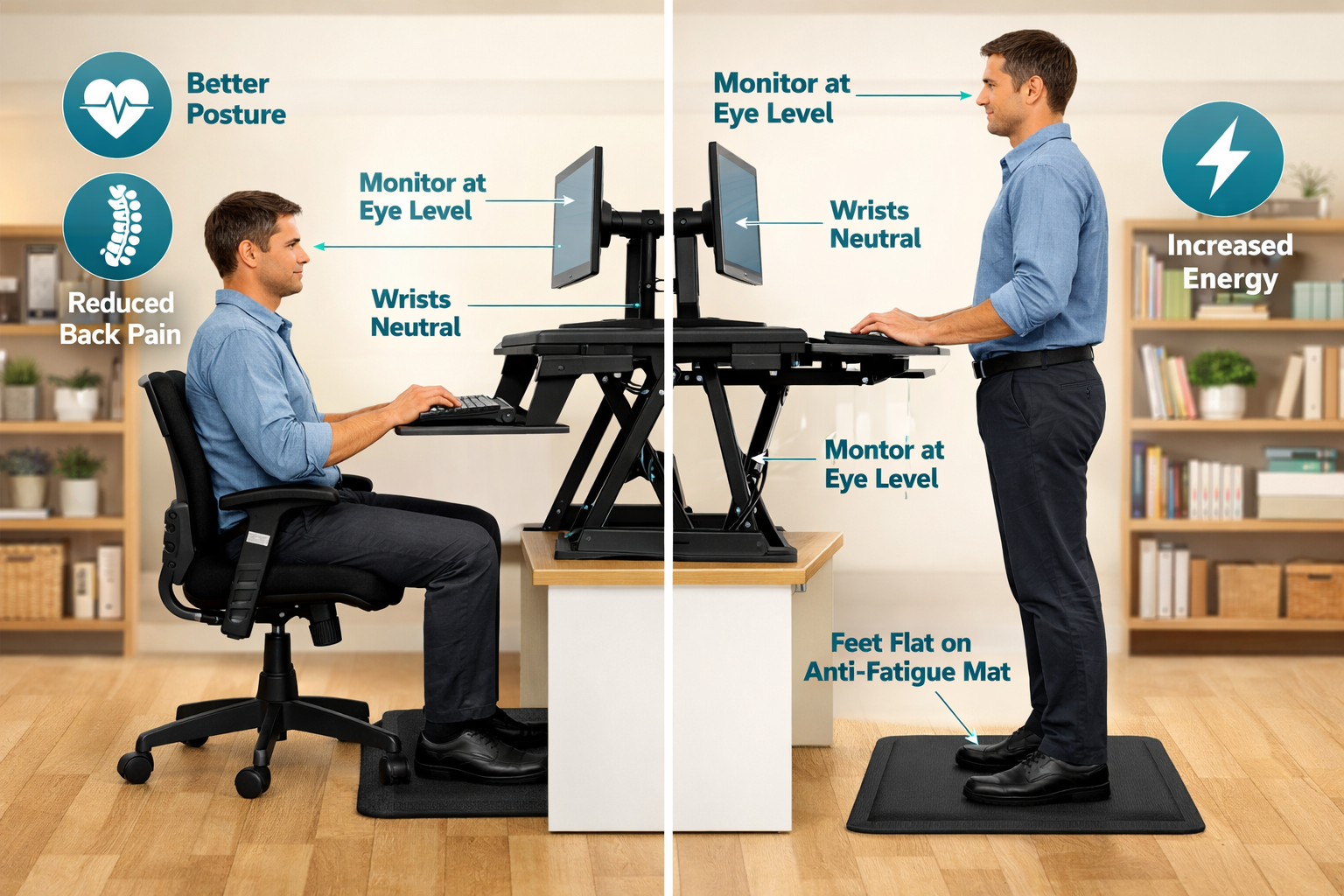
The health case for alternating between sitting and standing is well-documented. Here’s what users can expect:
🫀 Improved Cardiovascular Health
Standing burns roughly 50 more calories per hour than sitting. Over a full workday, that adds up. More importantly, standing promotes better blood circulation, reducing the risk of cardiovascular issues associated with prolonged sedentary behavior.
🦴 Reduced Back and Neck Pain
One of the most immediate benefits users report is a reduction in lower back discomfort. Standing engages core muscles and encourages a more neutral spinal alignment. Pairing a converter with an ergonomic footrest (like the Everlasting Comfort, around $40) can reduce back strain by up to 35%.
For additional relief strategies, explore these effective office exercises for better posture.
⚡ Boosted Energy and Productivity
Standing triggers increased blood flow to the brain, which many users associate with sharper focus and sustained energy, especially during the dreaded post-lunch slump.
Want to take it further? Try these effective standing desk workout ideas for a healthier workday.
🧠 Better Mood and Mental Clarity
Multiple workplace studies have found that employees who use sit-stand workstations report improved mood, reduced fatigue, and greater job satisfaction compared to those who sit all day.
The Ideal Sit-Stand Ratio
Ergonomic experts generally recommend a ratio of 1:1 to 2:1 (sitting to standing). That means for every 30–60 minutes of sitting, aim for 15–30 minutes of standing. The goal is movement and variation, not standing all day.
How to Choose the Right Standing Desk Converter: A Buyer’s Checklist ✅
Not every converter suits every workspace. Here are the critical factors to evaluate:
1. Desk Size and Available Space
Measure the existing desk surface carefully. Converters range from 26 to 42 inches wide. A converter that’s too large will overhang the desk edges, creating instability. A model like the Vivo K Series, which fits desks as narrow as 16 inches, is perfect for smaller setups.
2. Weight Capacity
Most converters support 35–55 lbs. A single monitor and laptop typically weigh 15–25 lbs total, so standard converters handle this easily. Dual-monitor setups push closer to the limit — verify the spec before buying.
3. Height Range
The converter needs to raise the monitor to eye level when standing. Taller users (over 6 feet) should look for converters with a maximum height of at least 17 inches above the desk surface.
4. Keyboard Tray
A separate keyboard tray is essential for proper ergonomics. It keeps wrists at a neutral angle while the monitor sits at eye height. Most premium converters include one.
5. Stability at Full Height
⚠️ Common complaint: Some budget converters wobble at maximum height, especially under heavy loads. Read reviews specifically mentioning stability, and prioritize models with X-frame or Z-frame designs.
6. Warranty and Support
Warranties vary dramatically. Uplift Desk, for example, offers a 15-year warranty on its converter lineup along with free shipping and returns — a strong signal of product confidence.
If you’re also considering upgrading your seating, discover the benefits of standing desk chairs for better comfort to complement your new converter.
Setting Up Your Standing Desk Converter for Maximum Ergonomic Benefit
Buying the right converter is only half the equation. Proper setup makes the difference between genuine health improvement and new aches in different places.
Monitor Positioning 🖥️
- Height: Top of the screen should be at or slightly below eye level
- Distance: Approximately arm’s length away (20–26 inches)
- Tilt: Slight upward tilt of 10–20 degrees reduces neck strain
For multi-monitor setups, a dual monitor setup guide can help optimize screen placement.
Keyboard and Mouse Placement ⌨️
- Elbows should rest at a 90-degree angle
- Wrists should remain neutral (not bent up or down)
- The keyboard tray should sit slightly below elbow height
Consider pairing your converter with an ergonomic keyboard for comfortable typing to further reduce strain.
Floor Setup 🦶
- Use an anti-fatigue mat when standing (reduces leg and foot fatigue by up to 60%)
- Wear supportive shoes or go barefoot on the mat
- Alternate weight between feet and shift positions regularly
Don’t Forget Movement
A converter encourages standing, but the real goal is movement. Take micro-breaks, stretch, and shift positions throughout the day. For quick ideas, check out these desk exercises for office workers.
Common Concerns and Honest Limitations
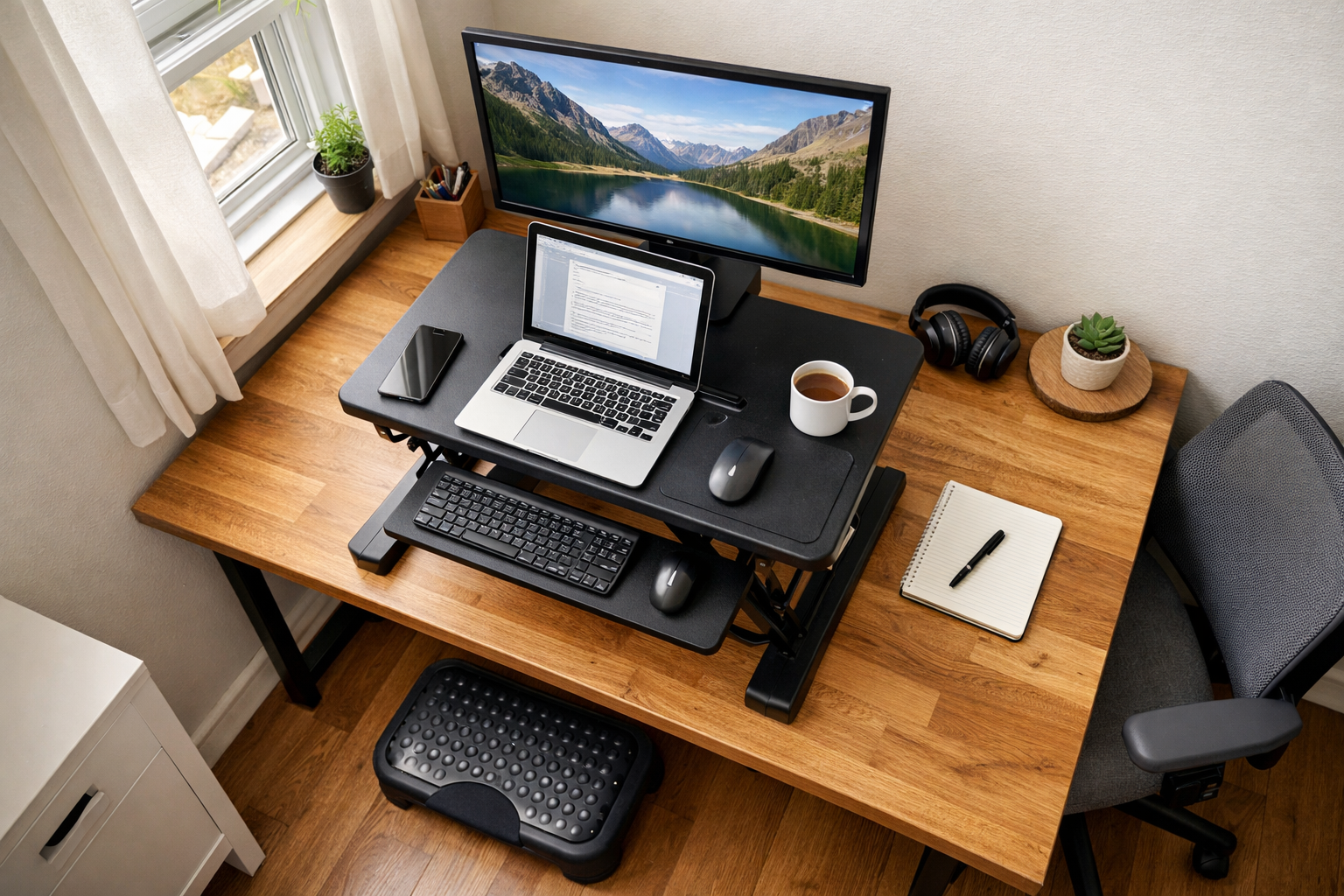
No product is perfect. Here are the most frequently cited drawbacks of standing desk converters — and how to manage them:
Limited Surface Area
Converters offer less workspace than full standing desks. Multi-monitor setups with additional peripherals can feel cramped. Solution: Choose a wider model (36–42 inches) or use a monitor arm to free up platform space.
Wobble at Maximum Height
Budget converters, especially those without X-frame or Z-frame designs, can wobble when fully extended. Solution: Invest in a well-reviewed model from Vivo, VariDesk, or Ergotron. Stability should never be compromised.
Manual Effort
Spring-loaded models require two hands and moderate force to adjust. This can be inconvenient during video calls or when holding documents. Solution: Consider an electric model if frequent adjustments are needed.
Aesthetic Considerations
A converter adds bulk to a desk setup. It’s not as sleek as an integrated standing desk. Solution: Choose a model that matches the desk finish, and keep cables organized with management clips.
Weight Limitations
With a typical capacity of 35–55 lbs, converters aren’t designed for heavy equipment. Solution: Weigh the full setup before purchasing. If the total exceeds the converter’s capacity, a full adjustable height office desk may be the better investment.
Who Should (and Shouldn’t) Buy a Standing Desk Converter?
✅ Ideal Candidates
- Renters who can’t modify or replace furniture
- Budget-conscious workers who want sit-stand benefits under $400
- Remote workers testing whether standing desks suit their workflow
- Office employees whose companies provide fixed desks
- Anyone with limited space who needs a compact solution
❌ Better Alternatives Exist If…
- A heavy multi-monitor setup exceeds 55 lbs
- Maximum desk surface area is a priority
- Long-term investment and durability matter most (full standing desks last longer)
- Programmable height presets are essential (only some electric converters offer this)
Conclusion: Take the First Step Toward a Healthier Workday
Standing desk converters adjustable height represent one of the smartest, most accessible upgrades any office worker can make in 2026. They’re affordable, portable, require little to no assembly, and deliver real health benefits — from reduced back pain to improved energy and focus.
Here’s the action plan:
- Measure your desk — know the width, depth, and how much weight your current setup carries.
- Decide manual vs. electric — based on budget, adjustment frequency, and personal preference.
- Choose a top-rated model — the Vivo K Series for small spaces, VariDesk Pro Plus 36 for stability, or Ergotron WorkFit-TL for demanding environments.
- Set it up ergonomically — monitor at eye level, keyboard at elbow height, anti-fatigue mat on the floor.
- Start with a 1:1 ratio — alternate between 30 minutes sitting and 30 minutes standing, then adjust as comfort allows.
The best time to stop sitting all day was years ago. The second-best time is today. A standing desk converter makes that transition effortless — no new desk required. 🚀