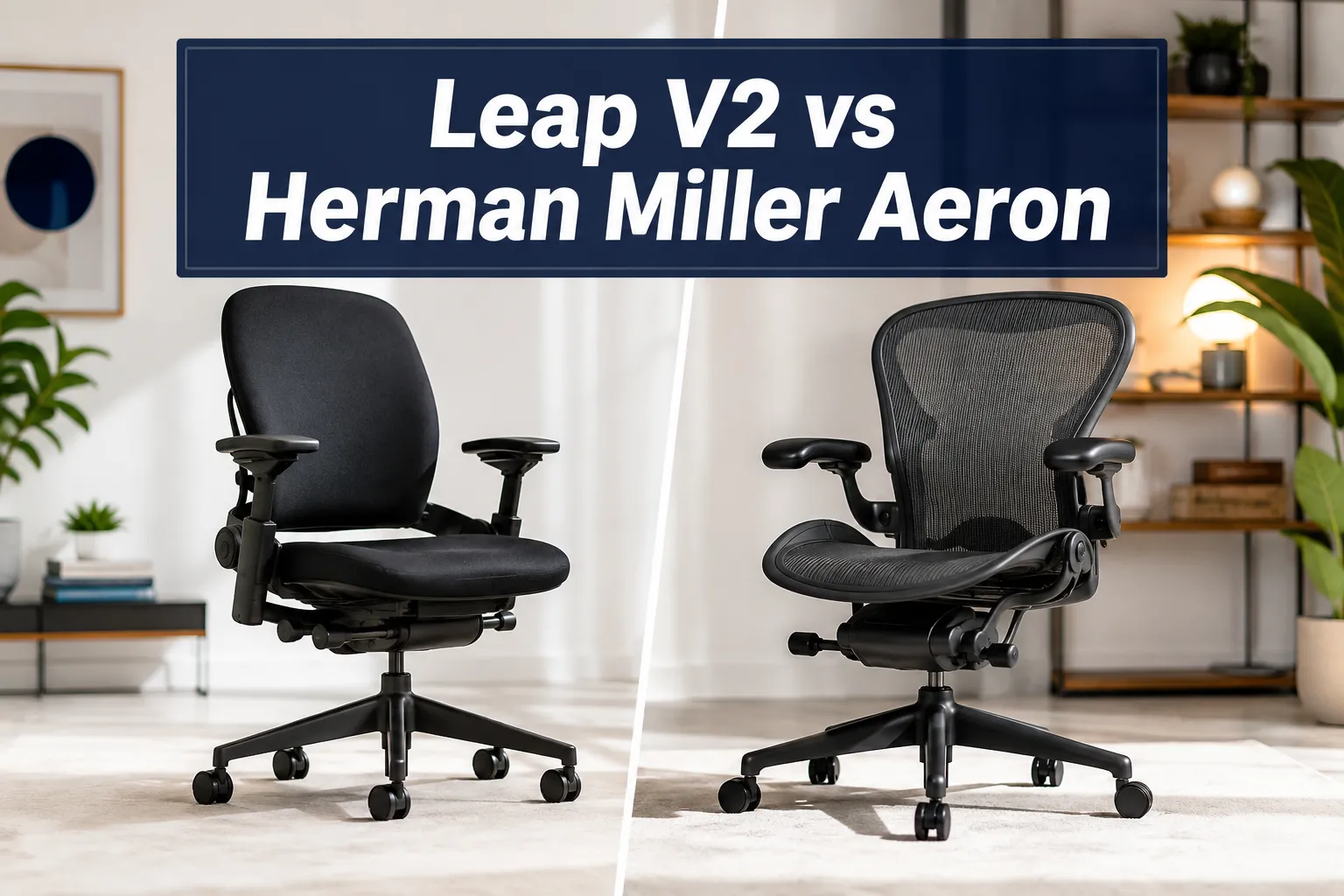
Steelcase Leap V2 vs Herman Miller Aeron
Last updated: July 14, 2026
Quick Answer: The Steelcase Leap V2 wins for active sitters who shift positions constantly and need dynamic lumbar support, while the Herman Miller Aeron is the stronger pick for people who run hot, prefer a mesh seat, or sit in a more upright posture. Both chairs are genuine best-in-class ergonomic office chairs, but they solve comfort problems in different ways. Your body type, sitting style, and budget should drive the final call.
Key Takeaways
- The Steelcase Leap V2 typically retails around USD 1,595 new, while the Herman Miller Aeron starts near USD 1,795 for the standard configuration, though both drop significantly on the refurbished market.
- The Leap V2 uses a LiveBack technology that mirrors your spine’s movement; the Aeron uses PostureFit SL to support both the sacrum and lumbar independently.
- The Aeron comes in three sizes (A, B, C), making it easier to select options for petite or larger frames; the Leap V2 comes in regular and a larger version.
- Both chairs carry a 12-year warranty from their respective brands, Steelcase and Herman Miller.
- For lower back pain, the Leap V2’s continuous lumbar adjustment tends to outperform the Aeron for most users who sit in a reclined position.
- The Aeron’s mesh seat is noticeably cooler after long sessions; the Leap V2’s foam seat can retain heat.
- Assembly for both chairs is straightforward and takes under 20 minutes for most users.
- Refurbished versions of both chairs can be found for USD 400 to USD 700, making them accessible without the full new price.
Steelcase Leap V2: Check Price and Availability at Amazon <—-
Herman Miller Aeron: Check Price and Availability at Amazon <—-
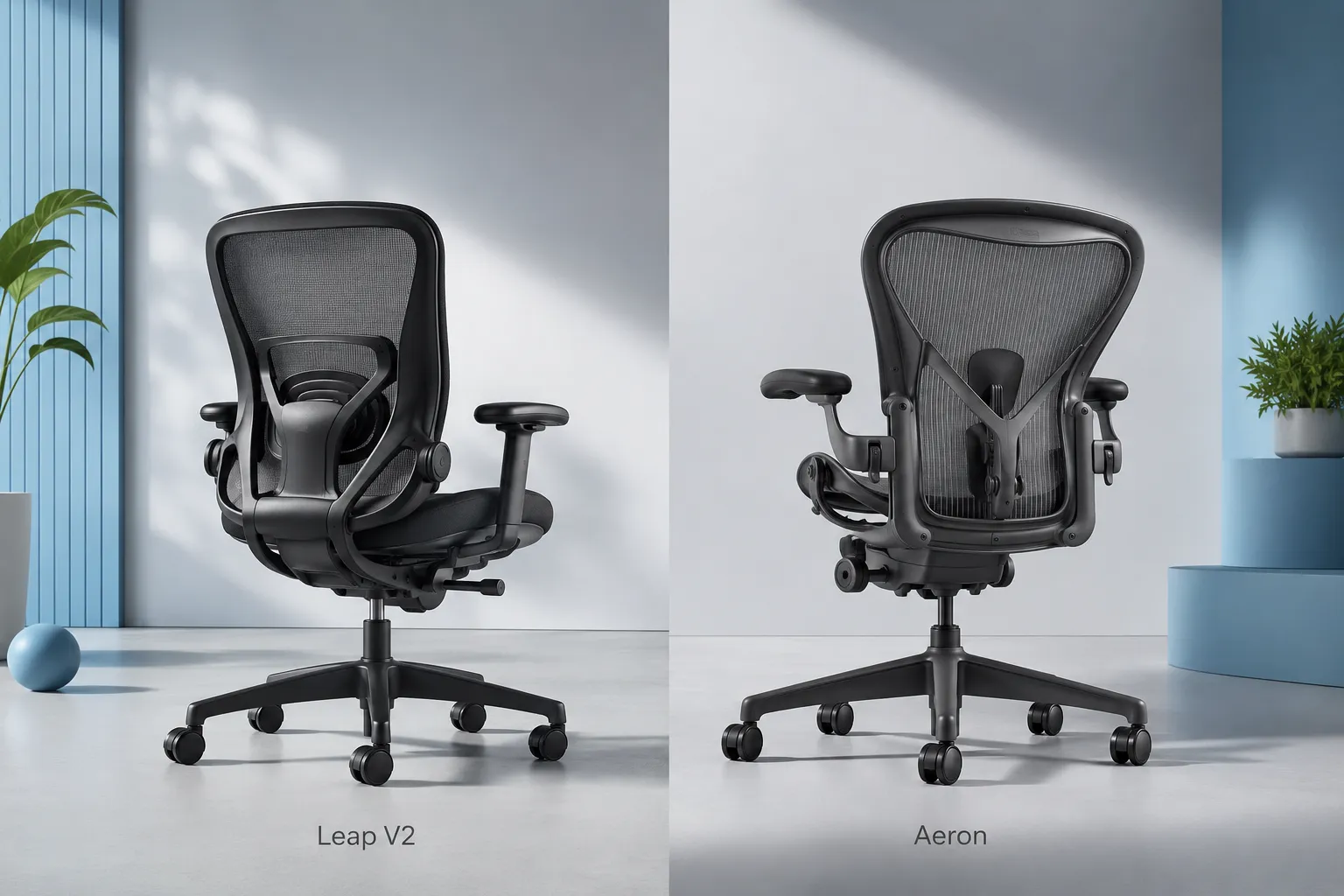
Aeron and Leap: Two Top Contenders in the Premium Chair Market
The Steelcase Leap V2 vs Herman Miller Aeron are the two most frequently compared premium ergonomic office chairs on the market, and for good reason. Both have decades of design refinement behind them, both are built for all-day sitting, and both are recommended by occupational health professionals as top-tier ergonomic chairs [1][6]. The question is not whether either chair is good; it is which one fits your specific body, workspace, and sitting habits better.
The Aeron, introduced by Herman Miller in 1994 and redesigned in 2016, became a cultural shorthand for serious office seating. The Leap V2, launched by Steelcase in 2006, is the quieter competitor that consistently earns higher scores in head-to-head ergonomic testing [7][8].
In 2026, both chairs remain the benchmark against which other ergonomic chairs are measured, and both are worth every dollar if you sit for six to ten hours a day.
If you are also considering alternatives at lower price points, our guide to comfortable ergonomic office chairs covers a broader range of options.
What Is the Difference Between the Steelcase Leap V2 and Herman Miller Aeron?
The core difference is in how each chair responds to your body. The Leap V2 is designed around dynamic movement, using its LiveBack system to flex and adapt as you shift, lean, and change posture throughout the day.
The Aeron is designed around a precise ergonomic fit at rest, using its PostureFit SL system to hold your pelvis and lumbar in alignment when you are seated upright or slightly reclined.
Steelcase Leap V2 key characteristics:
- LiveBack flexible back that changes shape with your spine
- Continuous lower back firmness adjustment
- Natural Glide System that lets you recline without losing screen distance
- Foam-padded seat with adjustable seat edge
- Available in black and multiple fabric options
Herman Miller Aeron key characteristics:
- 8Z Pellicle mesh seat and back for full breathability
- PostureFit SL with independent sacral and lumbar support pads
- Three size options (A, B, C) to select for different body types
- Tilt limiter and forward tilt option
- Available in black, graphite, and mineral colorways
The Aeron is the winner on thermal comfort because the mesh seat allows airflow that a foam seat simply cannot match [8]. The Leap V2 is the winner on adaptability because its back actually moves with you rather than holding a fixed position [3].
Steelcase Leap V2 vs Herman Miller Aeron: Price Comparison
Both chairs are expensive, but the price gap between them is meaningful. The Steelcase Leap V2 has a regular price of approximately USD 1,595 new from authorized dealers, while the Herman Miller Aeron starts at roughly USD 1,795 for the standard B-size configuration and can exceed USD 2,000 with premium options [7][9]. That USD 200 difference matters less than it sounds when you factor in a 12-year lifespan, but it is worth noting.
The refurbished market changes the calculation significantly. Certified refurbished Leap V2 chairs can be found for USD 400 to USD 600, and refurbished Aeron chairs typically run USD 500 to USD 700 depending on size and condition [2][9].
Both brands have authorized refurbishment programs, and buying refurbished is a legitimate way to access these chairs without the full new price.
Cost-per-year analysis (new, 12-year lifespan):
- Leap V2: USD 1,595 divided by 12 years = roughly USD 133 per year
- Aeron: USD 1,795 divided by 12 years = roughly USD 150 per year
For office managers buying in bulk, Steelcase often offers volume pricing that makes the Leap V2 even more competitive. Our article on why office chairs are expensive breaks down what drives these costs in detail.
Which Chair Is Better for Lower Back Pain: Leap V2 or Aeron?
For most people dealing with lower back pain, the Steelcase Leap V2 has a measurable edge. Its continuous lumbar support adjustment lets you dial in the exact amount of lower back firmness you need, and the LiveBack system keeps the support active as you move rather than locking you into one position [3][4]. The Aeron’s PostureFit SL is excellent for sacral support, but it works best for users who sit upright and does not adapt as fluidly when you recline.
That said, the Aeron 8217 design specifically targets the sacrum, which is the triangular bone at the base of the spine, and many physical therapists note that sacral support is often more critical than lumbar support for preventing lower back fatigue [6]. If your pain is concentrated at the very base of your spine rather than the mid-lower back, the Aeron may actually serve you better.
For a deeper look at chair selection for back issues, see our guide to chairs that ease lower back pain.
Choose the Leap V2 if: You have general lower back pain, you recline frequently, or you shift positions constantly throughout the day.
Choose the Aeron if: Your pain is sacral or tailbone-related, you sit upright most of the time, or you have been specifically recommended PostureFit SL by a healthcare provider.
Lumbar Support Compared: Steelcase Leap V2 vs Herman Miller Aeron
The Leap V2 offers superior lumbar adjustability for most sitting styles. The Aeron’s PostureFit SL is more targeted but less flexible.
The Leap V2’s lower back support is a continuous dial that adjusts firmness across the entire lower back zone. This means you can set it soft for a relaxed afternoon session and firm for focused upright work, all without getting out of the chair [3].
The back itself flexes in two independent zones, upper and lower, so it follows the natural S-curve of your spine as it changes throughout the day.
The Aeron’s PostureFit SL has two separate pads, one for the sacrum and one for the lumbar. You can adjust each independently, which is genuinely useful if you know your specific spinal needs. However, the system is somewhat rigid once set, and it does not move with you the way the Leap 8217 does [8].
In head-to-head ergonomic scoring, the Leap V2 consistently scores higher on lumbar support metrics in independent reviews [7][4]. For users who have never had a professional ergonomic assessment, the Leap V2’s self-adjusting approach is more forgiving and easier to get right without expert help.

Steelcase Leap V2: Check Price and Availability at Amazon <—-
Herman Miller Aeron: Check Price and Availability at Amazon <—-
Warranty, Durability, and How Long Each Chair Lasts
Both the Steelcase Leap V2 and the Herman Miller Aeron come with 12-year warranties that cover parts and labor, which is the industry standard for premium ergonomic office chairs [1][6].
In practice, both chairs are built to last well beyond 12 years with normal use. Reports from long-term users on Reddit and in professional reviews consistently mention chairs still performing well after 15 to 20 years [9].
Warranty coverage comparison:
| Feature | Steelcase Leap V2 | Herman Miller Aeron |
|---|---|---|
| Warranty length | 12 years | 12 years |
| Parts covered | All mechanical parts | All mechanical parts |
| Foam/fabric | Included | Included |
| Casters | Included | Included |
The Aeron’s mesh can degrade over time, particularly in the seat, though Herman Miller’s 2016 redesign improved the 8Z Pellicle mesh significantly [6]. The Leap V2’s foam seat holds up well but may compress slightly after many years of heavy use. Neither issue is likely to affect you within the warranty period.
For users concerned about chair longevity and value, our article on quality office chairs for comfort and productivity covers what to look for in long-lasting seating.
Assembly and Setup: Which Chair Is Easier to Put Together?
Both chairs arrive partially assembled and require only basic setup, typically attaching the base, casters, and seat to the back mechanism. Most users report completing assembly in 15 to 20 minutes without tools [9][10]. Neither chair requires special skills or equipment.
The Leap V2 comes with slightly more components to connect, including the seat adjustment mechanisms, but the instructions are clear and the process is intuitive. The Aeron is arguably simpler to assemble because the back and seat come pre-attached as a single unit in most configurations.
Common assembly notes:
- Both chairs include all necessary hardware
- No tools are required for the Aeron; the Leap V2 may need a basic wrench for one connection point depending on the configuration
- Both chairs should be adjusted to your body immediately after assembly, before your first sitting session
- Seat height, armrest height, and lumbar settings should all be dialed in on day one
Build Quality and Scope of Users: Who Is Each Chair Designed For?
The Steelcase Leap V2 is designed for a broad range of users and works well for people between roughly 5’0″ and 6’4″ in the regular size. The Herman Miller Aeron’s three-size system (A, B, C) gives it a wider effective range, particularly for petite users under 5’3″ who benefit from the smaller A-size, and larger users over 6’2″ who need the C-size.
Steelcase Leap V2:
- Weight capacity: 400 lbs (181 kg)
- Height range: approximately 5’0″ to 6’4″
- Best for: active sitters, people who recline, those with general lower back pain
- Also available in a larger configuration for bigger frames
Herman Miller Aeron:
- Weight capacity: varies by size (up to 350 lbs for size C)
- Three sizes: A (petite), B (standard), C (large)
- Best for: upright sitters, warm environments, users who want a precise ergonomic fit
The Aeron is also a stronger choice for executive office settings where aesthetics matter, as its iconic silhouette is widely recognized as a status symbol in professional environments [6]. The Leap V2 has a more utilitarian appearance that blends into most office settings without drawing attention.
For users on the larger end of the spectrum, our big and tall office chair guide covers additional options worth considering.
Armrest Comfort: Aeron vs Leap V2
The Steelcase Leap V2 has better armrests for most users. The Leap V2’s 4D armrests adjust in height, width, depth, and pivot angle, giving you a high degree of customization for different tasks and body types [1][3]. The pads themselves are soft and comfortable for extended use.
The Herman Miller Aeron also offers 4D armrests on higher trim levels, but the standard configuration includes 3D armrests. The Aeron’s armrest pads are firmer than the Leap V2’s, which some users prefer for stability but others find uncomfortable during long sessions [8].
Both chairs allow you to add, adjust, and compare armrest positions easily, but the Leap V2’s wider range of pivot adjustment makes it more versatile for tasks like drawing, writing by hand, or using a keyboard at an angle.
Ergonomic Adjustability: Full Feature Comparison
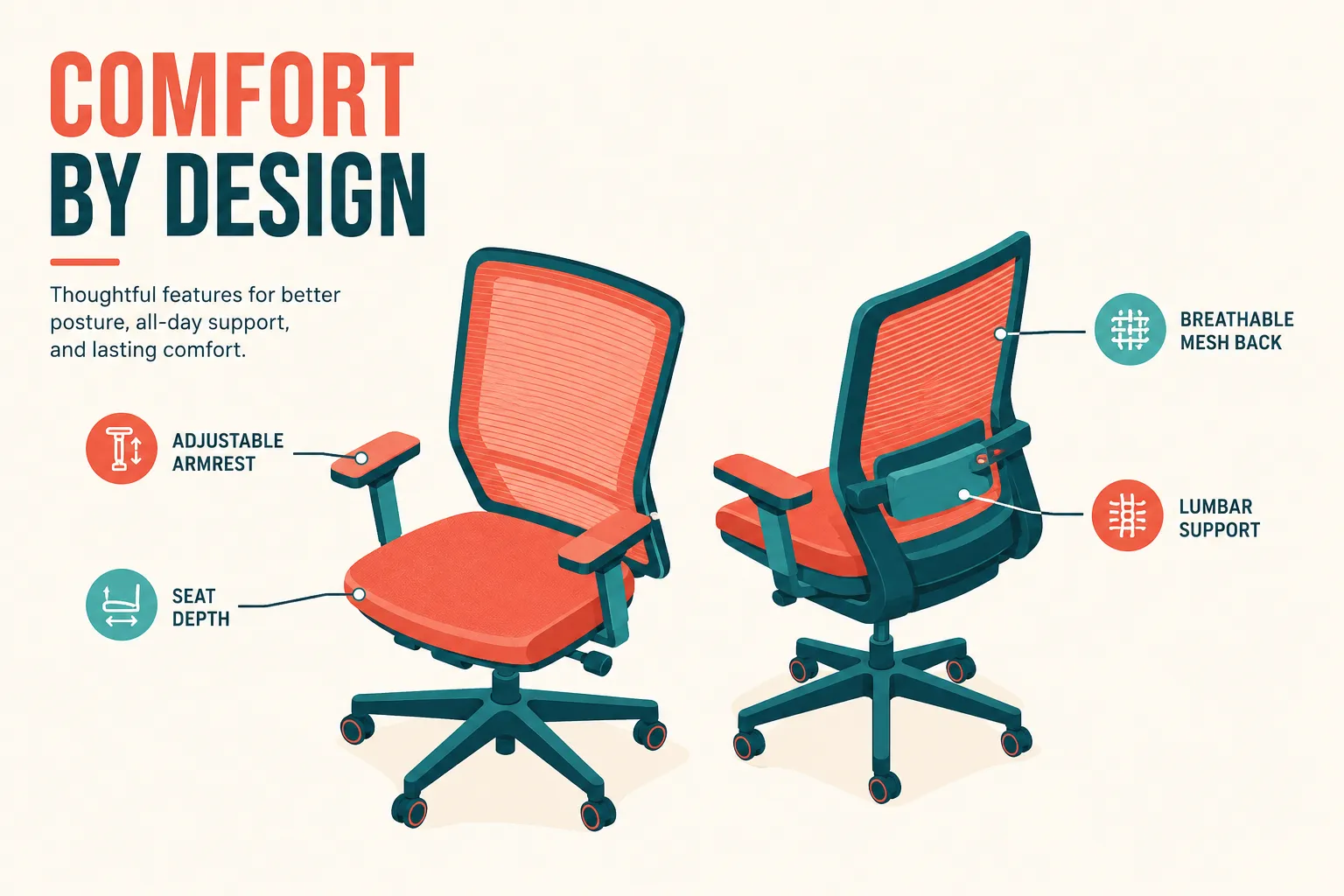
The Leap V2 offers more total adjustment options than the Aeron, making it the winner for ergonomic flexibility. The Aeron compensates with its three-size system, which means less adjustment is needed if you select the right size.
Steelcase Leap V2 adjustments:
- Seat height (pneumatic)
- Seat depth (slides forward and back)
- Seat edge angle (adjustable firmness at front edge)
- Lower back firmness (continuous dial)
- Upper and lower back flex (independent zones via LiveBack)
- Armrest height, width, depth, and pivot (4D)
- Recline tension
- Recline range limiter
- Natural Glide System (recline without losing screen proximity)
Herman Miller Aeron adjustments:
- Seat height (pneumatic)
- Tilt tension
- Tilt limiter (multiple positions)
- Forward tilt option
- PostureFit SL (sacral and lumbar pads, independent)
- Armrest height, width, depth, and pivot (4D on premium; 3D on standard)
- Lumbar pad height
The Leap V2’s Natural Glide System is a standout feature with no direct equivalent on the Aeron. It allows the seat to slide forward slightly as you recline, keeping your eyes at the same distance from the screen. This is particularly valuable for people who work on monitors for long hours [2][3].
For more on how ergonomic adjustability affects posture, our guide to improving posture with ergonomic chairs goes into practical detail.
Steelcase Leap V2: Check Price and Availability at Amazon <—-
Herman Miller Aeron: Check Price and Availability at Amazon <—-
Steelcase Leap V2 vs Aeron: Common Problems and Complaints
Neither chair is perfect, and knowing the common complaints helps you make a more informed decision. The most frequent complaint about the Leap V2 on Reddit and in user reviews is that the seat foam can feel firm initially and takes a few weeks to break in [9][10]. Some users also report that the lower back support dial can be confusing to set correctly without guidance.
The Aeron’s most common complaints center on the mesh seat being uncomfortable for users with bony prominences, as the mesh can create pressure points on the sit bones for leaner users [8][6]. The PostureFit SL pads can also feel intrusive if not properly adjusted, and some users find them difficult to dial in without a professional ergonomic assessment.
Leap V2 common issues:
- Seat foam firmness during break-in period (typically 2 to 4 weeks)
- Lower back dial can be hard to find the right setting without guidance
- Warmer seat surface compared to mesh alternatives
- Some users find the recline mechanism stiff initially
Aeron common issues:
- Mesh seat can create pressure points for lean users
- PostureFit SL pads feel intrusive if incorrectly adjusted
- Size selection is critical; wrong size leads to poor fit
- Higher starting price for the correct size configuration
Can You Customize the Steelcase Leap V2 vs Herman Miller Aeron?
Both chairs offer meaningful customization options, but the Aeron has a broader range of aesthetic choices. The Aeron is available in black, graphite, and mineral frame colors, with multiple mesh color options and fabric arm pad choices. Herman Miller also offers a fully loaded “Studio White” configuration and various limited editions [6].
The Leap V2 is available in black and a range of fabric upholstery options for the seat and back. Steelcase offers custom fabric options for corporate orders, and the chair is available through contract dealers with additional color choices. For individual buyers, the standard options are more limited than the Aeron’s.
Both chairs allow you to select options at the time of purchase for armrest type, caster type (hard floor vs. carpet), and lumbar support configuration. The Aeron’s three-size system means you also need to select the correct size, which is a customization step that the Leap V2 does not require in the same way.
Who Should Buy the Leap V2 vs Who Should Buy the Aeron?
The Steelcase Leap V2 is the right chair for active, dynamic sitters who move frequently, recline often, and want maximum lumbar adjustability. The Herman Miller Aeron is the right chair for upright sitters, people in warm offices or climates, and users who want a precisely fitted ergonomic chair with a recognized design pedigree.
Buy the Steelcase Leap V2 if:
- You shift positions constantly throughout the day
- You have general lower back pain or stiffness
- You prefer a padded seat over mesh
- You recline frequently while working
- You want the most ergonomic adjustability per dollar
Buy the Herman Miller Aeron if:
- You run warm and need a breathable mesh seat
- You sit upright most of the time
- You are petite (size A) or very large (size C) and need a precise fit
- Aesthetics and brand recognition matter in your workspace
- You prioritize sacral support specifically
Both chairs are significantly better than most executive office chairs in the same price range. If you are comparing either of these to a mid-range chair, the ergonomic gap is substantial enough to justify the investment for anyone sitting more than six hours per day.
Are There Cheaper Alternatives to the Leap V2 and Aeron?
Yes, but the trade-offs are real. The Herman Miller Embody is a third option in the same price tier, offering a different approach to back support with its pixelated support system.
The Steelcase Leap V2 vs Herman Miller Embody comparison is worth reading if you are undecided, as the Embody suits a different sitting style than either the Leap V2 or the Aeron.
Below the USD 1,000 mark, chairs like the Steelcase Leap V2 vs Mirra 2 comparison is relevant for buyers who want Steelcase quality at a lower price. The Mirra 2 is a solid ergonomic chair that shares some of the Leap V2’s DNA but lacks the LiveBack system and Natural Glide feature.
For buyers with tighter budgets, our affordable ergonomic office chairs guide covers strong options under USD 500 that still deliver meaningful lumbar support and adjustability.
Budget alternatives worth considering:
- Steelcase Leap V2 vs Mirra 2: Mirra 2 at roughly USD 1,100 new
- Herman Miller Aeron vs Embody: Embody at roughly USD 1,945 new
- Refurbished Leap V2 or Aeron: USD 400 to USD 700 certified refurbished
- Mid-range ergonomic chairs: USD 300 to USD 600 with fewer adjustment options
Conclusion: Which Chair Is Right for You?
After examining pricing, lumbar support, ergonomic adjustability, build quality, warranty, and real-world comfort, the Steelcase Leap V2 is the overall winner for most office workers in 2026.
It scores higher on ergonomic adaptability, offers more lumbar adjustment options, and handles a wider range of sitting styles without requiring a perfect fit from the start [7][8].
The Natural Glide System and LiveBack technology are genuinely useful features that the Aeron does not replicate.
The Herman Miller Aeron remains the better choice for a specific type of user: someone who runs warm, sits upright, and wants the most breathable mesh seat available in a premium ergonomic chair.
The three-size system also makes it the stronger pick for petite users and very large users who need a precise fit.
Actionable next steps:
- If possible, try both chairs in person at a showroom or dealer before buying. Both Steelcase and Herman Miller have dealer networks where you can sit in each chair for at least 15 minutes.
- If you cannot try before buying, consider a certified refurbished version of whichever chair fits your budget, as both brands support refurbishment programs.
- Set up your chair correctly on day one: adjust seat height so your feet are flat, set lumbar support to a gentle firmness, and position armrests so your shoulders are relaxed.
- Give either chair at least two to three weeks before judging comfort, as both require a break-in period.
- If lower back pain persists after proper setup, consult an occupational therapist for a professional ergonomic assessment.
Both the Steelcase Leap V2 vs Herman Miller Aeron are investments in your long-term health and productivity. At roughly USD 133 to USD 150 per year over a 12-year lifespan, either chair costs less per day than a cup of coffee while delivering measurably better support than any budget alternative.
Steelcase Leap V2: Check Price and Availability at Amazon <—-
Herman Miller Aeron: Check Price and Availability at Amazon <—-
FAQ
What is the main difference between the Steelcase Leap V2 and Herman Miller Aeron?
The Leap V2 uses a LiveBack system that flexes and adapts to your spine as you move, making it better for active sitters. The Aeron uses PostureFit SL with a fixed mesh back that supports the sacrum and lumbar at rest, making it better for upright, stationary sitters.
Which chair is better for lower back pain, the Leap V2 or Aeron?
The Leap V2 is generally better for lower back pain because its continuous lumbar adjustment and dynamic back support adapt to your movement. The Aeron’s PostureFit SL is better for sacral pain specifically.
How much does the Steelcase Leap V2 cost compared to the Aeron in 2026?
The Leap V2 retails for approximately USD 1,595 new, while the Aeron starts at roughly USD 1,795. Refurbished versions of both chairs are available for USD 400 to USD 700.
Do both chairs have a 12-year warranty?
Yes. Both the Steelcase Leap V2 and the Herman Miller Aeron carry a 12-year warranty covering parts, labor, foam, fabric, and casters.
Which chair is better for tall people?
The Leap V2 accommodates users up to approximately 6’4″ in its regular size with a weight capacity of 400 lbs. The Aeron’s C-size is designed for taller, larger users. For very tall users, our best office chairs for tall people guide covers additional options.
Is the Aeron or Leap V2 better for hot climates or warm offices?
The Aeron is significantly better for warm environments because its 8Z Pellicle mesh seat allows full airflow, while the Leap V2’s foam seat retains heat after long sessions.
How long does assembly take for each chair?
Both chairs can be assembled in 15 to 20 minutes. The Aeron is slightly simpler because the seat and back arrive as a single unit. Neither chair requires special tools.
Can you try the Steelcase Leap V2 or Aeron before buying?
Yes. Both Steelcase and Herman Miller have authorized dealer networks in most major cities where you can sit in both chairs before purchasing. This is strongly recommended given the price of each chair.
What are the armrest options on each chair?
The Leap V2 comes standard with 4D armrests (height, width, depth, pivot). The Aeron offers 3D armrests on standard configurations and 4D on premium versions.
Are there good alternatives to both chairs under USD 500?
Yes. Refurbished versions of both chairs can be found in this range. New alternatives include the Steelcase Mirra 2 at around USD 1,100 and various mid-range ergonomic chairs. See our affordable ergonomic chairs guide for options under USD 500.
Which chair is better for gaming long sessions?
The Leap V2’s dynamic back support and Natural Glide System make it slightly better for extended gaming sessions where you shift between upright and reclined positions. The Aeron is better if you sit in a fixed upright position.
How do the Steelcase Leap V2 and Herman Miller Aeron compare to the Herman Miller Embody?
The Embody uses a pixelated support system that distributes pressure differently from both the Leap V2 and Aeron. It is best for users who need pressure relief across the entire back rather than focused lumbar or sacral support. The Leap V2 vs Aeron vs Embody comparison is worth reading if you are deciding between all three.
Steelcase Leap V2: Check Price and Availability at Amazon <—-
Herman Miller Aeron: Check Price and Availability at Amazon <—-
References
[1] Steelcase Leap Review – https://thetechreviewer.com/steelcase-leap-review/
[2] Consider Steelcase Leap V2 – https://www.btod.com/blog/consider-steelcase-leap-v2/
[3] Steelcase Leap Review – https://seatedlab.com/steelcase-leap-review/
[4] Steelcase Leap V2 – https://ergorated.com/database/steelcase-leap-v2
[5] Watch – https://www.youtube.com/watch?v=3erSSs_X1tQ
[6] Herman Miller Aeron Review – https://chairinsights.com/herman-miller-aeron-review/
[7] Herman Miller Aeron Vs Steelcase Leap 2026 – https://www.postureranked.com/reviews/herman-miller-aeron-vs-steelcase-leap-2026/
[8] Aeron Vs Leap – https://seatedlab.com/aeron-vs-leap/
[9] Herman Miller Aeron Vs Steelcase Leap V2 – https://www.wfhlounge.com/blog/herman-miller-aeron-vs-steelcase-leap-v2
[10] Herman Miller Aeron Vs Steelcase Leap – https://workwisesetup.com/articles/herman-miller-aeron-vs-steelcase-leap.html