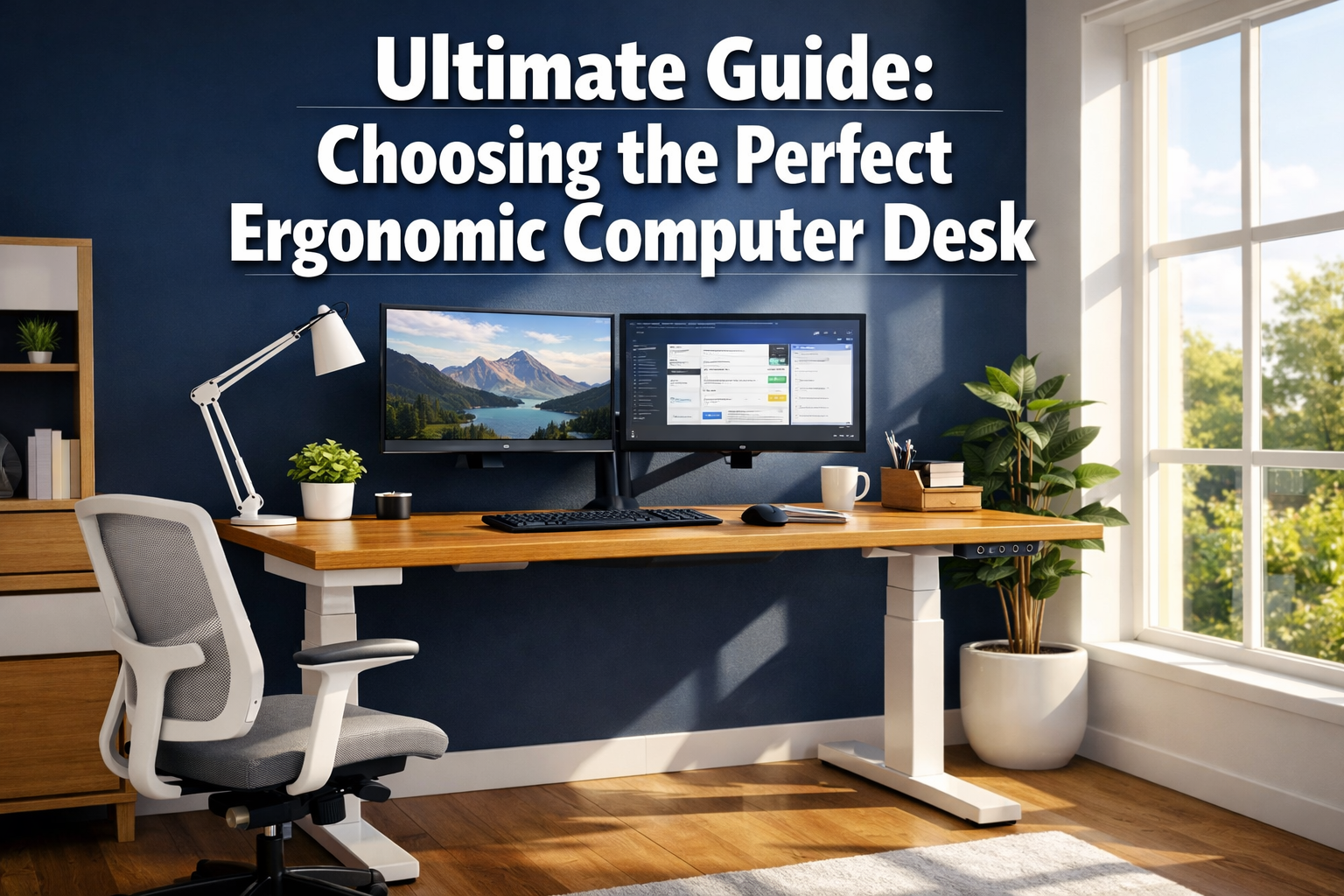
Ergonomic Computer Desk
Last updated: March 31, 2026
Quick Answer: An Ergonomic Computer Desk supports your body’s natural posture, reduces strain, and adapts to how you work, whether sitting or standing.
The best choice depends on your height, workspace size, work type, and budget.
For most people, an electric height-adjustable desk with a surface of 48–72 inches wide and 24–30 inches deep covers every use case well.
Key Takeaways
- Standard desk height is 28–30 inches for seated work; height-adjustable desks should reach 42–48 inches for standing
- Poor workstation ergonomics contributes to an estimated 1.5 million work-related musculoskeletal disorders in the U.S. annually
- Standing desks can reduce back pain by up to 32% and improve productivity by approximately 13%
- The 90-90-90 rule (elbows, hips, and knees each at 90°) is the medical-backed standard for ergonomic desk setup
- L-shaped and corner desks are the best fit for rooms under 120 sq ft with multi-monitor setups
- Electric height-adjustable desks have shifted from premium to mainstream between 2021 and 2026
- Monitor placement should be 20–30 inches from your eyes, with the top of the screen at or just below eye level
- Integrated posture sensors and smart desk features are now common in 2026 home offices
–> Check Price and Availability at Amazon
What Is an Ergonomic Computer Desk — and Why Does It Matter?
An Ergonomic Computer Desk is a workstation designed to fit your body, not the other way around. It supports neutral posture, reduces repetitive strain, and can be adjusted to match your height, task, and comfort needs throughout the day.
This matters more than most people realize. With 6–9 hours of daily computer use now common for remote and hybrid workers, a poorly designed desk isn’t just uncomfortable, it’s a long-term health risk.
Poor workstation ergonomics contributes to an estimated 1.5 million work-related musculoskeletal disorders in the U.S. each year. That’s not a small number.
I’ve spoken with people who dismissed desk ergonomics for years, assuming a chair upgrade would fix everything. It rarely does on its own. The desk sets the foundation. Get that wrong, and even the best ergonomic office chair can’t fully compensate.
The core benefits of a proper ergonomic desk setup:
- Reduces neck, shoulder, and lower back pain
- Lowers the risk of carpal tunnel syndrome and repetitive strain injuries
- Supports better focus and sustained energy through the workday
- Accommodates different body types and work styles
What Are the Main Types of Ergonomic Computer Desks?
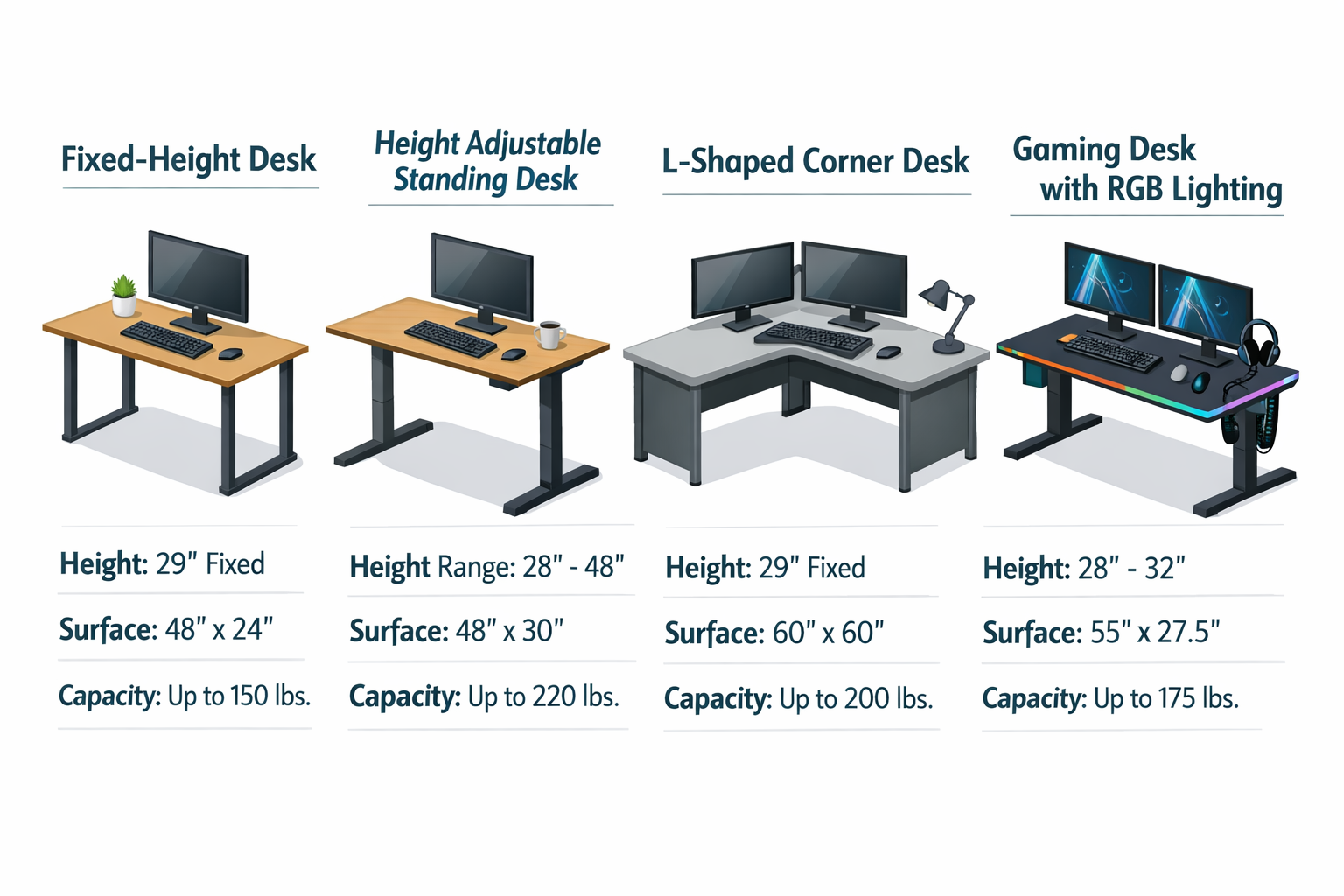
Each desk type solves a different problem. Choosing the right one starts with understanding what each is actually good for.
| Desk Type | Best For | Key Feature | Typical Width |
|---|---|---|---|
| Fixed-height desk | Budget setups, small spaces | Simplicity, stability | 40–60 inches |
| Electric sit-stand desk | Full-day computer workers | Height range 22–48 inches | 48–72 inches |
| L-shaped / corner desk | Multi-monitor, small rooms | Dual surface, corner use | 60–80 inches combined |
| Gaming desk | Long sessions, accessories | Cable management, wide surface | 55–72 inches |
| Manual crank desk | Budget standing option | No power needed | 48–60 inches |
–> Check Price and Availability at Amazon
Choose an electric height-adjustable desk if you work 6+ hours daily and want the flexibility to alternate between sitting and standing without friction. The motor does the work, memory presets save your positions, and the transition takes seconds.
Choose an L-shaped desk if your room is under 120 sq ft and you need space for two or three monitors. Corner configurations use space that would otherwise be wasted, and the wrap-around surface keeps everything within arm’s reach.
For more on this, see our guide to L-shaped office desks for workspace efficiency.
Choose a gaming desk if you need wide surface area, built-in cable management, and a surface that handles peripherals like headset stands, monitor arms, and charging pads.
For smaller rooms, our guide to smart office desks for small spaces covers space-saving configurations in more detail.
What Are the Health Benefits of a Sit-Stand Ergonomic Desk?
Standing desks reduce back pain by up to 32% and are linked to productivity improvements of approximately 13%. These aren’t vague wellness claims, they reflect measurable changes in how people feel and perform.
The core issue with fixed seated desks is prolonged static posture. Sitting in one position for hours compresses spinal discs, tightens hip flexors, and reduces circulation. Alternating between sitting and standing breaks that cycle.
Top 5 health benefits of sit-stand workstations:
- Reduced lower back pain — alternating positions relieves spinal compression and muscle fatigue
- Better circulation — standing encourages blood flow, reducing the risk of deep vein issues
- Lower risk of musculoskeletal disorders — particularly in the neck, shoulders, and wrists
- Improved energy and mood — standing is linked to reduced afternoon fatigue and better alertness
- Long-term posture improvement — consistent use reinforces neutral spinal alignment
Physiotherapists generally recommend a 1:1 or 2:1 sit-to-stand ratio, roughly 45–60 minutes seated, then 20–30 minutes standing. Anti-fatigue mats make standing more comfortable for extended periods. You can also pair your standing desk with a standing desk chair for a middle-ground posture option.
Pair your desk routine with ergonomic office exercises to further reduce strain during long work sessions.
What Should I Look for When Choosing a Height-Adjustable Desk?
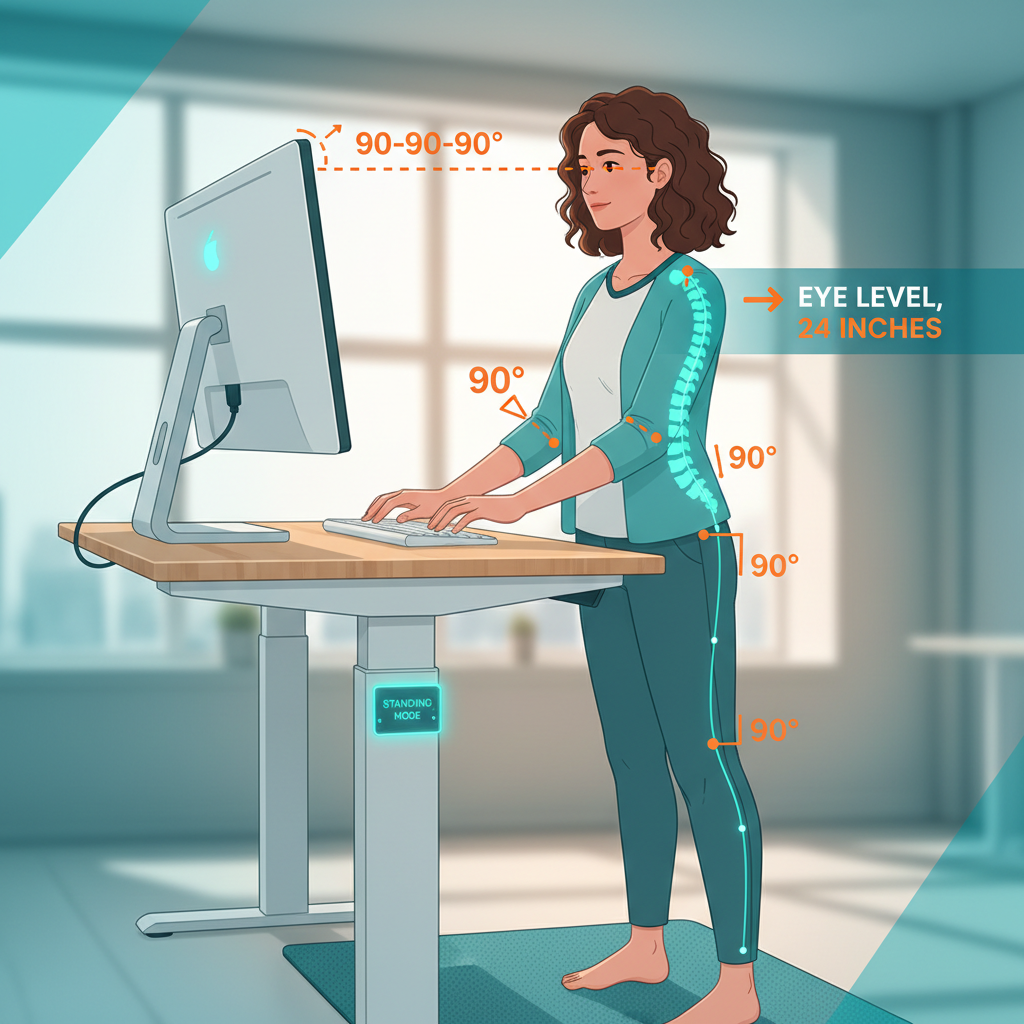
A height-adjustable desk needs to cover a range of 22–48 inches to accommodate both sitting and standing positions for most adults. Beyond that, here are the features that separate a good desk from a frustrating one.
Key features to evaluate:
- Height range: 22–48 inches covers most adults. If you’re taller than 6’3″ or shorter than 5’2″, check the specific range carefully.
- Motor quality: Dual motors are quieter and more stable than single-motor systems. Look for desks rated for 200+ lbs of weight capacity.
- Memory presets: At least two programmable height settings (your sitting and standing heights) saves time and removes the excuse not to switch positions.
- Surface dimensions: 48–72 inches wide and 24–30 inches deep is the recommended range. Depth of 28–30 inches is ideal for dual 27-inch monitors at proper viewing distance.
- Stability at height: Test or check reviews for wobble at maximum height. A wobbly desk at standing height is a dealbreaker.
- Cable management: Built-in grommets, trays, or channels keep the workspace clean and reduce tripping hazards.
For a broader look at adjustable options, our guide to adjustable height office desks covers specific models and configurations.
Common mistake: Buying a desk based on sitting height alone, then discovering it doesn’t go high enough for comfortable standing. Always check the maximum height before purchasing.
How Do I Set Up an Ergonomic Computer Desk Correctly?
The 90-90-90 rule is the medical-backed standard: elbows bent at 90°, hips at 90° with lumbar support, and knees at 90° with feet flat on the floor [3]. Everything else in your setup flows from that foundation.
Step-by-step ergonomic desk setup:
- Set desk height so your elbows rest at 90° when your hands are on the keyboard, typically 28–30 inches for seated work
- Position your monitor 20–30 inches from your eyes (arm’s length), with the top of the screen at or just below eye level
- Check your chair — lumbar support should contact your lower back, and feet should be flat on the floor or a footrest
- Arrange your keyboard and mouse close to your body to avoid reaching forward, which strains the shoulders
- Set standing height so your elbows still rest at 90°, typically 42–48 inches depending on your height
- Add an anti-fatigue mat for standing periods longer than 20 minutes
An ergonomic keyboard can further reduce wrist strain once your desk height is dialed in.
What Is the ROI of Investing in an Ergonomic Desk?
The return on an Ergonomic Computer Desk is measurable in reduced sick days, fewer medical visits, and sustained productivity. A 13% productivity improvement over a 250-day work year adds up to roughly 32 extra productive days annually, a significant return for a one-time furniture investment.
Beyond productivity, consider the cost of not investing. Musculoskeletal disorders are among the most common reasons for workplace absence and medical treatment. An adjustable desk in the $400–$1,200 range typically costs less than a single physiotherapy treatment plan for a chronic back injury.
Price-to-value breakdown:
- Under $300: Manual crank or basic fixed desks. Good for light use or tight budgets. Limited adjustability.
- $300–$600: Entry-level electric sit-stand desks. Adequate for most home office users. Check motor quality.
- $600–$1,200: Mid-range electric desks with dual motors, memory presets, and better stability. Best value for full-time remote workers.
- $1,200+: Premium desks with smart features, integrated cable management, and commercial-grade durability.
The psychological dimension matters too. Research increasingly supports the link between workspace design and mental wellbeing. A clean, well-organized, adjustable workspace reduces cognitive friction and supports a clearer mental state, something that’s hard to put a dollar figure on but very real in practice.
How Does Desk Choice Differ for Gaming vs. Home Office vs. Professional Use?
Home office workers need surface area, cable management, and ergonomic adjustability. An electric sit-stand desk with a 60-inch surface and memory presets is the standard recommendation for 2026.
Gamers prioritize wide surface area for multiple monitors and peripherals, sturdy construction for monitor arms and accessories, and often prefer a fixed-height desk with a surface rated for 200+ lbs. RGB lighting and carbon fiber or matte black finishes are common aesthetic preferences.
Professional and executive users often prefer L-shaped configurations or executive desks with drawer storage, a refined aesthetic, and surfaces large enough for documents alongside screens. See our overview of executive office desks for professional workspaces for more on this category.
Cross-generational note: Ergonomic desks benefit users of all ages, but the needs differ. Younger users often prioritize aesthetics and gaming features. Workers over 45 tend to prioritize back support and ease of adjustment. A good height-adjustable desk serves both groups well.
What Are the Latest Trends in Ergonomic Desk Design for 2026?
Integrated posture sensors and smart desk features are now mainstream in 2026 home offices, reflecting a broader shift toward technology-enhanced wellness workspaces. Desks now remind you to stand, track your sit-to-stand ratio, and sync with health apps.
Other significant trends include:
- Biophilic design integration — desks designed to sit near natural light, with surfaces that complement plants and natural materials
- Sustainability — bamboo, recycled steel, and FSC-certified wood are increasingly standard in mid-to-premium desks
- Smart home integration — voice-activated height adjustment and app-controlled presets are available in several 2026 models
- Modular configurations — desks that expand or reconfigure as your workspace needs change
For a broader look at what’s shaping modern workspaces, the modern home office furniture guide covers current design directions in detail.
Conclusion: Your Next Steps Toward a Better Workspace
Choosing the right Ergonomic Computer Desk isn’t complicated once you know what you actually need. Start with your height range, your room dimensions, and how many hours you spend at the desk daily.
From there, the desk type and feature set become obvious.
Actionable next steps:
- Measure your room and identify whether a standard, L-shaped, or corner configuration fits best
- Calculate your ideal sitting and standing heights using the 90-90-90 rule as your baseline
- Set a realistic budget — $600–$1,200 covers most full-time remote workers well
- Prioritize dual-motor stability, memory presets, and a surface depth of at least 24 inches
- Pair your desk with a quality ergonomic chair and proper monitor placement for a complete setup
A well-chosen ergonomic desk is one of the highest-return investments you can make in your daily health and work performance.
The data supports it, the research backs it, and the difference in how you feel after a full workday is immediate.
–> Check Price and Availability at Amazon
Frequently Asked Questions
What is the ideal height for an ergonomic computer desk?
For seated work, 28–30 inches from floor to surface suits most adults. For standing, 42–48 inches is the typical range. Height-adjustable desks should cover 22–48 inches to accommodate both positions.
How much should I spend on an ergonomic standing desk?
For full-time remote workers, $600–$1,200 is the sweet spot for a dual-motor electric desk with memory presets and good stability. Budget options under $300 exist but often sacrifice motor quality and height range.
Do standing desks actually reduce back pain?
Yes. Research cited by Cornell University indicates standing desks can reduce back pain by up to 32% [2]. The key is alternating between sitting and standing rather than standing all day.
What size desk surface do I need for dual monitors?
A surface of at least 60 inches wide and 28–30 inches deep accommodates two 27-inch monitors at proper viewing distance (20–30 inches from your eyes) with room for a keyboard and mouse.
Is an L-shaped desk ergonomic?
Yes, when set up correctly. L-shaped desks reduce reaching by keeping monitors and peripherals within a natural arc. They’re especially effective in rooms under 120 sq ft where corner space is otherwise unused.
Ergonomic Computer Desk
How often should I switch between sitting and standing?
A 1:1 or 2:1 sit-to-stand ratio is generally recommended — roughly 45–60 minutes seated followed by 20–30 minutes standing. Most smart desks include reminders to help maintain this rhythm.
What is the 90-90-90 rule for desk ergonomics?
It’s the medical standard for neutral posture: elbows bent at 90°, hips at 90° with lumbar support, and knees at 90° with feet flat on the floor or a footrest.
Can an ergonomic desk help with neck pain?
Yes, particularly when combined with correct monitor placement. The top of your monitor should sit at or just below eye level, 20–30 inches away, to prevent the forward head posture that causes neck strain.
What materials are best for ergonomic desk surfaces?
Bamboo and MDF with laminate finish are the most common. Bamboo is more sustainable and naturally resistant to moisture. Tempered glass looks clean but shows fingerprints and can feel cold. Avoid surfaces under 0.75 inches thick, as they flex under heavy monitor setups.
Are gaming desks ergonomic?
Some are, some aren’t. Gaming desks prioritize surface area and aesthetics. For ergonomics, look for gaming desks with adjustable height options, adequate depth (24+ inches), and cable management. A fixed-height gaming desk at the wrong height will cause the same problems as any poorly sized desk.
–> Check Price and Availability at Amazon