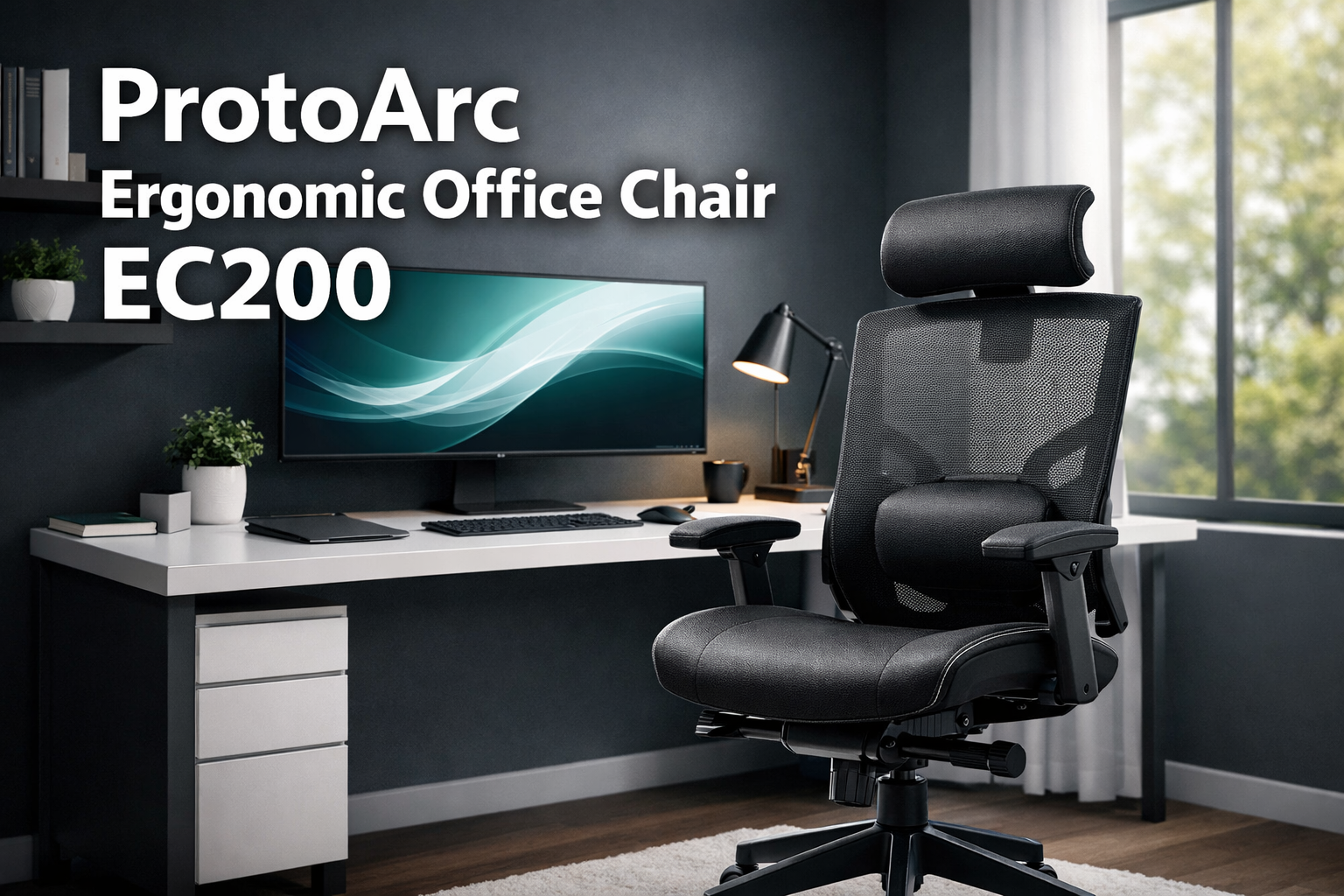
ProtoArc Ergonomic Office Chair
Last updated: April 8, 2026
Quick Answer: The ProtoArc Ergonomic Office Chair EC200 is a high-back mesh chair designed for 8+ hours of daily use, accommodating users 5’4″ to 6’3″ with a 280 lb weight capacity.
It features 2-way adjustable lumbar support, a 3D multi-dimensional headrest, sliding seat depth, four recline angles, and meets BS EN 1335 and ANSI/BIFMA X5.1 safety standards.
Making it one of the more complete ergonomic options under $300 in 2026.
Key Takeaways
- Fits a wide range of bodies: Designed for users 5’4″–6’3″ tall, up to 280 lbs, with five sliding seat depth positions
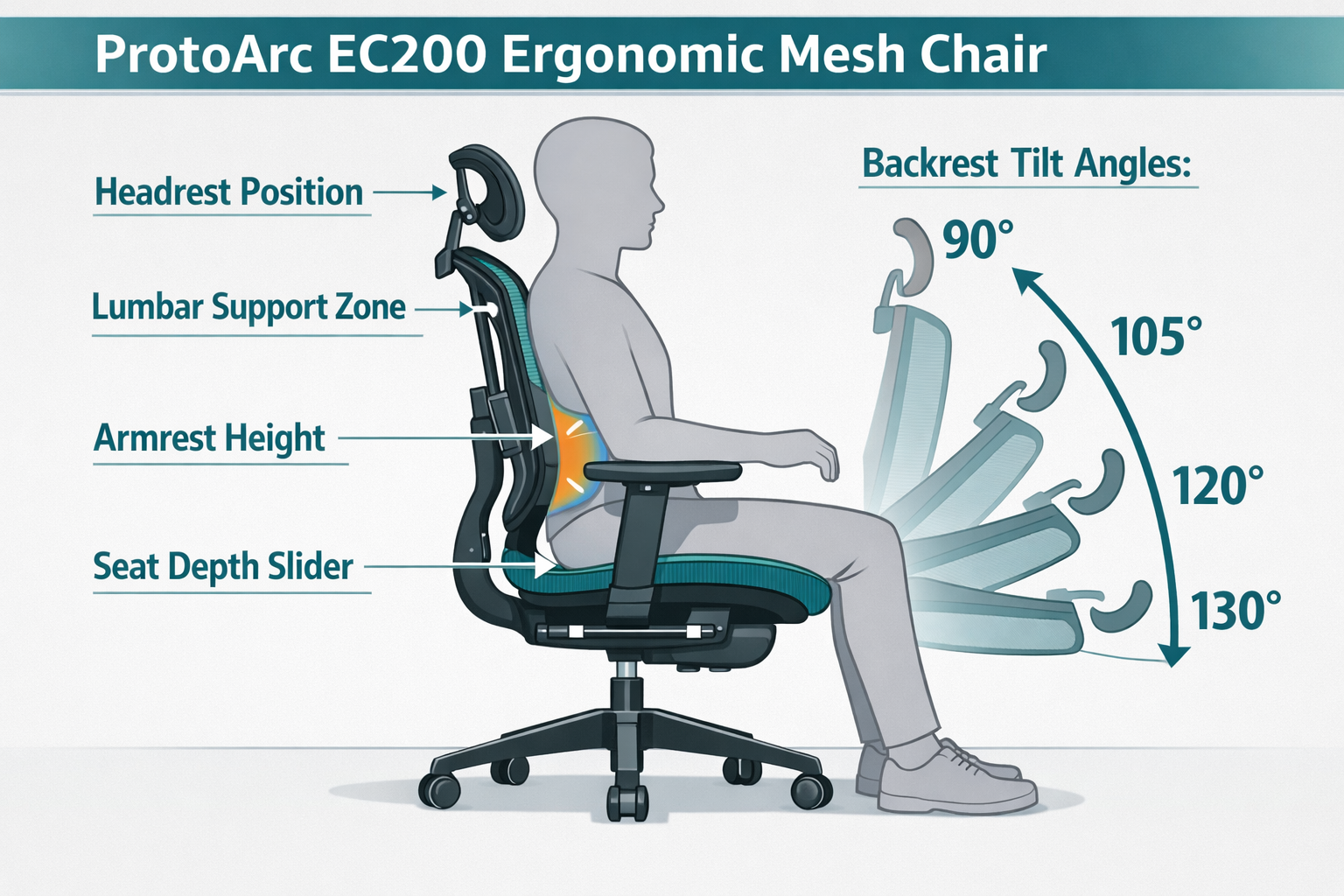
- Lumbar support is genuinely adjustable: 2.36″ height range plus 0.8″ depth adjustment contours to your spine’s natural curve
- Four recline angles (90°, 105°, 120°, 130°) let you shift posture throughout the day
- Safety-certified: Tested to BS EN 1335, ANSI/BIFMA X5.1, and TÜV Rheinland Class 4 gas lift (EN 16955) standards
- Assembly takes about 20 minutes with no extra tools required
- Customers rate it among the best ergonomic chairs under $300, with strong praise for lumbar support, sturdiness, and seat depth adjustment
- ProtoArc previewed upgraded models (EC200 Pro, EC300, EC300 Pro) at CES 2026, signaling continued investment in this product line [1]
- Mixed feedback on firmness — some users prefer softer cushioning; others appreciate the supportive density
What Is the ProtoArc EC200 and Who Is It For?
The ProtoArc EC200 is a high-back mesh ergonomic office chair built for professionals who spend long hours at a desk. It’s a practical choice for home office workers, remote employees, students, and anyone dealing with lower back discomfort from prolonged sitting.
Best suited for:
- Home office users who need all-day comfort without a corporate furniture budget
- Taller or larger users (up to 6’3″, 280 lbs) who struggle with standard chairs
- People with lower back pain who need targeted lumbar adjustment
- Budget-conscious buyers looking for ergonomic features typically found in $400–$600 chairs
Probably not the right fit for:
- Users under 5’4″ who may find the seat depth and headrest positioning awkward
- Anyone who strongly prefers an ultra-plush, soft cushion feel
- Buyers wanting a leather executive look rather than a mesh design
For a broader comparison of ergonomic seating options, our guide on comfortable ergonomic office chairs for better posture covers what to look for across price ranges.
Check the Current Price on Amazon and look for any active discounts before purchasing
ProtoArc Ergonomic Office Chair: Key Features Breakdown
The EC200 packs a notable number of adjustments into one chair. Here’s what each feature actually does and why it matters.
2-Way Adjustable Lumbar Support
The lumbar support adjusts 2.36 inches in height and 0.8 inches in depth, letting you position it precisely where your lower spine curves inward. This matters because lumbar support that sits too high or too low can actually increase back strain rather than reduce it.
ProtoArc claims the high-strength mesh back distributes pressure evenly, reducing lower back strain by up to 50% [4]. The mesh construction also prevents the heat buildup that foam-backed chairs create during long sessions — a practical advantage if you work in a warm room.
For more on selecting the right lumbar chair, see our guide to choosing a lumbar support chair.
3D Multi-Dimensional Headrest
The headrest moves on three axes: height, depth, and dual-axis rotation. This is more flexibility than most chairs in this price range offer. It’s designed for users 5’4″–6’3″, so if you’re at either end of that range, test the upper and lower height limits before committing.
Common mistake: Many users set the headrest too high, which pushes the chin forward and strains the neck. The headrest should cradle the base of the skull, not push against the back of the head.
Sliding Seat Depth (5 Positions)
The seat slides forward and back with an instant-lock mechanism, offering five positions. This is one of the EC200’s most praised features in customer reviews. Proper seat depth means your knees sit at roughly a 90° angle with 2–3 fingers of space between the seat edge and the back of your knees.
Taller users (6’0″+) will likely use the extended positions; shorter users (5’4″–5’7″) will want the seat pulled in.
Four Recline Angles
| Angle | Best Use |
|---|---|
| 90° | Focused typing or writing |
| 105° | Reading or video calls |
| 120° | Phone calls or light tasks |
| 130° | Rest breaks or relaxation |
A tilt tension knob lets you control how much resistance the recline offers — useful if you’re heavier and find chairs snap back too quickly, or lighter and want a more responsive feel.
High-Density Foam Cushion
The seat uses 55-density high-resiliency foam, which sits between “cloud soft” and “firm support” on the comfort spectrum. The reinforced base prevents sagging over time — a common failure point in budget chairs. The enhanced pressure distribution design targets the sitting bones (ischial tuberosities) and reduces sacral pressure.
Note on firmness: Customer feedback is split here. Some users find the cushion too firm initially; others appreciate that it doesn’t compress into a flat slab after six months of use. If you prefer a softer feel, a thin seat cushion pad can be added without affecting the chair’s ergonomic geometry.
Wide Armrests
Armrests adjust 2.76 inches in height. They’re wider than average, which provides more forearm surface area during typing. Properly set armrests should let your shoulders stay relaxed — not shrugged up or drooping down.
How Does the EC200 Perform for 8+ Hour Work Sessions?
For long desk sessions, the EC200 performs well above its price point. The combination of adjustable lumbar support, seat depth, and recline angles means you can shift posture throughout the day rather than staying locked in one position, which is actually more important than any single “perfect” ergonomic setting.
Biomechanical context: Sustained static posture, even a “correct” one, increases muscle fatigue and disc pressure over time. The ability to recline to 120° or 130° for short breaks lets the spinal discs decompress slightly, which reduces cumulative strain during a full workday.
The breathable mesh back helps significantly during warmer months or in offices without strong air conditioning. Unlike foam-backed chairs, mesh allows airflow across the back, reducing perspiration and the discomfort that comes with it. For a deeper look at why mesh matters, see our article on choosing a breathable mesh chair.
Pairing the chair with regular movement also helps, short breaks every 45–60 minutes to stand, stretch, or walk make a measurable difference in how you feel by end of day. Our simple chair stretches for office relief offers quick routines that complement ergonomic seating.
ProtoArc Ergonomic Office Chair: Safety Certifications and Build Quality
This is where the EC200 stands out from many competitors at the same price. ProtoArc has invested in third-party safety testing rather than relying on self-reported specs.
Certifications:
- BS EN 1335 — European ergonomic standard for office seating
- ANSI/BIFMA X5.1 — North American standard for strength and stability testing (tested by SGS)
- TÜV Rheinland Class 4 gas lift (EN 16955) — Ensures smooth, reliable height adjustment under load
These aren’t marketing badges. ANSI/BIFMA X5.1 testing involves cycle testing for seat, back, and armrest durability under repeated loads, plus stability tests to ensure the chair won’t tip under normal use conditions. The fact that ProtoArc submits to SGS testing (an independent certification body) adds credibility to these claims.
The 5-year warranty also signals confidence in build quality — most budget chairs offer 1–2 years. For context, ProtoArc’s premium Flexer chair carries a 10-year warranty [6], so the EC200’s 5-year coverage sits in the mid-tier of their lineup.
How Does the EC200 Compare to Other Ergonomic Chairs?
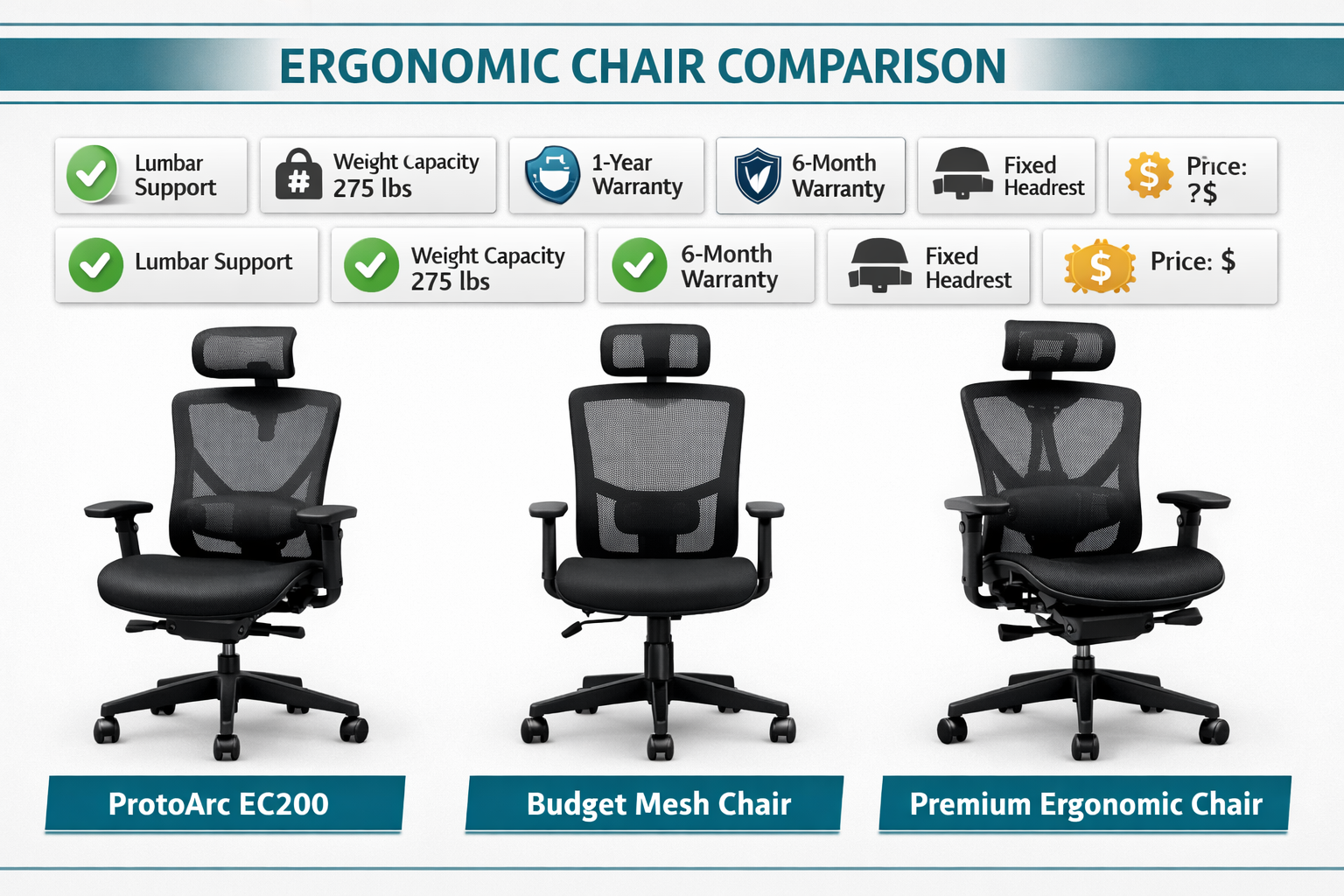
Understanding where the EC200 fits in the market helps set realistic expectations.
| Feature | ProtoArc EC200 | Typical Budget Chair (<$150) | Premium Ergonomic Chair ($500+) |
|---|---|---|---|
| Lumbar adjustability | 2-way (height + depth) | Fixed or 1-way | Multi-axis, dynamic |
| Headrest | 3D (height, depth, rotation) | Fixed or height only | Full 3D or removable |
| Seat depth | 5-position sliding | Fixed | Continuous sliding |
| Recline angles | 4 preset angles | 2–3 angles | Continuous recline |
| Weight capacity | 280 lbs | 220–250 lbs | 250–350 lbs |
| Safety certification | BS EN 1335, ANSI/BIFMA | Often uncertified | ANSI/BIFMA, GREENGUARD |
| Warranty | 5 years | 1 year | 5–12 years |
| Price range | ~$200–$280 | <$150 | $500–$1,500 |
Decision rule: Choose the EC200 if you want certified ergonomic adjustability under $300 and don’t need the continuous recline or dynamic lumbar found in premium chairs. Choose a premium option if you have a diagnosed spinal condition or spend 10+ hours daily at a desk and can justify the investment.
For users who need a chair for larger body types, our roundup of comfortable office chairs for big and tall individuals covers additional options worth considering.
At CES 2026, ProtoArc previewed three upgraded models — the EC200 Pro, EC300, and EC300 Pro — each featuring enhanced mesh construction and expanded adjustability [1]. If you’re reading this later in 2026, it’s worth checking whether these models have launched and at what price point.
What Do Real Users Say About the ProtoArc EC200?
Customer feedback from verified buyers paints a consistent picture with a few notable caveats.
What users consistently praise:
- Sturdy build with no wobble, even after months of use
- Easy assembly (most report 15–25 minutes, no extra tools)
- Seat depth adjustment — frequently called out as a standout feature
- Lumbar support that actually reduces back discomfort
- Value for money, with multiple reviewers noting it competes with chairs twice the price
Where opinions split:
- Cushion firmness: Some users find the 55-density foam too firm initially; others say it’s exactly right and doesn’t flatten over time
- Armrest width: Most appreciate the wider surface; a small number find them too wide for narrower desks
Edge case to know: If you’re under 5’6″ and have a standard-height desk (29″–30″), double-check that the chair’s minimum seat height works for your setup before purchasing. The gas lift range should accommodate most standard desks, but it’s worth confirming.
An expert review from TechUtopia (February 2026) highlighted the EC200 as a practical ergonomic chair for long desk sessions, specifically noting the tunable neck, lumbar, and leg support as its strongest selling points [5].
How to Assemble and Adjust the ProtoArc EC200
Assembly takes about 20 minutes with no extra tools. ProtoArc provides a visual step-by-step guide in the box.
Assembly steps:
- Attach the five caster wheels to the base (press-fit, no tools needed)
- Insert the gas lift cylinder into the base
- Attach the seat mechanism to the seat pan
- Connect the backrest to the seat mechanism
- Attach the headrest to the backrest
- Set the armrests to your preferred height
Adjustment sequence for first-time setup:
- Seat height — Adjust so feet rest flat on the floor, knees at roughly 90°
- Seat depth — Slide until 2–3 fingers fit between the seat edge and the back of your knees
- Lumbar height — Position the lumbar pad at the curve of your lower back (typically just above the belt line)
- Lumbar depth — Increase depth until you feel gentle support without being pushed forward
- Headrest — Align with the base of your skull; rotate to match your natural head angle
- Armrests — Set so shoulders are relaxed, elbows at roughly 90°
- Tilt tension — Adjust the knob so reclining requires light effort, not a push
Common mistake: People often set the lumbar support too low (at the tailbone area) rather than at the lumbar curve. If your lower back still aches after setup, try raising the lumbar pad 1–2 inches.
For broader ergonomic workspace tips, our guide on improving posture with ergonomic chairs covers complementary adjustments beyond the chair itself.
Long-Term Health and Productivity Impact of Proper Seating
Ergonomic seating isn’t just about comfort — it has measurable effects on physical health and work output over time.
Physical health considerations:
- Chronic lower back pain is one of the leading causes of work absenteeism globally. Chairs with adjustable lumbar support help maintain the spine’s natural S-curve, reducing disc compression during prolonged sitting.
- Poor seating posture contributes to tension headaches, shoulder tightness, and hip flexor strain — issues that compound over months and years of desk work.
- The EC200’s mesh back reduces heat buildup, which indirectly improves comfort and reduces the fidgeting and postural shifts that come from overheating.
Productivity angle:
Physical discomfort is a cognitive distraction. When you’re aware of back pain or neck stiffness, attention shifts away from work. A properly adjusted ergonomic chair reduces that background noise, allowing sustained focus during deep work sessions.
Long-term cost framing: A chair that costs $250 and lasts 5+ years (backed by warranty) works out to roughly $50 per year, or less than $1 per week. Compared to physiotherapy visits or productivity losses from chronic discomfort, that’s a straightforward value calculation.
ProtoArc’s direction at CES 2026, including a pressure-sensitive smart chair concept that detects posture changes and coordinates workspace adjustments automatically, suggests the company is investing in making ergonomic compliance easier, not just more adjustable [1]. That’s a meaningful long-term signal for buyers considering the brand.
For users dealing with existing back issues, our resource on relieving office chair back pain offers practical complementary strategies.
Maintenance and Longevity Tips for the EC200
A few simple habits extend the life of any mesh office chair significantly.
- Clean the mesh monthly with a soft brush or vacuum attachment to prevent dust buildup in the weave, which can degrade mesh elasticity over time
- Wipe the frame and armrests with a damp cloth; avoid harsh chemical cleaners that can degrade plastic components
- Check caster wheels quarterly for hair or debris wrapped around the axle — this is the most common cause of uneven rolling
- Don’t exceed the 280 lb weight capacity — the reinforced base is rated for this load, and consistent overloading accelerates wear on the gas lift and seat mechanism
- Store away from direct sunlight if possible; prolonged UV exposure fades mesh and can weaken plastic over time
- Re-check all adjustment settings every 3–6 months, as knobs and mechanisms can loosen slightly with regular use
Frequently Asked Questions
Q: What is the weight capacity of the ProtoArc EC200?
The EC200 supports users up to 280 lbs. The reinforced seat base and Class 4 gas lift are both rated for this load.
Q: Is the ProtoArc EC200 good for people with lower back pain?
Yes, for most users. The 2-way adjustable lumbar support (height and depth) lets you position it precisely at your lumbar curve. Multiple users report reduced back discomfort after switching to the EC200. If you have a diagnosed spinal condition, consult a physiotherapist for personalized guidance.
Q: How long does assembly take?
Most users complete assembly in 15–25 minutes. No extra tools are required — ProtoArc includes a visual step-by-step guide.
Q: Does the EC200 work for tall users (6’0″+)?
Yes. The chair is designed for users up to 6’3″. Taller users should use the extended seat depth positions and set the headrest to its upper height range.
Q: What recline angles does the EC200 offer?
Four preset angles: 90° (upright), 105° (reading), 120° (phone calls), and 130° (relaxation). Tilt tension is adjustable via a knob under the seat.
Q: Is the mesh breathable enough for warm environments?
Yes. The high-strength mesh back allows airflow across the back, which reduces heat buildup compared to foam or leather-backed chairs. This is a practical advantage during summer months or in offices without strong air conditioning.
ProtoArc Ergonomic Office Chair: FAQs
Q: What warranty does the EC200 come with?
The EC200 includes a 5-year warranty. ProtoArc also offers 24/7 customer support.
Q: How does the EC200 compare to ProtoArc’s other chairs?
The EC200 is ProtoArc’s mid-range model. The ErgoChair 100 is a more budget-focused option [2], while the Flexer chair offers adaptive lumbar technology and a 10-year warranty at a higher price point [6]. ProtoArc also previewed the EC200 Pro, EC300, and EC300 Pro at CES 2026 [1].
Q: Can shorter users (under 5’6″) use the EC200 comfortably?
The chair is designed for users 5’4″–6’3″. Users at the shorter end of that range should verify the minimum seat height works with their desk setup and use the seat depth slider at its shortest position.
Q: Is the cushion firm or soft?
Customer opinions are split. The 55-density foam provides firm support that resists sagging over time. Some users find it too firm initially; others appreciate the durability. A thin seat pad can be added if you prefer a softer feel.
Q: Where can I buy the ProtoArc EC200?
The EC200 is available on Amazon. Check current pricing and availability here.
Conclusion
The ProtoArc Ergonomic Office Chair EC200 delivers a strong set of ergonomic features at a price point that most competitors can’t match.
The combination of 2-way lumbar adjustment, 3D headrest, five-position seat depth, four recline angles, and third-party safety certifications (BS EN 1335, ANSI/BIFMA X5.1, TÜV Rheinland) makes it a credible choice for anyone spending 6–10 hours daily at a desk.
It’s not a perfect chair, the cushion firmness divides opinion, and users outside the 5’4″–6’3″ range may find fit challenging. But for the target user, it solves the right problems: lower back support, postural variety throughout the day, and durability that holds up over years of use.
Actionable next steps:
- Measure your desk height and confirm the EC200’s seat height range works for your setup
- Check your current chair’s lumbar support — if it’s fixed or missing, the EC200’s 2-way adjustment alone may justify the switch
- Read the assembly guide before starting — 20 minutes is realistic if you lay out all parts first
- Spend the first week adjusting — most users need 3–5 days of micro-adjustments to find their ideal settings
- Check the Current Price on Amazon and look for any active discounts before purchasing
If you’re comparing options before deciding, our guide on top office chairs for comfort and productivity covers a broader range of alternatives across price points.
References
[1] Protoarc To Debut Smart Workspace Concept At Ces 2026 – https://www.protoarc.com/blogs/news/protoarc-to-debut-smart-workspace-concept-at-ces-2026
[2] Protoarc Ergochair 100 Ergonomic Mesh Office Chair Review A Budget Friendly Chair With Some Quirks – https://the-gadgeteer.com/2024/06/04/protoarc-ergochair-100-ergonomic-mesh-office-chair-review-a-budget-friendly-chair-with-some-quirks/
[4] Watch (Ryan’s Tech EC200 Review) – https://www.youtube.com/watch?v=VrH6ZevFIV8
[5] Watch (TechUtopia EC200 Review) – https://www.youtube.com/watch?v=nWLG_SCJZBU
[6] Flexer Ergonomic Chair – https://www.protoarc.com/products/flexer-ergonomic-chair
Check the Current Price on Amazon and look for any active discounts before purchasing