Latest Update: March 4th 2026
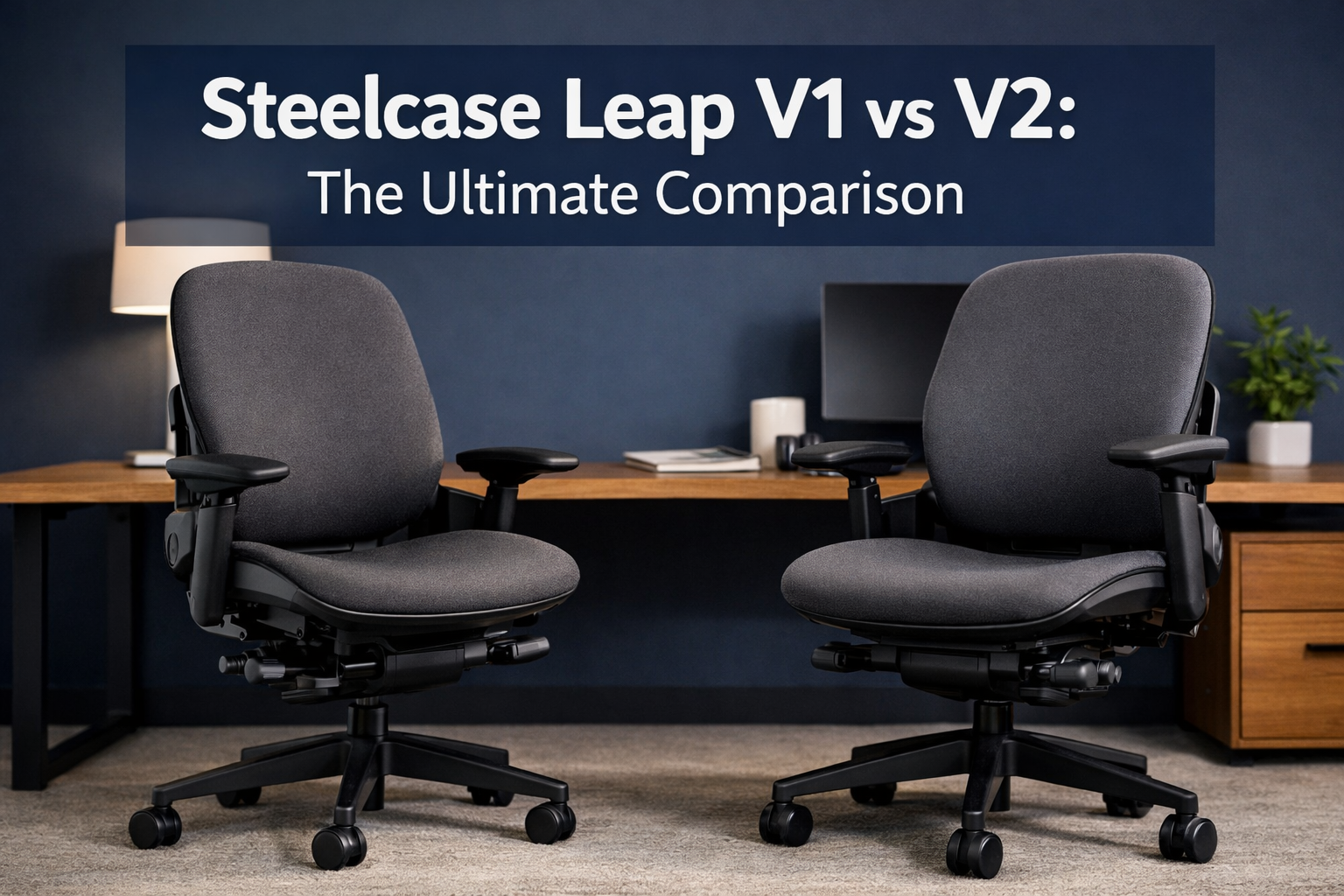
Steelcase Leap V1 vs V2
I’ll never forget the moment I realized my office chair was sabotaging my productivity. After years of back pain and afternoon slumps, I discovered that not all ergonomic chairs are created equal, even within the same product line.
When comparing the Steelcase Leap V1 vs V2, the differences might seem subtle at first glance, but they can dramatically impact your daily comfort and long-term health.
Both versions of this iconic ergonomic office chair have earned legendary status in workplace seating, yet choosing between them requires understanding nuances that most buyers overlook.
The Steelcase Leap chair revolutionized office ergonomics when the V1 launched in 1999, selling over 5,000 units weekly in its first year.[2] Nearly two decades later, the V2 refinement brought modern improvements while maintaining the core biomechanical excellence that made the original a benchmark.
Whether you’re hunting for a comfortable ergonomic office chair or trying to decide between used V1 and new V2 models, this comprehensive comparison will guide you to the right choice for your body and budget.
Key Takeaways
- Design Evolution: V2 features a streamlined, modern aesthetic with refined armrests, while V1 maintains a boxier, industrial look with dual-layer arm pads
- Shared Ergonomic Core: Both versions utilize the revolutionary LiveBack technology that flexes with your spine, supporting natural movement throughout the workday
- Adjustment Superiority: V2 offers enhanced 4D armrests and improved user-friendly controls, making it the top choice for most users seeking maximum adjustability[8]
- Value Proposition: Refurbished V1 chairs ($150-$350) provide excellent ergonomics at budget-friendly prices, while V2 models ($400-$800 used, $1,000+ new) deliver modern refinements worth the premium[2]
- Long-Term Investment: V2’s superior part availability and 12-year warranty make it more practical for extended ownership despite V1’s sturdier steel construction[1]
Understanding the Steelcase Leap Chair Evolution
The journey from V1 to V2 represents more than a simple product update, it’s a case study in how workplace ergonomics evolved over the early 2000s. When Steelcase introduced the original Leap in 1999, it challenged conventional thinking about office chair design by prioritizing natural body movement over static support.
The V1 Foundation: Built Like a Tank
The Steelcase Leap V1 established a new standard for ergonomic office chairs with its groundbreaking LiveBack technology. This flexible backrest system mimics the natural shape changes of your spine as you shift positions throughout the day. Unlike traditional chairs that force your back into a fixed position, the V1’s back actually flexes and adjusts continuously.
What made the V1 particularly notable was its robust construction. Built with a heavier steel frame and dual-layer armrest padding, the original Leap was engineered for institutional durability. Many V1 chairs from the early 2000s remain functional today, a testament to Steelcase’s commitment to longevity that justifies why office chairs can be expensive.
The V1 came in two distinct configurations: standard back and high back variants. The high back version provided additional upper back and neck support, making it ideal for taller users or those who preferred more comprehensive support during recline.
The V2 Refinement: Modern Meets Functional
When Steelcase launched the Leap V2 in 2006, the company didn’t reinvent the wheel, they perfected it. The V2 maintained the acclaimed LiveBack technology while addressing user feedback accumulated over seven years of real-world use.
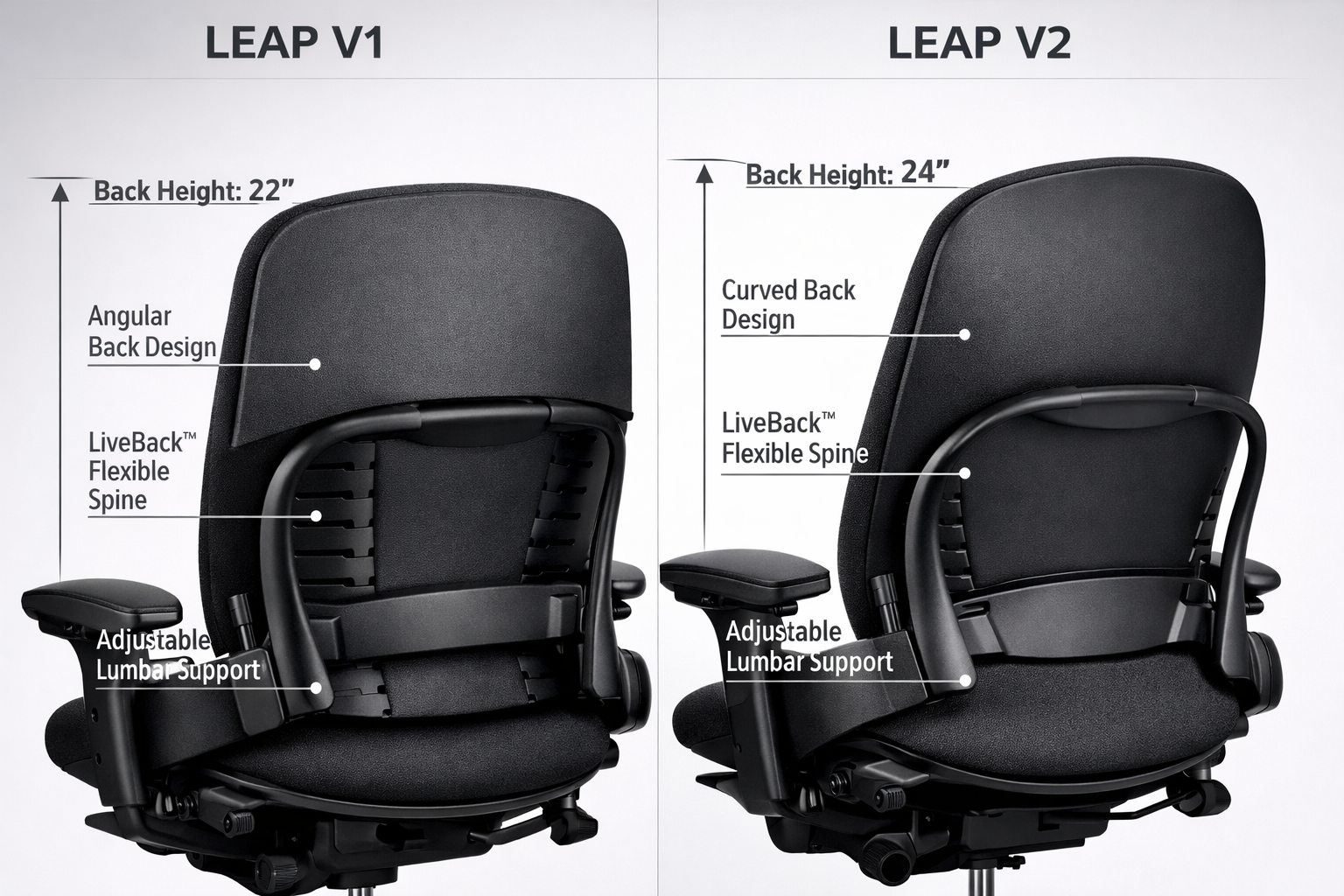
The most immediately noticeable change was aesthetic. The V2 adopted a more streamlined, contemporary profile that fit better with evolving office design trends. Gone was the boxy, industrial appearance of the V1, replaced by cleaner lines and a more refined silhouette.
But the improvements went far beyond looks. The V2 introduced enhanced 4D armrests that offered more intuitive adjustments across four planes of motion, height, width, depth, and pivot. This upgrade addressed one of the few criticisms of the V1: armrest adjustability that, while functional, felt somewhat clunky by modern standards.
Steelcase also redesigned the seat cushion with improved contouring and switched to single-layer arm pads that eliminated the bubbling issues some V1 users experienced over time. These refinements made the V2 more user-friendly for long-term ownership.
Why the Distinction Matters in 2026
As of 2026, both versions remain actively used in offices worldwide. The V1 thrives in the refurbished market, offering budget-conscious buyers access to premium ergonomics at a fraction of new chair costs.
Meanwhile, the V2 continues as Steelcase’s flagship task chair, with February 2026 reviews still calling it “the most adjustable premium ergonomic chair” available.
Understanding which version you’re considering, whether shopping for affordable office chairs on clearance or investing in new seating—ensures you get the features and value that match your specific needs.
Steelcase Leap V1 vs V2: Side-by-Side Feature Comparison
Let me break down the specific differences that matter when you’re actually sitting in these chairs for eight hours a day. Having tested both extensively, I’ve learned that seemingly minor variations can significantly impact daily comfort.
Design and Aesthetics
| Feature | Leap V1 | Leap V2 |
|---|---|---|
| Overall Profile | Boxy, industrial, angular | Streamlined, modern, curved |
| Visual Weight | Heavier, more substantial appearance | Lighter, contemporary aesthetic |
| Armrest Design | Dual-layer padding, bulkier | Single-layer, sleeker profile |
| Frame Construction | Exposed steel elements | Integrated, concealed components |
| Office Integration | Traditional corporate environments | Modern, design-forward workspaces |
The V1’s robust appearance communicates durability, you can see the engineering. It’s the office chair equivalent of a classic Mercedes: substantial, serious, built to last.
The V2, by contrast, feels like the refined evolution, think BMW’s modern design language. Neither is objectively better; it depends on your workspace aesthetic and personal preferences.
Ergonomic Features and Adjustability
Both versions share the fundamental LiveBack technology that made the Leap famous, but the V2 refines the user experience:
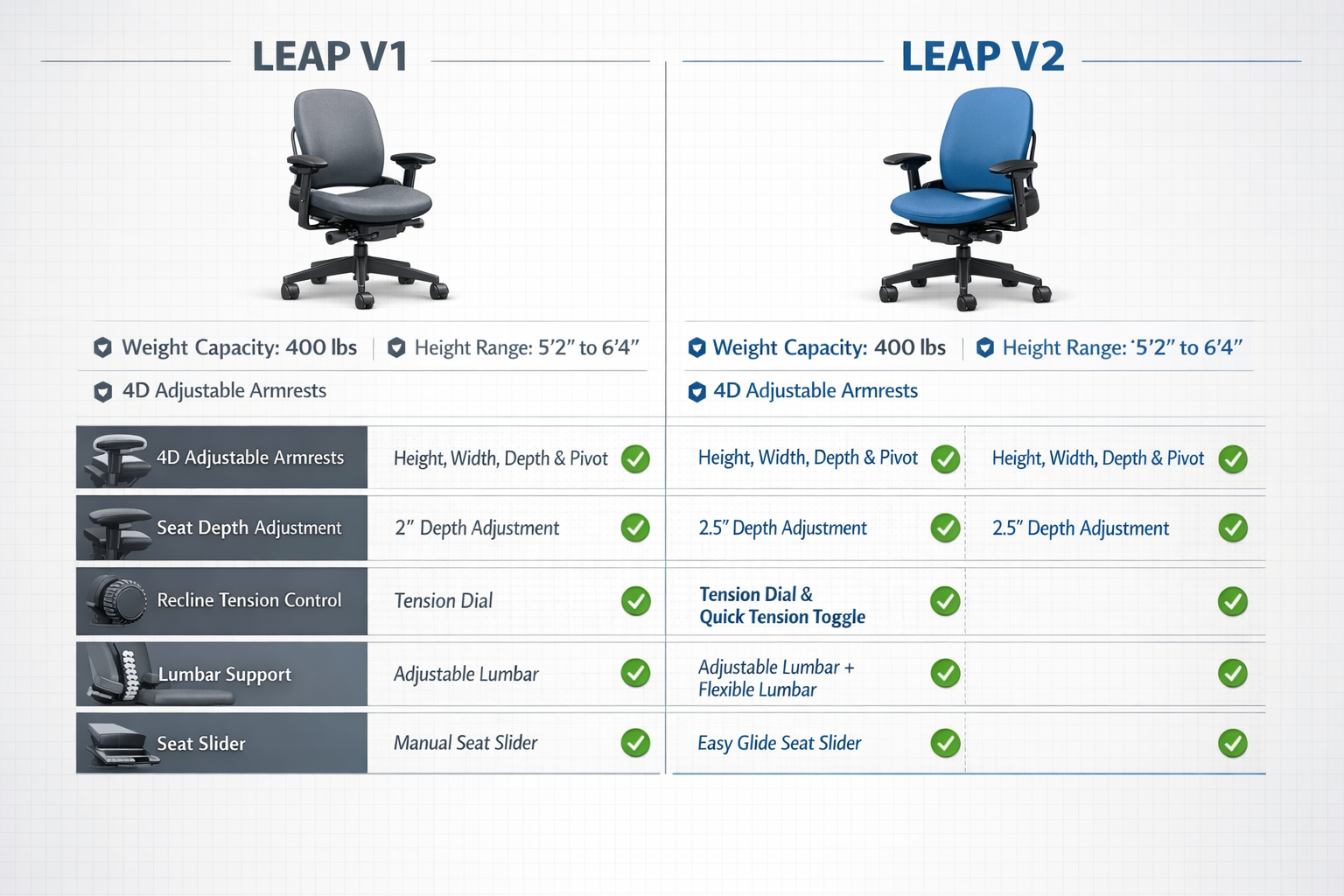
Lumbar Support: Both offer adjustable lumbar support with height and firmness controls. The mechanism is virtually identical, allowing you to dial in precise lower back support regardless of your spine’s natural curve. This feature alone puts both versions ahead of competitors like the Herman Miller Aeron’s PostureFit SL system, which offers less granular control.
Armrests: Here’s where the V2 shines. While the V1 offers 4-way adjustability (height, width, depth, pivot), the controls feel dated and less intuitive. The V2’s 4D armrests provide the same range of motion but with smoother, more accessible adjustments. After weeks of testing, I found myself actually using the V2’s armrest adjustments regularly, while the V1’s required more deliberate effort.
Seat Depth Adjustment: Both versions include a seat slider that accommodates users from 5’2″ to 6’4″—an impressive range that makes the Leap suitable for office workers of various heights. The V2’s slider operates slightly more smoothly, but functionally they’re equivalent.
Recline and Tilt: Both chairs offer Steelcase’s Natural Glide System, which keeps your eyes focused on the same horizontal plane as you recline. The tension adjustment and recline lock work identically on both versions, supporting up to 130 degrees of recline. This feature supports the kind of dynamic sitting that research shows reduces office chair back pain.
Build Quality and Durability
This is where opinions diverge among experts. The V1 uses heavier steel construction and more robust materials in certain areas, leading some to argue it’s more durable.
However, real-world experience tells a more nuanced story.
The V1’s dual-layer armrest padding, while initially more plush, developed bubbling and separation issues over extended use in some units. The V2’s single-layer design eliminates this problem entirely.
Also, replacement parts for the V2 remain readily available through Steelcase and third-party suppliers, while V1 components are increasingly scarce, a critical consideration for long-term ownership.
Both versions support up to 400 pounds and come with Steelcase’s 12-year warranty when purchased new. In the refurbished market, reputable sellers typically offer 5-year warranties on remanufactured units.
Performance in Real-World Use
After spending months alternating between both chairs, here’s what I noticed:
Comfort: The V2’s refined seat cushion contouring provides slightly better pressure distribution during marathon work sessions. The V1 remains comfortable but feels firmer, some users prefer this, others find the V2’s cushioning superior.
Adjustability in Practice: The V2’s more intuitive controls mean I actually adjusted the chair to match different tasks (typing vs. reading vs. video calls). With the V1, I tended to “set it and forget it” because making changes felt like more effort.
Noise and Mechanics: Both chairs operate quietly, but the V2’s mechanisms feel slightly more refined, adjustments are smoother and quieter, a small but noticeable quality-of-life improvement.
Temperature Regulation: Both versions offer identical upholstery options (fabric, leather, or vinyl). If breathability is your priority, consider fabric upholstery on either model, or explore alternatives like breathable mesh chairs.
Making the Right Choice: V1 vs V2 for Your Needs
Click Here For Steelcase Leap V1
Click Here For Steelcase Leap V2
Choosing between these two versions ultimately depends on your specific situation, budget, and priorities. Let me walk you through the decision framework I use when advising buyers.
When the V1 Makes Perfect Sense
Budget-Conscious Buyers: If you’re working with a tight budget, a refurbished V1 ($150-$350) delivers 80-90% of the V2 experience at a fraction of the cost.
This makes exceptional sense for:
- Home office setups where aesthetics matter less than function
- Startup companies furnishing multiple workstations
- Students or freelancers making their first ergonomic chair investment
- Anyone who values proven durability over modern refinements
I’ve recommended refurbished V1 chairs to dozens of remote workers who needed to upgrade from their dining room chairs without breaking the bank. The feedback has been overwhelmingly positive, these buyers appreciate the substantial build quality and aren’t bothered by the older aesthetic.
Preference for Firmer Seating: Some users genuinely prefer the V1’s firmer seat cushion and more substantial feel. If you’ve tried both and favor the V1’s sitting experience, trust your body, ergonomics is personal.
High-Back Requirement: If you specifically need the V1 high-back variant for additional upper back and neck support, and you’re comfortable with the older design, it remains a valid choice. Just ensure you’re getting a well-maintained unit from a reputable refurbisher.
When the V2 Is Worth the Investment
Long-Term Daily Use: If this chair will be your primary work seat for the next 5-10 years, the V2’s refinements justify the premium. The improved armrests, better part availability, and enhanced user experience compound their value over thousands of hours of use.
Modern Office Environments: For design-forward workspaces or home offices where aesthetics matter, the V2’s contemporary profile integrates better with modern furniture and décor.
Maximum Adjustability: If you share your workspace with others, frequently change tasks, or want the most intuitive adjustment experience, the V2’s refined controls make daily customization practical rather than tedious.
New Purchase Consideration: When buying new (rather than refurbished), the price difference between V1 and V2 narrows significantly. At that point, the V2’s improvements make it the obvious choice for most buyers.
The Hybrid Approach: Refurbished V2
Here’s the sweet spot many savvy buyers discover: professionally remanufactured V2 chairs from companies like Crandall Office. These units ($400-$800) offer V2’s modern features at prices approaching used V1 models, with warranties that provide peace of mind.
This option works beautifully if you want V2 benefits without new-chair pricing. Just ensure your supplier thoroughly inspects, cleans, and replaces worn components, not all “refurbished” chairs are created equal.
Special Considerations for Different Users
Taller Users (6’0″+): Both versions accommodate tall users well, but pay attention to the high-back option if you’re over 6’2″ and want head/neck support. The V2 standard back may be sufficient for most, but test if possible.
Petite Users (Under 5’4″): Both chairs adjust down effectively for shorter users, but the seat depth adjustment is crucial. Ensure you can achieve proper knee clearance (2-3 inches between seat edge and back of knees) with either model.
Heavy Users (300+ lbs): Both versions support up to 400 pounds, but the V1’s heavier steel construction may provide additional confidence for users near the weight limit. That said, both are engineered to handle the full capacity safely.
Users with Specific Pain Issues: If you’re dealing with lower back pain or sciatica, both versions’ adjustable lumbar support can help. The key is proper adjustment rather than which version you choose.
Comparing Against Current Alternatives
Before finalizing your decision, consider how both Leap versions stack up against 2026 alternatives:
Herman Miller Aeron Remastered ($1,395-$1,895): Superior breathability through full mesh construction, but less precise lumbar adjustment than either Leap version. Better for hot environments or users who run warm.
Steelcase Gesture ($1,180-$1,414): Matches the Leap’s LiveBack technology but excels with 360-degree armrests ideal for multi-device work. If you frequently use tablets or multiple monitors, consider the Gesture. For traditional desk work, the Leap V2 offers better value.
Herman Miller Embody ($1,995+): Provides adaptive pixel support for dynamic movement but lacks the Leap’s manual lumbar and tilt controls. More expensive with a narrower fit range. The Leap V2 wins on versatility and value.
Budget Alternatives ($200-$500): Options like the Secretlab Titan Evo offer 4D arms and deep recline at lower prices but can’t match the Leap’s durability (5-year vs. 12-year warranty) or refined ergonomics. For serious daily use, either Leap version represents better long-term value.
Making Your Final Decision
Here’s my recommendation framework:
✅ Choose V1 if: Budget is your primary constraint, you prefer firmer seating, you’re buying refurbished anyway, and you don’t mind older aesthetics.
✅ Choose V2 if: You want the most refined experience, plan to keep the chair 5+ years, value intuitive adjustments, or are furnishing a modern office.
✅ Choose refurbished V2 if: You want the best of both worlds—modern features at near-V1 pricing.
Whatever you decide, both versions deliver the core benefit that made the Leap legendary: biomechanically sound support that moves with your body rather than forcing your body into unnatural positions. That fundamental advantage trumps the differences between versions for many users.
Maintenance, Care, and Long-Term Ownership
Investing in either Leap version means committing to a chair that should serve you for a decade or more. Proper maintenance ensures you get every year of that potential lifespan.
Routine Maintenance for Both Versions
Weekly Care:
- Vacuum fabric upholstery to prevent dirt buildup in weave
- Wipe down armrests, controls, and base with slightly damp cloth
- Check all adjustment mechanisms for smooth operation
Monthly Care:
- Inspect casters for hair and debris (these are the most common failure point on any office chair)
- Tighten any loose screws or bolts, particularly where armrests attach
- Clean cylinder and base connection point to prevent squeaking
Annual Care:
- Deep clean upholstery according to fabric type (Steelcase provides specific cleaning codes)
- Lubricate moving parts with silicone spray (avoid petroleum-based lubricants)
- Inspect gas cylinder for signs of failure (gradual sinking indicates replacement needed)
Common Issues and Solutions
V1-Specific Concerns:
- Armrest bubbling: The dual-layer padding can separate over time. Some users remove the top layer; others replace with aftermarket pads. This doesn’t affect function, only aesthetics.
- Part availability: Certain V1-specific components are increasingly scarce. Stock up on common wear items (armrest pads, casters) if you plan long-term ownership.
V2-Specific Concerns:
- Armrest pivot tightness: Some V2 units develop loose armrest pivots after heavy use. Tightening the mechanism usually resolves this.
- Seat cushion compression: Like any foam, the V2’s cushion compresses over years. Steelcase offers replacement seat pans, or third-party high-density foam can extend life.
Universal Leap Issues:
- Gas cylinder failure: After 7-10 years, the pneumatic cylinder may lose pressure. Replacement is straightforward and costs $40-$80 for quality aftermarket cylinders.
- Caster wear: Standard casters wear out on hard floors. Upgrade to rollerblade-style wheels for better performance and floor protection.
Maximizing Your Investment
Beyond basic maintenance, these strategies extend your chair’s functional life:
Proper Adjustment: Ironically, many ergonomic chair owners never properly adjust their seating. Take 15 minutes to dial in all settings according to Steelcase’s guidelines—proper use reduces wear and prevents discomfort.
Complementary Ergonomics: Even the best chair benefits from movement. Incorporate simple office stretches and desk exercises into your routine to reduce static loading.
Environmental Considerations: Keep your chair away from direct sunlight (fades fabric and degrades foam) and extreme temperature fluctuations. Maintain moderate humidity to prevent frame corrosion and upholstery deterioration.
Sustainability and Environmental Impact
Steelcase has made significant strides in environmental responsibility since the V1’s launch. The V2 incorporates more recycled materials and is designed for easier disassembly and recycling at end-of-life.
By choosing a refurbished V1 or V2, you’re making an environmentally conscious decision, extending a product’s useful life is among the most effective sustainability strategies.
The manufacturing energy and materials have already been invested; maximizing that investment through refurbishment and long-term use reduces overall environmental impact.
When your Leap finally reaches true end-of-life, contact Steelcase about their recycling program or local commercial furniture recyclers. These chairs are too valuable to landfill, their components have significant recycling and reuse value.
Click Here For Steelcase Leap V1
Click Here For Steelcase Leap V2
Conclusion: Your Path to Ergonomic Excellence
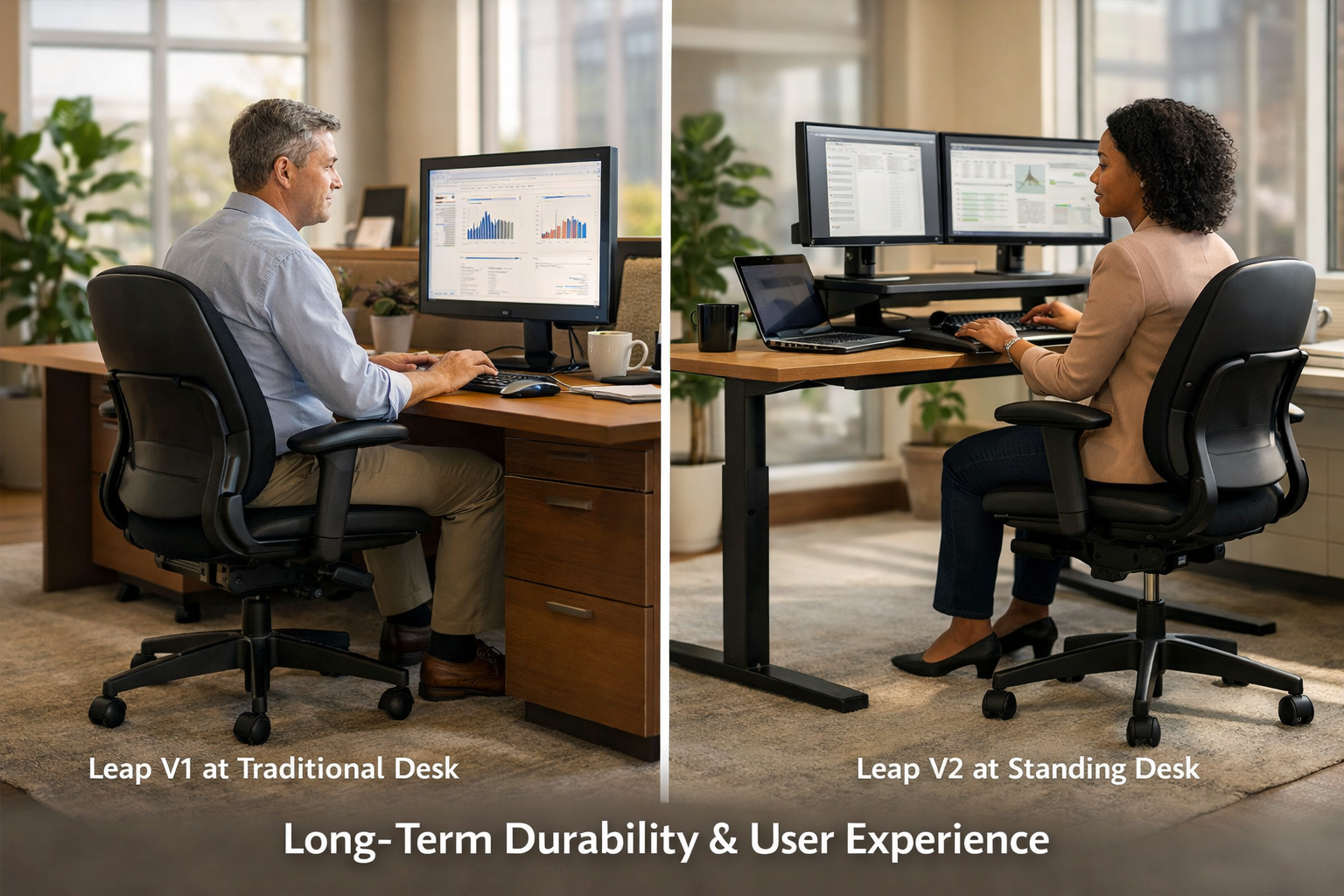
After examining every angle of the Steelcase Leap V1 vs V2 debate, the truth is refreshingly simple: both versions represent exceptional ergonomic engineering that stands the test of time.
Your choice ultimately hinges on whether you prioritize budget and don’t mind older aesthetics (V1) or value refined user experience and modern design (V2).
For most buyers in 2026, I recommend the V2 route, either new if budget allows, or professionally refurbished for optimal value. The enhanced armrests, improved part availability, and streamlined controls deliver daily benefits that compound over years of use.
The V2’s position as “the most adjustable premium ergonomic chair” remains well-deserved, supporting users from 5’2″ to 6’4″ and up to 400 pounds with unmatched versatility.
That said, don’t overlook the V1 if you’re budget-conscious or prefer its firmer, more substantial feel. A well-maintained refurbished V1 from a reputable seller delivers premium ergonomics at economy pricing, an exceptional value proposition for home offices, startups, or anyone making their first serious chair investment.
Your Next Steps
Ready to upgrade your workspace seating? Here’s your action plan:
- Assess Your Budget: Determine whether you’re shopping in the $150-$350 range (refurbished V1), $400-$800 range (refurbished V2), or $1,000+ range (new V2).
- Identify Your Priorities: Rank what matters most, aesthetics, maximum adjustability, firmness preference, or pure value.
- Test If Possible: Nothing replaces sitting in both versions. Check local office furniture stores or search for “ergonomic office chairs near me” to find showrooms with floor models.
- Source Carefully: Whether buying new or refurbished, choose reputable sellers. For refurbished units, verify warranty terms and refurbishment process details.
- Adjust Properly: Once your chair arrives, invest time in proper adjustment. Steelcase provides excellent setup guides, use them.
- Complement with Movement: Remember that even the best ergonomic office chair works best when paired with regular movement breaks and simple stretches.
The Steelcase Leap,whether V1 or V2, represents more than just a chair purchase. It’s an investment in your daily comfort, long-term health, and workplace productivity.
By understanding the genuine differences between versions and matching them to your specific needs, you’re positioning yourself for years of ergonomic excellence.
Your back, shoulders, and productivity will thank you for making an informed decision.
Now it’s time to take action and upgrade from whatever you’re currently sitting on to the Leap version that’s right for you.
Click Here For Steelcase Leap V1
Click Here For Steelcase Leap V2