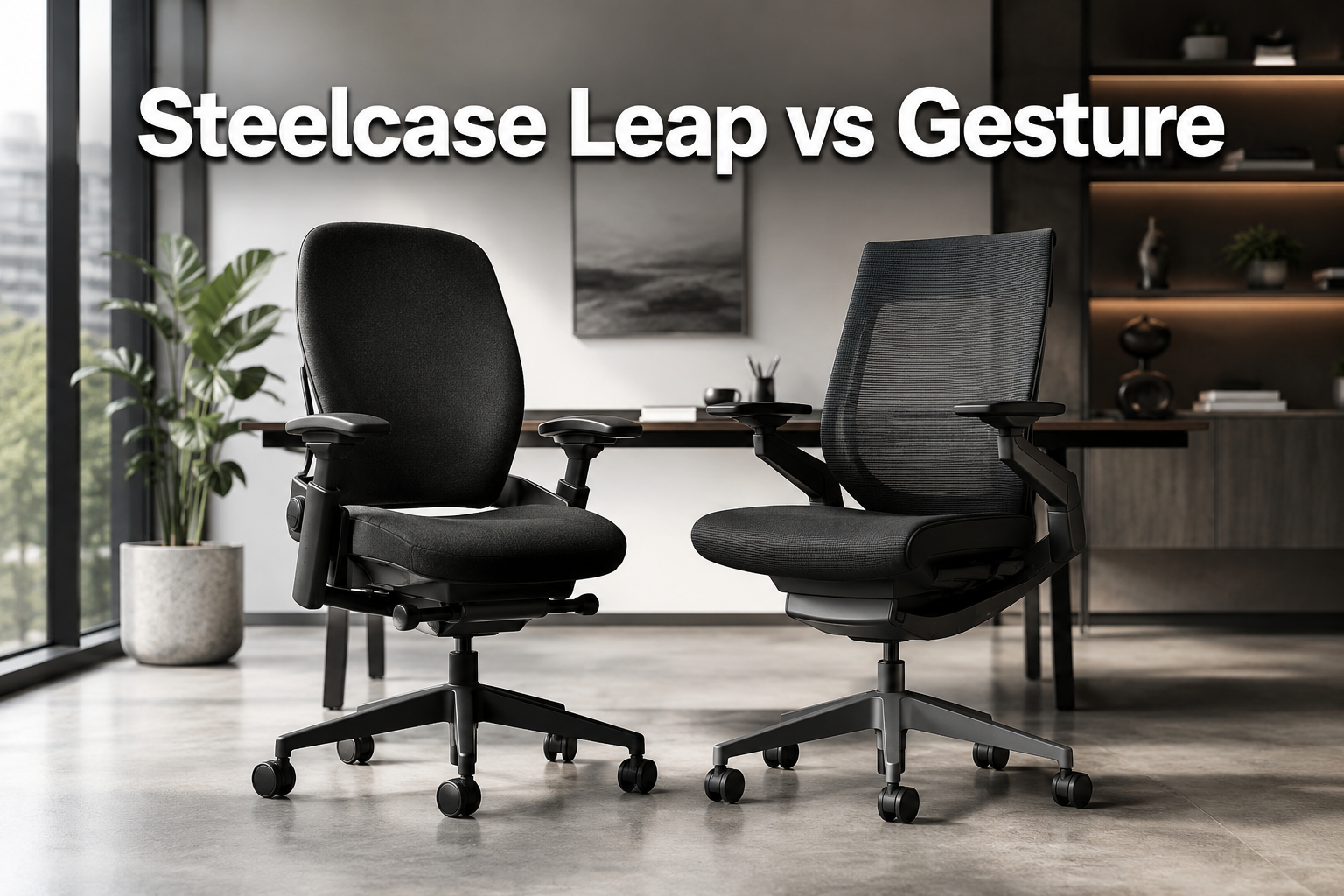
Steelcase Leap vs Gesture
Last updated: July 5, 2026
Quick Answer: The Steelcase Leap vs Gesture are both elite ergonomic chairs priced around $1,399,$1,499, but they serve different users. Choose the Leap if you sit for long, focused hours in a relatively consistent posture and want maximum spinal support. Choose the Gesture if you regularly switch between devices and postures throughout your workday and want a chair that moves with you.
Key Takeaways
- The Leap v2 scores 90/100 and the Gesture scores 91/100 in independent 2026 testing, both are exceptional, but the difference is about use case, not quality.
- Leap’s LiveBack technology tracks your spine’s natural movement and maintains lumbar support across posture changes, a standout feature for long-duration sitting.
- Gesture’s 360-degree armrests are purpose-built for multi-device workflows: typing, swiping a tablet, or working from a phone.
- Both chairs support up to 400 lbs and carry Steelcase’s 12-year, multi-shift limited lifetime warranty.
- Ready-to-ship versions of both chairs offer faster delivery with fewer configuration choices, useful for teams ordering in volume.
- Pricing for both requires direct contact with Steelcase or an authorized dealer for exact current figures; approximate configured prices run around $1,399 (Leap) and $1,499 (Gesture).
- Neither chair is a budget buy. If you’re exploring more affordable options first, see our guide to back-friendly office chair options before committing at this price point.
- For most solo buyers who sit 6-10 hours daily at a desk, the Leap v2 offers slightly better value per dollar. For hybrid workers or designers who bounce between devices, the Gesture justifies its higher price.
Check Price and Availability at Amazon Steelcase Leap <—-
Check Price and Availability at Amazon Steelcase Gesture <—-
Quick Comparison Table
| Feature | Steelcase Leap v2 | Steelcase Gesture | Leap v2 Ready-to-Ship | Gesture Ready-to-Ship |
|---|---|---|---|---|
| Approx. Price | ~$1,399 | ~$1,499 | ~$1,399 | ~$1,499 |
| Weight Capacity | 400 lbs | 400 lbs | 400 lbs | 400 lbs |
| Warranty | 12-year limited lifetime | 12-year limited lifetime | 12-year limited lifetime | 12-year limited lifetime |
| Signature Feature | LiveBack spinal support | 360° multi-device arms | LiveBack (standard config) | 360° arms (standard config) |
| Lumbar Support | Height-adjustable | Adjustable (optional) | Height-adjustable | Adjustable (optional) |
| Headrest Option | No | Yes (optional) | Limited | Limited |
| Best Posture Style | Consistent, upright | Variable, multi-device | Consistent, upright | Variable, multi-device |
| Config Flexibility | High | High | Limited | Limited |
| Delivery Speed | Standard lead time | Standard lead time | Faster | Faster |
| Independent Score | 90/100 | 91/100 | N/A | N/A |
| Best For | Long-duration desk work | Multi-device professionals | Teams needing fast delivery | Teams needing fast delivery |
Steelcase Leap v2: The Long-Haul Sitting Specialist
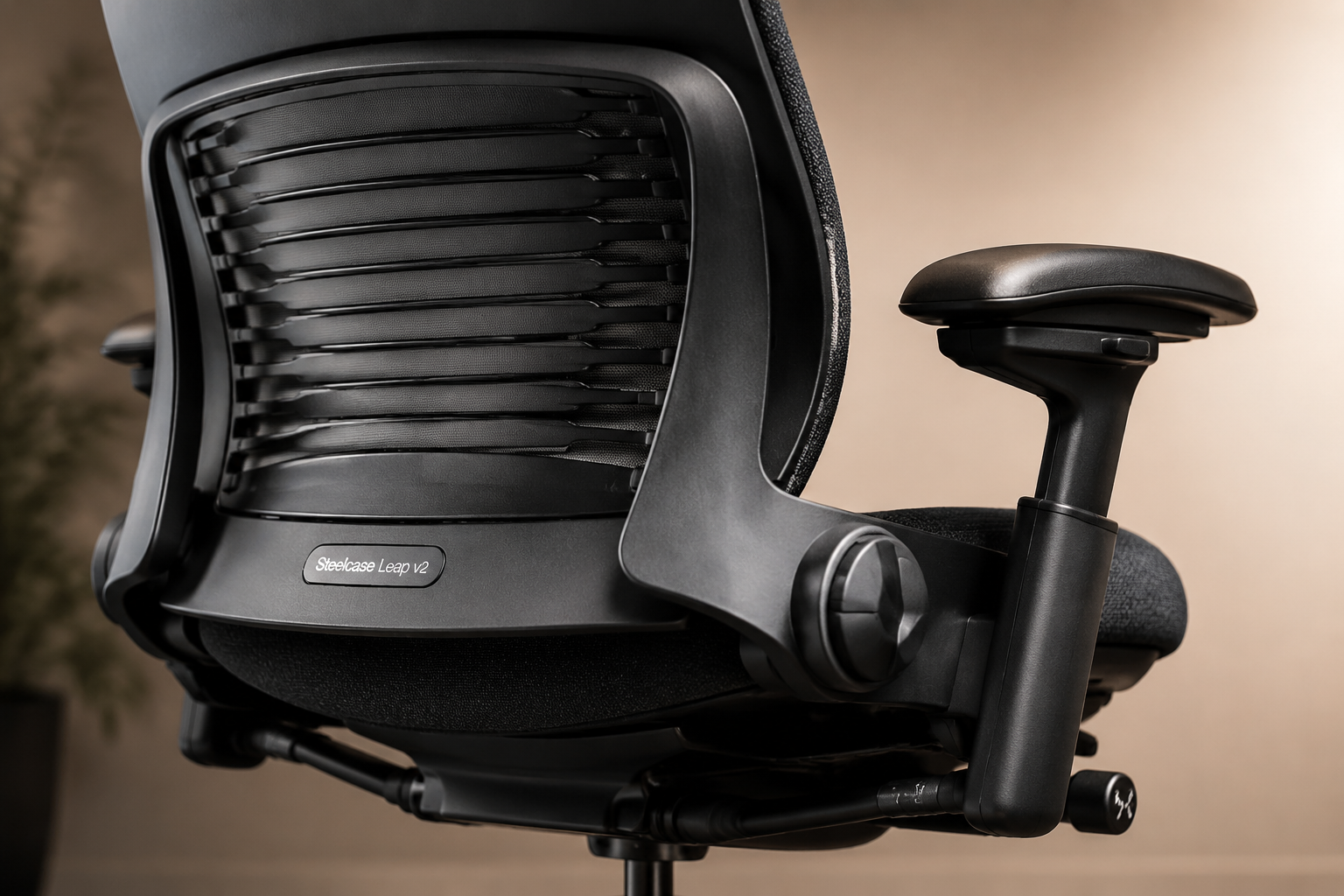
The Steelcase Leap v2 is the right choice for anyone who spends the majority of their workday seated at a single workstation. It earns its reputation not through flashy features but through precise, well-engineered support that holds up across an 8- or 10-hour day.
What makes the Leap v2 stand out
The defining feature is LiveBack technology,a flexible backrest that changes shape as you shift posture, maintaining contact with your spine rather than forcing you into one fixed position.
This matters more than it sounds. Most chairs either lock your back into a rigid shape or offer so little support that you’re compensating with muscle tension by hour three. The Leap does neither.
Beyond LiveBack, the adjustment range is genuinely comprehensive:
- Seat height and depth (slide the seat pan forward or back to fit your thigh length)
- Back-tilt angle with multiple lockable positions
- Recline tension control
- Height-adjustable lumbar support
- Multi-way armrests (height, width, pivot, and depth)
For users who have specific ergonomic needs, say, managing lower back pain or recovering from a lumbar injury, this level of control is meaningful. You can dial in support to a degree that most chairs simply don’t allow.
If lower back pain is a concern, also check our chairs to ease lower back pain roundup for context on how the Leap compares to the broader market.
✅ Pros
- LiveBack technology provides consistent spinal support across natural posture shifts
- Extensive adjustment options allow a precise, personalized fit
- Tested to 400 lbs with a 12-year multi-shift warranty
- Widely regarded as one of the top chairs for long-duration sitting
- Available in multiple configurations and fabric/finish options
❌ Cons
- Premium price (~$1,399 for a fully configured unit)
- Firmer seat and back than most consumer chairs, takes adjustment time
- Traditional aesthetic; controls can feel complex at first
- No headrest option
Who should buy the Leap v2
Knowledge workers, programmers, writers, and executives who sit 6-10 hours daily and want a chair that actively supports their spine throughout. If your workflow is primarily keyboard-and-monitor and you rarely need to lean back to use a phone or tablet, the Leap is the stronger fit.
Steelcase Gesture: Built for How People Actually Work Now
Check Price and Availability at Amazon Steelcase Leap <—-
Check Price and Availability at Amazon Steelcase Gesture <—-
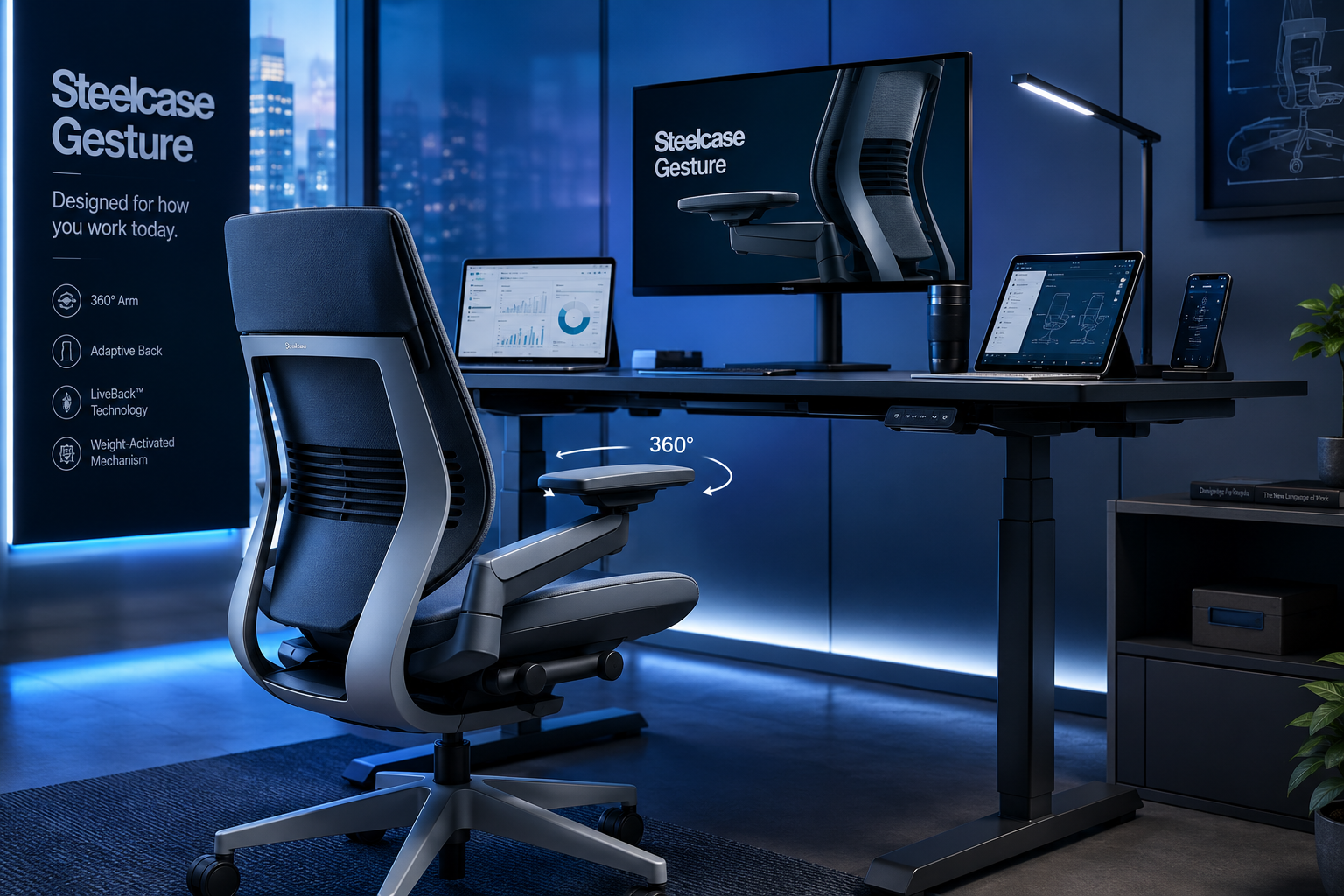
The Steelcase Gesture is Steelcase’s answer to a real shift in how office work happens: most professionals today don’t just type at a desk. They switch between a laptop, a second monitor, a tablet, and a phone, sometimes within the same hour. The Gesture was designed with that reality in mind.
What makes the Gesture different
The standout feature is the 360-degree armrest system. Unlike conventional arms that move up, down, and maybe side to side, Gesture’s arms rotate and pivot to follow your arms in nearly any position, whether you’re leaning back to read on a tablet, hunching forward to focus on a screen, or sitting sideways to take a call. This isn’t a gimmick; it directly reduces shoulder and neck tension during posture transitions that most chairs simply ignore.
The back and seat are also engineered for movement rather than static support. The Gesture encourages you to shift posture frequently, which reduces the cumulative strain of holding any single position for too long. An optional headrest adds neck support for users who recline regularly, a feature the Leap doesn’t offer.
Where the Gesture is slightly less compelling is for users who sit in one position all day. The Leap’s LiveBack system is more precisely tuned for sustained upright sitting. The Gesture’s flexibility is a strength for dynamic users but adds marginal value if you never use it.
✅ Pros
- 360-degree arms support a wide range of postures and device-use positions
- Back and seat designed to encourage healthy posture variation
- Optional headrest and lumbar adjustments for full upper-body support
- 400 lb capacity, 12-year limited lifetime warranty
- Slightly higher independent test score (91/100) than the Leap
❌ Cons
- Most expensive chair in Steelcase’s lineup (~$1,499 configured)
- Arm and adjustment system has a learning curve
- Less compelling for users with a single, consistent seated posture
- Complexity of options can make initial setup feel overwhelming
Who should buy the Gesture
Designers, developers, remote workers, and anyone who regularly uses multiple devices throughout the day. If you spend time leaning back to review work on a tablet, or if your posture shifts significantly depending on the task, the Gesture earns its price premium.
Steelcase Leap v2 Ready-to-Ship: Same Chair, Simpler Purchase
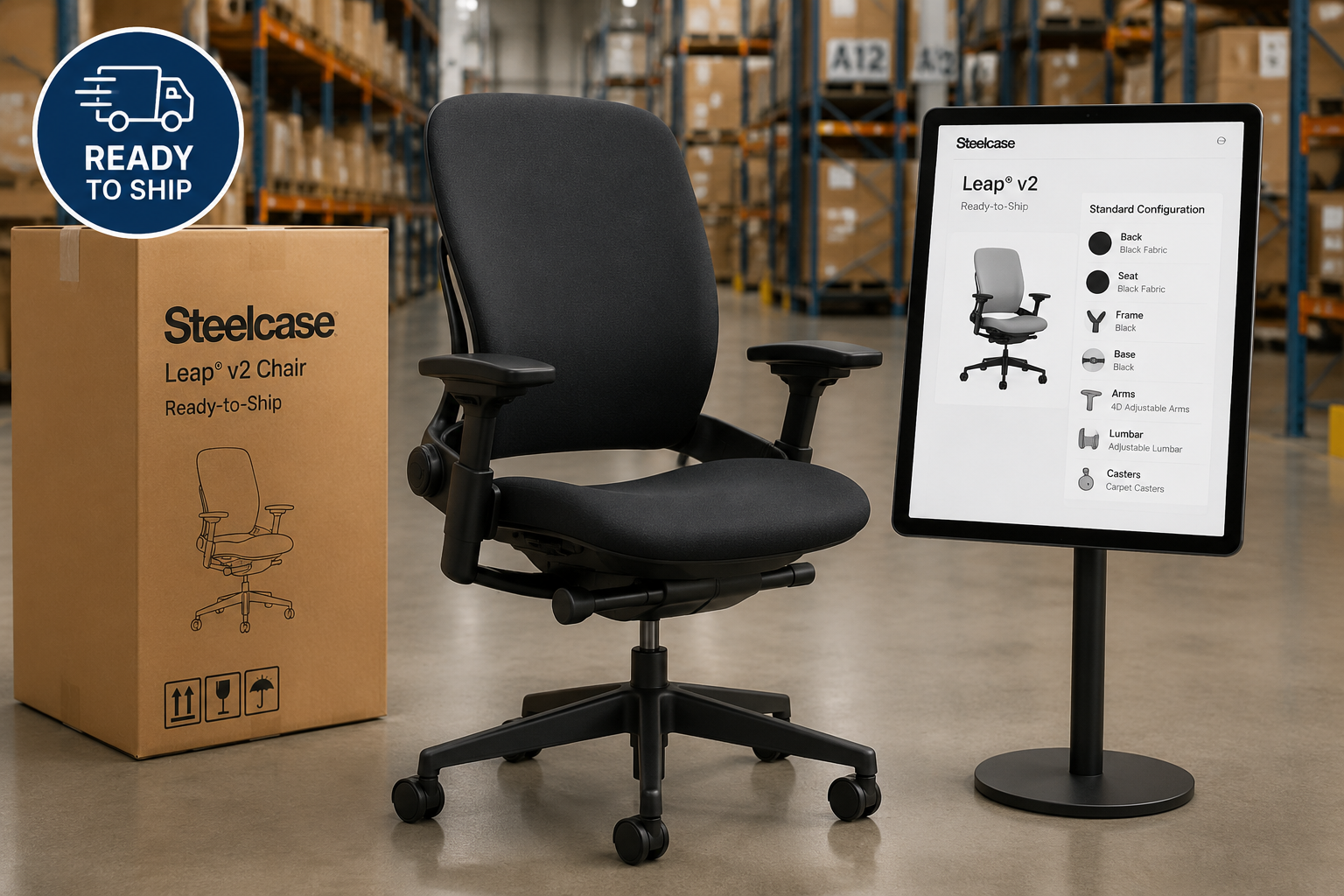
The Ready-to-Ship Leap v2 delivers the same core ergonomics as the standard Leap, LiveBack technology, multi-way adjustments, full warranty coverage, in a pre-selected configuration that ships faster and requires fewer decisions.
This version exists primarily for organizational buyers: a department outfitting 10 workstations, a startup furnishing a new office, or a facilities manager who needs chairs delivered within a predictable window.
The tradeoff is reduced customization. Fabric choices, color options, and certain premium add-ons may not be available in the ready-to-ship lineup.
✅ Pros
- Full Leap ergonomics with no compromise on core function
- Faster delivery than made-to-order builds
- Simplified purchasing process, fewer decisions to make
- Same 12-year warranty as standard Leap
❌ Cons
- Limited fabric, color, and option choices
- May exclude certain arm or lumbar variants available in custom builds
- Pricing still requires direct contact with Steelcase for exact current figures
Who should buy the Ready-to-Ship Leap
Small businesses, university departments, or corporate teams that need multiple standardized chairs quickly and don’t need custom configurations. Individual buyers who want maximum personalization should use the full configurator instead.
Steelcase Gesture Ready-to-Ship: Gesture Ergonomics, Faster
The Ready-to-Ship Gesture follows the same logic as its Leap counterpart: pre-selected configurations, shorter lead times, and a simpler buying process. You get the 360-degree arms, the movement-focused back, and the full warranty, just with fewer choices upfront.
Customer feedback on the ready-to-ship page highlights easy adjustments and high build quality, consistent with the standard Gesture. For creative agencies, IT teams, or startup offices furnishing shared workstations, this is a practical way to get Gesture ergonomics without navigating the full configurator.
✅ Pros
- Gesture’s hallmark features in a pre-configured package
- Faster fulfillment than custom orders
- Strong warranty and 400 lb weight capacity
- Positive user feedback on fit and quality
❌ Cons
- Fewer upholstery and finish options
- Premium cost, especially for multi-seat purchases
- Exact pricing requires contacting Steelcase directly
Who should buy the Ready-to-Ship Gesture
Teams outfitting shared or collaborative workstations who want device-friendly ergonomics without the lead time of a custom order.
Buying Guide: How to Choose Between Leap and Gesture
Choosing between these two chairs comes down to three questions.
1. How consistent is your posture throughout the day?
If you sit in a relatively upright position for most of your workday, focused on a monitor, typing, reading, the Leap’s LiveBack system is better tuned for you. If you shift frequently, lean back to use a tablet, or work in multiple postures, the Gesture’s design will serve you better.
2. How many devices do you use at your desk?
Single-monitor, keyboard-and-mouse users: Leap. Multi-device users who regularly pick up a phone, tablet, or second laptop: Gesture.
3. What’s your budget ceiling?
Both chairs are premium purchases. The Gesture typically runs about $100 more than the Leap in comparable configurations. If you’re price-sensitive between the two, the Leap offers excellent value and scores only marginally lower in independent testing (90 vs. 91 out of 100).
Steelcase Leap vs Gesture
Additional factors to consider:
- Body size: Both chairs support up to 400 lbs. Taller users should check seat height ranges carefully. For size-specific guidance, see our guides for chairs for taller office workers and chairs for shorter office workers.
- Back health: If you have a specific lumbar condition, the Leap’s height-adjustable lumbar and LiveBack system give you more targeted control. See our choosing a lumbar support chair guide for more detail.
- Headrest need: Only the Gesture offers a headrest option. If neck support during recline matters to you, that’s a deciding factor.
- Delivery timeline: If you need chairs quickly, both Ready-to-Ship versions reduce lead time at the cost of configuration flexibility.
- Volume purchasing: Organizations buying multiple chairs should contact Steelcase directly for institutional pricing, or consider the Ready-to-Ship programs. Our affordable office chairs in bulk guide covers volume buying considerations if budget is a constraint.
Common mistake to avoid: Don’t buy either chair based on a 10-minute showroom trial. Both the Leap and Gesture are designed for long-duration use, and their benefits, especially the Leap’s firmer feel, become more apparent after days of use, not minutes.
Check Price and Availability at Amazon Steelcase Leap <—-
Check Price and Availability at Amazon Steelcase Gesture <—-
FAQ
Q: Is the Steelcase Gesture worth the extra cost over the Leap?
For multi-device users, yes. The Gesture’s 360-degree arms and movement-focused design provide genuine ergonomic value if you regularly switch between devices and postures. For users with a single, consistent workstation setup, the Leap delivers comparable comfort at a slightly lower price.
Q: Which chair is better for lower back pain?
The Leap v2 is generally the stronger choice for lower back pain management. Its height-adjustable lumbar and LiveBack technology provide more targeted, consistent spinal support. That said, both chairs are well-regarded ergonomically, and individual fit matters, try both if possible.
Q: Do either of these chairs work for tall or large users?
Both chairs support up to 400 lbs and offer seat height and depth adjustments. Taller users should verify the specific height range of each configuration before purchasing, as this can vary by option set.
Q: What’s the difference between the standard and Ready-to-Ship versions?
The core ergonomics are identical. Ready-to-Ship versions come in pre-selected configurations with fewer fabric and finish choices, but they typically ship faster. The full configurator gives you more control over aesthetics and certain feature add-ons.
Steelcase Leap vs Gesture: FAQs
Q: Can I try these chairs before buying?
Steelcase has authorized dealers in most major cities where you can sit in both chairs. Given the price point, a hands-on trial is worth the effort before committing.
Q: How long do Steelcase chairs typically last?
Steelcase backs both the Leap and Gesture with a 12-year, multi-shift limited lifetime warranty covering parts and labor. In practice, well-maintained units from earlier generations have remained in service for 15-20 years in commercial environments.
Q: Is the Gesture good for gaming?
The Gesture’s posture flexibility and arm support make it a reasonable choice for long gaming sessions, particularly for users who shift positions frequently. However, dedicated gaming chairs with headrests and recline features may be more purpose-built for that use case.
Q: Are there alternatives if the price is too high?
Yes. Both chairs are premium investments. If the budget doesn’t stretch to $1,400+, our comfortable ergonomic office chairs explained guide covers strong alternatives at lower price points.
Final Verdict
Both the Steelcase Leap vs Gesture are among the best ergonomic chairs available in 2026. The difference between them is not quality, it’s purpose.
Buy the Leap v2 if you sit for long, focused hours at a single workstation, want maximum lumbar control, and prefer a chair optimized for sustained spinal support. It’s the better value for traditional desk workers.
Buy the Gesture if you regularly use multiple devices, shift postures throughout the day, or want a headrest option. The higher price is justified when you actually use the features it’s built around.
Buy the Ready-to-Ship version of either if you’re outfitting a team, need faster delivery, and don’t require custom configurations.
For individual buyers who want to make the most informed decision, request a trial through a local Steelcase dealer before purchasing.
At $1,400+, sitting in the chair before you commit is the single best thing you can do.
Check Price and Availability at Amazon Steelcase Leap <—-
Check Price and Availability at Amazon Steelcase Gesture <—-
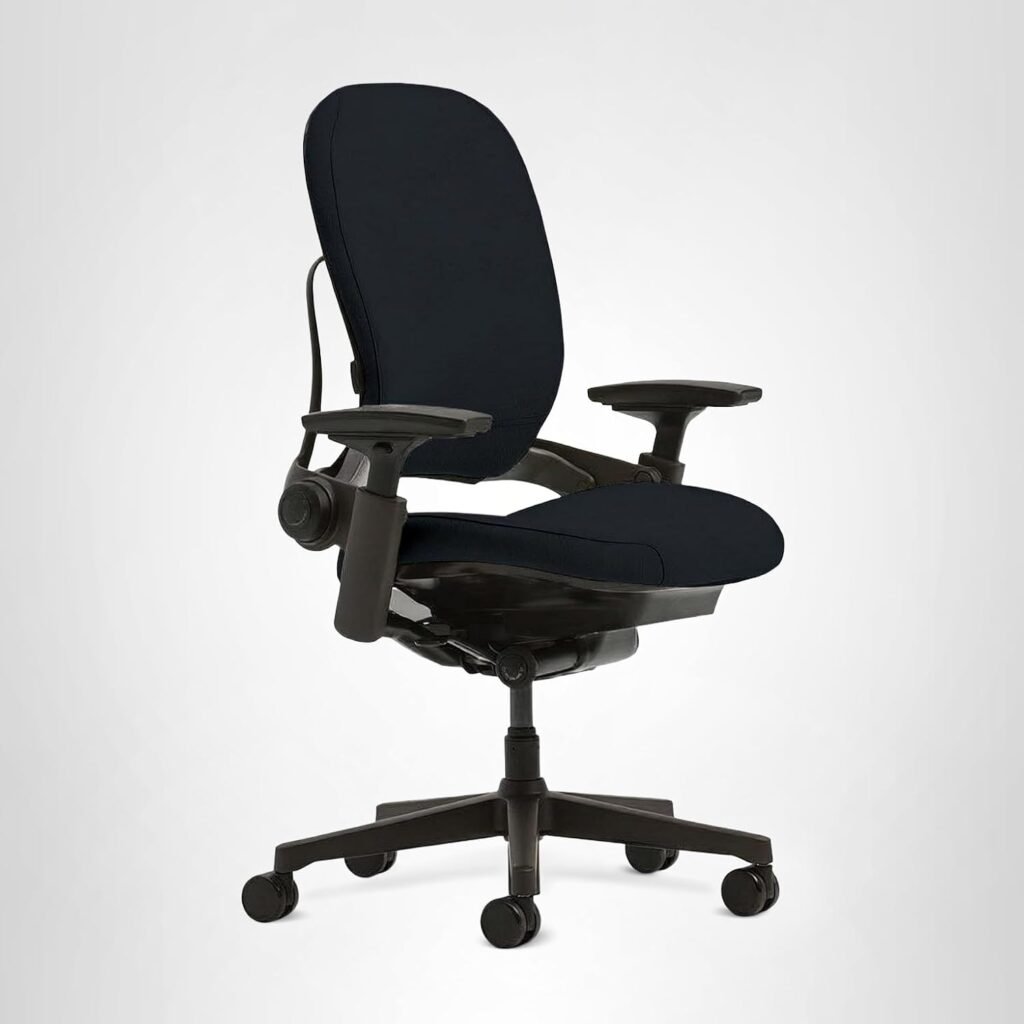
Check Price and Availability at Amazon Steelcase Leap <—-
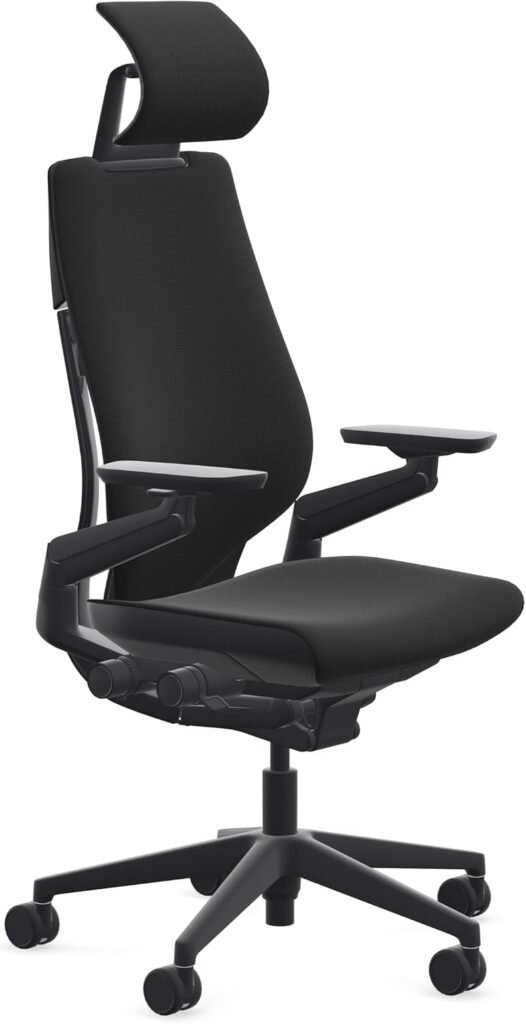
Check Price and Availability at Amazon Steelcase Gesture <—-
Related reading: