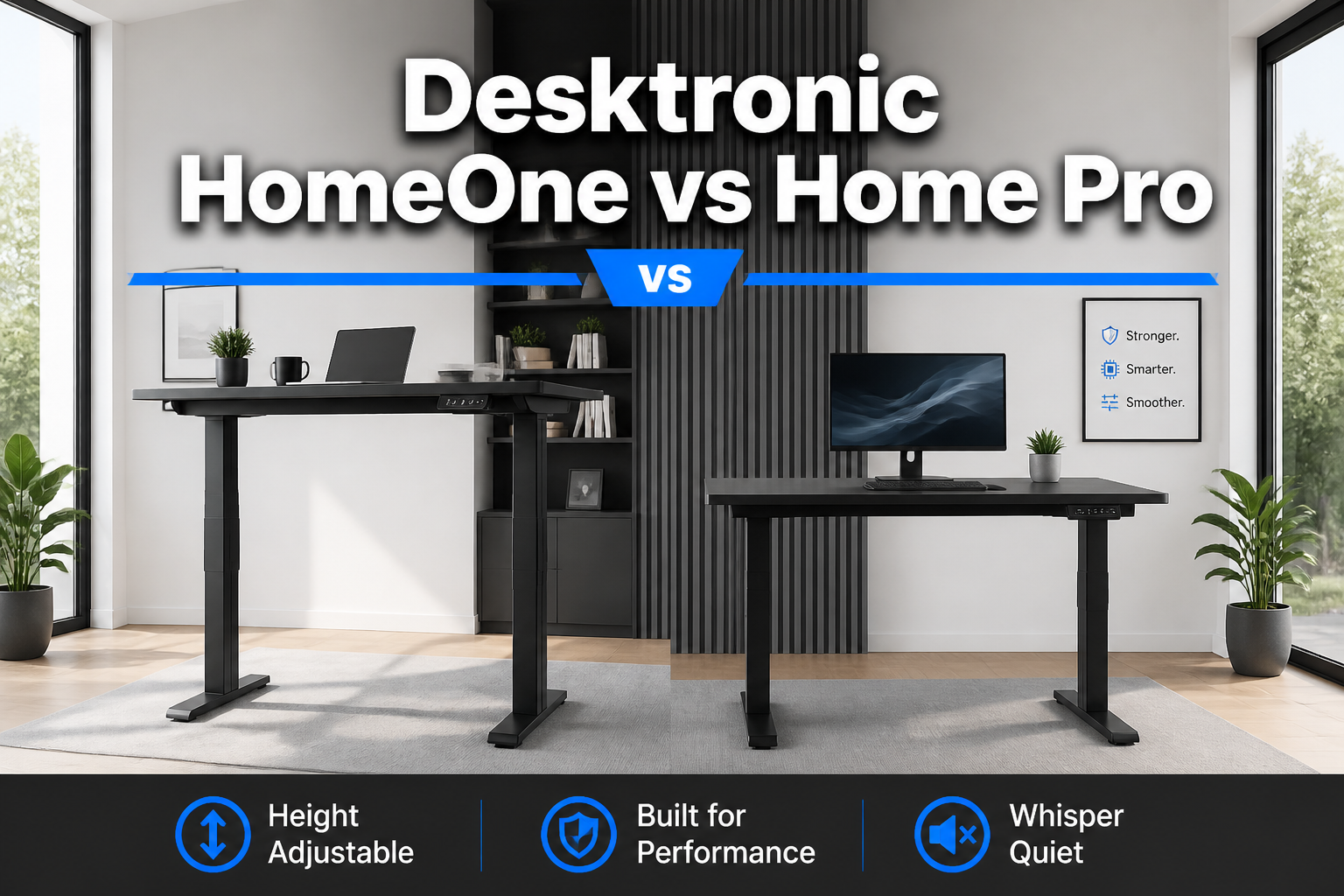
Desktronic HomeOne vs Home Pro
Last updated: May 2, 2026
Quick Answer: The Desktronic HomeOne is a solid, budget-friendly height-adjustable desk starting at $459, best for users who want reliable sit-stand functionality without premium features.
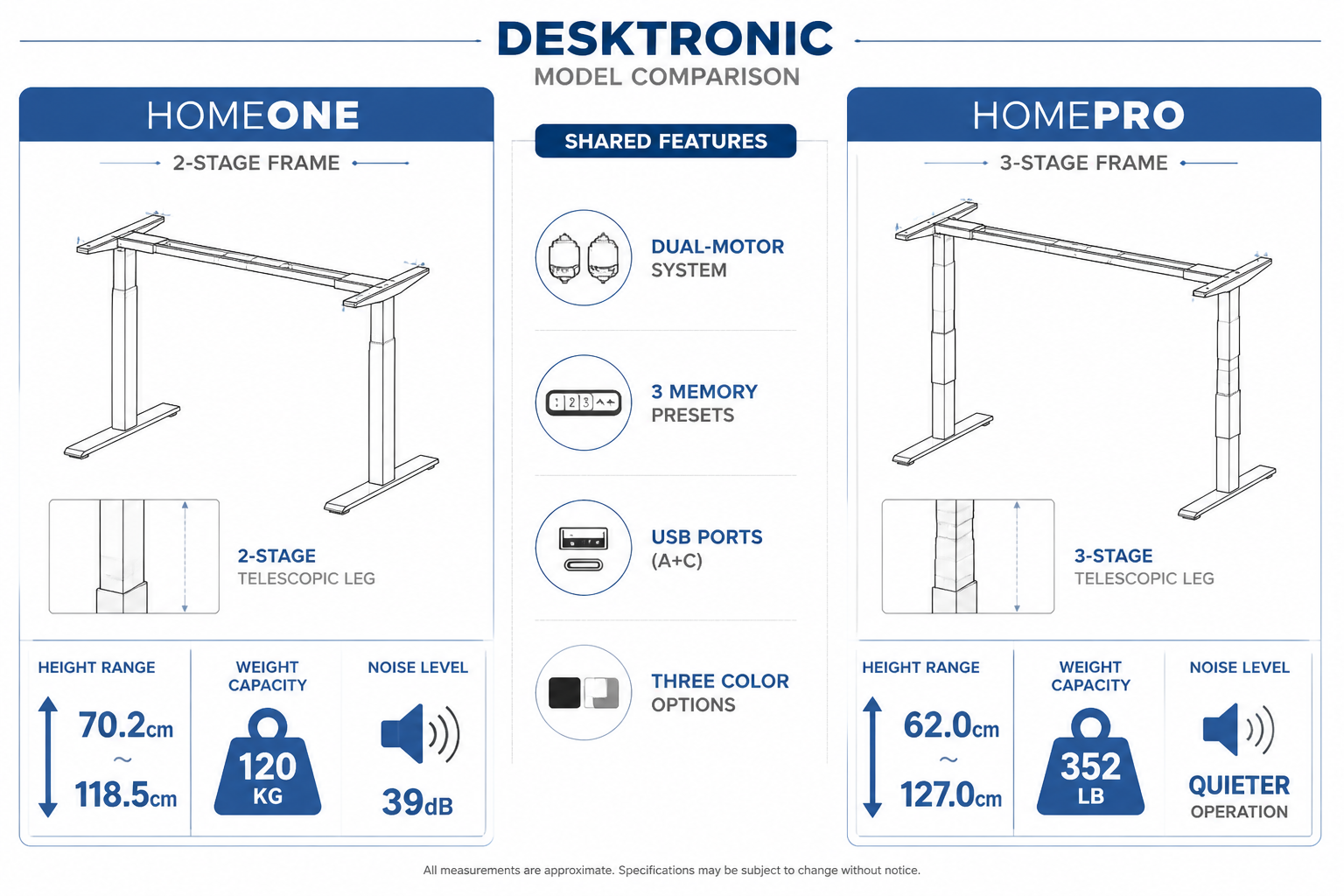
The HomePro starts at $539 and adds a 3-stage frame, higher lifting capacity (352 lb vs. 265 lb), quieter operation, built-in cable grommets, and a wider range of size options, making it the better choice for taller users, heavier setups, or anyone who wants a more polished daily experience.
Key Takeaways
- Price gap: HomeOne starts at $459; HomePro starts at $539 — an $80 difference
- Frame design: HomeOne uses a 2-stage frame; HomePro uses a 3-stage frame for a wider height range
- Lifting capacity: HomePro supports 352 lb vs. HomeOne’s ~265 lb (120 kg)
- Noise: HomeOne operates at 39 dB or quieter; HomePro is described as slightly quieter during adjustment
- Speed: HomeOne lifts at 30 mm/s; HomePro transitions faster
- Memory presets: Both offer 3 programmable height positions
- USB charging: Both include USB-A and USB-C ports; HomeOne delivers 18W per port (5V) or 10W when both are used simultaneously
- Size options: HomeOne comes in 3 sizes (up to 60×30 in); HomePro goes up to 80×30 in
- Cable management: HomePro includes two cable grommets; HomeOne focuses on frame reinforcement
- Frame colors: Both come in Black (RAL9005), White (RAL9016), and Grey (RAL9006)
Ready to choose? Check current pricing and availability on Amazon
Desktronic HomeOne vs Home Pro: Full Specification Breakdown
The clearest way to compare these two desks is to put their specs side by side. Here’s everything you need to know before deciding.
| Feature | HomeOne | HomePro |
|---|---|---|
| Starting Price | $459 | $539 |
| Frame Stages | 2-stage | 3-stage |
| Height Range (frame) | 70.2–118.5 cm (27.6–46.7 in) | Wider range (accommodates all heights) |
| Height Range (with 2.5cm top) | 72.7–121 cm | Extended |
| Lifting Capacity | ~265 lb (120 kg) | 352 lb |
| Lifting Speed | 30 mm/s | Faster |
| Noise Level | ≤39 dB | Slightly quieter |
| Memory Presets | 3 | 3 |
| USB-A + USB-C Ports | Yes (18W/port or 10W shared) | Yes |
| Cable Grommets | No | 2 included |
| Size Options | 48×24, 54×28, 60×30 in | 48×24 up to 80×30 in |
| Frame Colors | Black, White, Grey | Black, White, Grey |
| Motor System | Dual-motor, soft start/stop | Dual-motor, soft start/stop |
Both desks share the same dual-motor system with soft start/stop technology, which prevents shaking and vibration during height transitions. That’s a meaningful shared feature, it means neither desk will wobble your coffee off the desk mid-adjustment.
What Does the 3-Stage Frame on the HomePro Actually Mean?
The HomePro’s 3-stage frame gives it a meaningfully wider height range compared to the HomeOne 2-stage design.
A 2-stage frame (HomeOne) uses two telescoping sections to raise and lower the desk. A 3-stage frame (HomePro) adds a third section, which lets the desk reach both lower minimums and higher maximums. This matters in two real-world scenarios:
- Very tall users (over 6’2″) who need a standing height above 121 cm
- Very short users who need the desk lower than 70.2 cm for proper seated ergonomics
If you’re between 5’4″ and 6’2″, the HomeOne’s height range will likely cover you fine. Outside that range, the HomePro is worth the $80 premium.
Decision rule: Choose the Desktronic Home Pro if you’re taller than 6’2″, shorter than 5’2″, or sharing the desk with someone of a significantly different height.
For more guidance on finding the right desk height for your body, our guide on adjustable height office desks walks through the math clearly.
How Do the Two Desks Compare on Ergonomics and Health Impact?
Both desks are designed to support a healthy sit-stand work routine, but the HomePro’s wider height range makes it more adaptable for true ergonomic positioning across a broader range of users.
Why height range matters for ergonomics:
Proper ergonomic desk height means your elbows are at roughly 90 degrees when seated, and your monitor is at eye level. For standing, the same elbow rule applies. If a desk can’t reach your ideal height, seated or standing, you’ll compensate with poor posture, which leads to neck strain, lower back pain, and wrist fatigue over time.
The HomeOne’s range of 70.2–118.5 cm (frame only) covers the majority of average-height adults. Add a 2.5 cm tabletop and you’re working with 72.7–121 cm. That’s a solid range for most people.
The HomePro extends beyond that on both ends, making it genuinely more inclusive.
Shared ergonomic benefits of both models:
- Encourages alternating between sitting and standing throughout the day
- Reduces prolonged static posture, which is linked to musculoskeletal discomfort
- 3 memory presets let you switch positions instantly without guessing your ideal height
- Soft start/stop prevents jarring transitions that could disrupt focus
If you’re building a full ergonomic setup, pairing either desk with a quality ergonomic chair makes a significant difference. See our recommendations for ergonomic office chairs to complete your workspace. You might also want to explore standing desk chairs for those mid-day moments when you want to stand but not fully commit.
Ready to choose? Check current pricing and availability on Amazon
Desktronic HomeOne vs Home Pro: Which Is Better for Your Home Office Setup?
The right choice depends on your workspace size, body type, and how much you’ll use the desk’s advanced features.
Choose the HomeOne if:
- Your budget is closer to $459
- You’re between 5’4″ and 6’2″ tall
- You don’t need a desk wider than 60 inches
- Noise level below 39 dB is sufficient for your environment
- You’re setting up a compact or shared home office space
Choose the HomePro if:
- You want the wider height range for ergonomic precision
- You’re carrying more than 265 lb of equipment (dual monitors, desktop PC, peripherals)
- You want built-in cable grommets for a cleaner desk surface
- You need a desk up to 80 inches wide for an expansive workstation
- You prefer the slightly quieter, faster height adjustment
On desk size: The HomePro‘s size range (up to 80×30 in) is a meaningful advantage for anyone running a dual-monitor setup, a large creative workstation, or simply wanting more surface area.
The HomeOne tops out at 60×30 in, which is comfortable for a single monitor and laptop but can feel cramped with more gear.
For ideas on how to arrange a productive home office around either desk, our modern home office furniture guide covers layout strategies that work well with sit-stand desks.
USB Charging and Cable Management: A Closer Look
The HomeOne includes integrated USB-A and USB-C ports with 18W charging capacity per port at 5V. When both ports are used simultaneously, the shared output drops to 10W. That’s enough to keep a phone or tablet topped up, but won’t fast-charge a laptop.
The HomePro also includes USB-A and USB-C ports, and adds two cable grommets built into the desk surface. Those grommets let you route cables cleanly through the desktop rather than draping them over the edge, a small detail that makes a noticeable difference in how tidy your workspace looks and feels.
Practical note: If you’re running multiple monitors, a desktop tower, and several peripherals, cable management becomes a real daily annoyance without a system in place. The HomePro’s grommets give you a head start. With the HomeOne, you’ll want to add aftermarket cable management clips or a cable tray.
A well-lit, organized desk also benefits from smart accessories. Our review of wireless charging desk lamps covers options that pair well with either Desktronic model.
What Are the Health Benefits of Using Either Desk Long-Term?
Both the HomeOne and HomePro are sit-stand desks, and the core health case for height-adjustable workstations applies to both equally.
Established benefits of alternating sitting and standing at work:
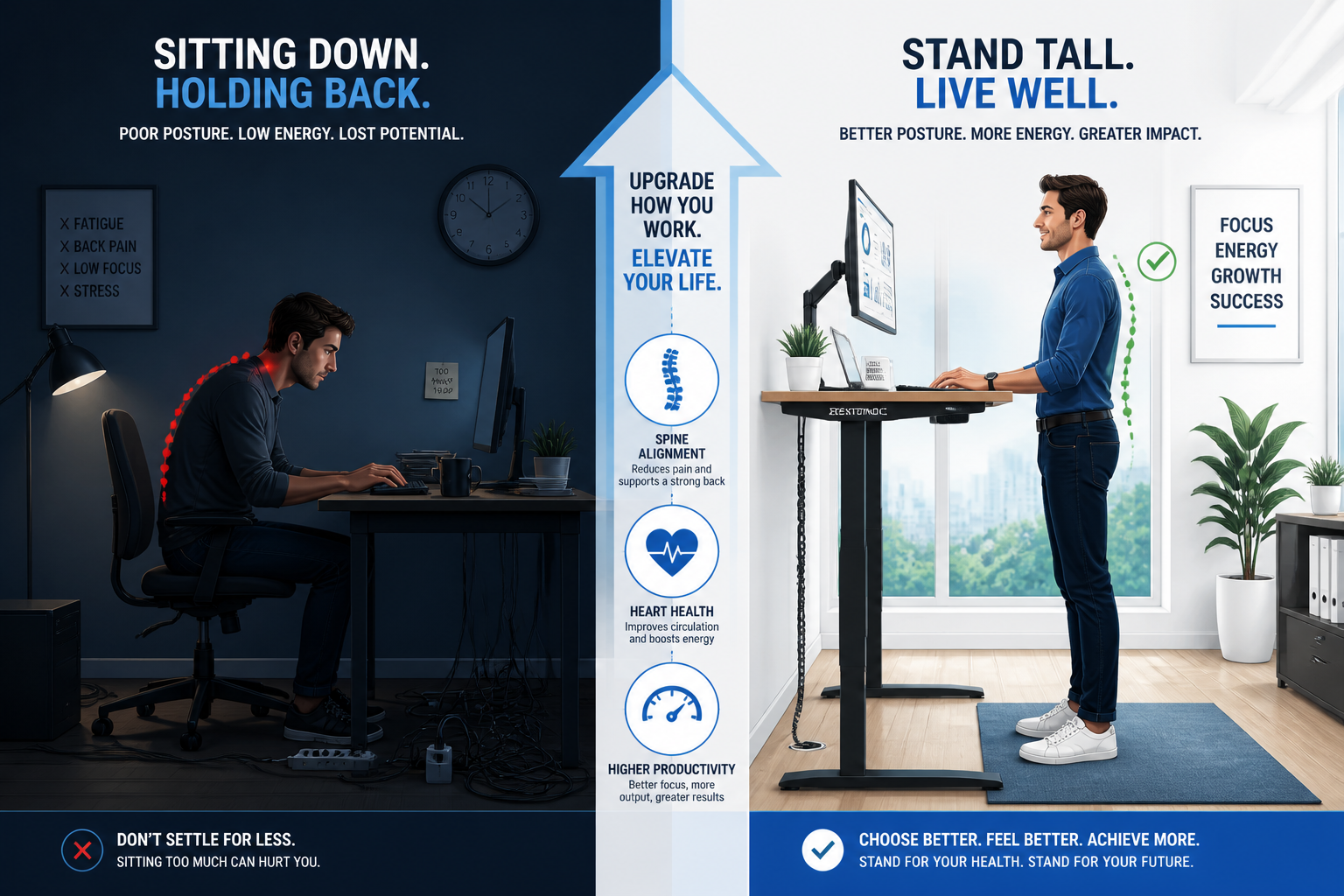
- Reduced lower back discomfort — Prolonged sitting compresses spinal discs. Standing breaks relieve that pressure.
- Improved circulation — Standing promotes blood flow to the legs and reduces the risk of the stiffness that comes with hours of static sitting.
- Better posture habits — When a desk is at the right height, you’re less likely to hunch or crane your neck.
- Increased energy levels — Many users report feeling less fatigued in the afternoon when they alternate positions throughout the day.
- Psychological benefits — Standing during calls or focused work sessions can increase alertness and confidence.
Important note: Standing all day isn’t the goal. The research-supported approach is to alternate, roughly 20–30 minutes of standing per hour of seated work, adjusted to your comfort. The 3 memory presets on both desks make this easy to build into your routine.
To build movement into your workday beyond just standing, check out these effective standing desk workout ideas that work well alongside a sit-stand routine.
Ready to choose? Check current pricing and availability on Amazon
Desktronic HomeOne vs Home Pro: Cost-Benefit Analysis
Is the $80 price difference between these two desks worth it? Here’s a straightforward breakdown.
HomeOne at $459:
- Strong value for the price
- Covers the needs of most average-height users
- Dual-motor system and memory presets are premium features at this price point
- Good choice if you’re new to sit-stand desks and want to try the lifestyle without overspending
HomePro at $539:
- $80 more buys you a meaningfully wider height range, higher weight capacity, faster/quieter adjustment, cable grommets, and larger size options
- If you’re outfitting a serious home office and plan to use this desk for 5+ years, the per-year cost difference is minimal
- The higher lifting capacity (352 lb) gives you headroom for a more fully loaded workstation
Bottom line on cost: If you’re on a tight budget and fit the HomeOne’s height range, it’s a genuinely good desk. If you’re investing in a long-term ergonomic workspace, the HomePro’s additional features justify the premium.
For context on how ergonomic furniture fits into a broader productive workspace investment, our guide to modern office desks for productive workspaces covers what features actually matter over the long term.
Installation and Setup: What to Expect
Both desks arrive as frame-and-top combinations (or frame-only options) and are designed for home assembly. Setup involves attaching the frame legs, connecting the motor cables, and securing the tabletop.
General setup steps for both models:
- Unbox and inventory all parts before starting
- Assemble the frame on the floor before flipping upright
- Connect the dual-motor cables to the control box
- Attach the tabletop using the provided hardware
- Plug in and run the initial calibration (the desk will auto-adjust to its lowest position to set the baseline)
- Program your 3 memory presets using the control panel
HomePro-specific step: Route cables through the two built-in grommets before finalizing the tabletop position.
Most users report completing assembly in 45–90 minutes with basic tools. Both desks include the necessary hardware.
FAQ: Desktronic HomeOne vs Home Pro
Q: What is the main difference between the HomeOne and HomePro?
The HomePro uses a 3-stage frame (vs. HomeOne’s 2-stage), supports 352 lb (vs. ~265 lb), offers larger size options up to 80×30 in, includes cable grommets, and operates slightly faster and quieter.
Q: Is the HomeOne good enough for most people?
Yes. If you’re between 5’4″ and 6’2″ and don’t need a desk wider than 60 inches, the HomeOne covers the core sit-stand functionality well at a lower price point.
Q: Can both desks support dual monitors?
The HomeOne can handle a moderate dual-monitor setup within its 120 kg (265 lb) capacity. The HomePro’s 352 lb capacity gives more headroom for heavier equipment.
Q: Do both desks have memory presets?
Yes. Both the HomeOne and HomePro include 3 programmable memory positions for one-touch height switching.
Q: How loud is the HomeOne during adjustment?
The HomeOne operates at 39 dB or quieter — roughly comparable to a quiet library. The HomePro is described as slightly quieter.
Q: What USB charging does the HomeOne support?
The HomeOne provides 18W per USB port at 5V, or 10W total when both ports are used at the same time.
Desktronic HomeOne vs Home Pro: FAQs
Q: What size options does the HomePro offer that the HomeOne doesn’t?
The HomePro is available in sizes up to 80×30 in. The HomeOne maxes out at 60×30 in.
Q: Are both desks available in the same colors?
Yes. Both come in Black (RAL9005), White (RAL9016), and Grey (RAL9006).
Q: How fast does the HomeOne adjust height?
The HomeOne lifts at 30 mm/s. The HomePro adjusts faster, though exact speed figures for the HomePro are not published.
Q: Is the HomePro worth the extra $80?
For most serious home office users, yes, especially if you’re taller than 6’2″, need a larger desk surface, or are loading the desk with heavy equipment. For casual users, the HomeOne delivers strong value.
Q: Do I need tools to assemble either desk?
Both desks include the necessary hardware. A standard hex key and screwdriver are typically sufficient.
Q: Can I use either desk if I’m very short (under 5’2″)?
The HomeOne’s minimum height of 70.2 cm (frame) may not go low enough for seated ergonomics for very short users. The HomePro’s 3-stage frame reaches lower minimums and is the better choice.
Conclusion: Which Desk Should You Buy?
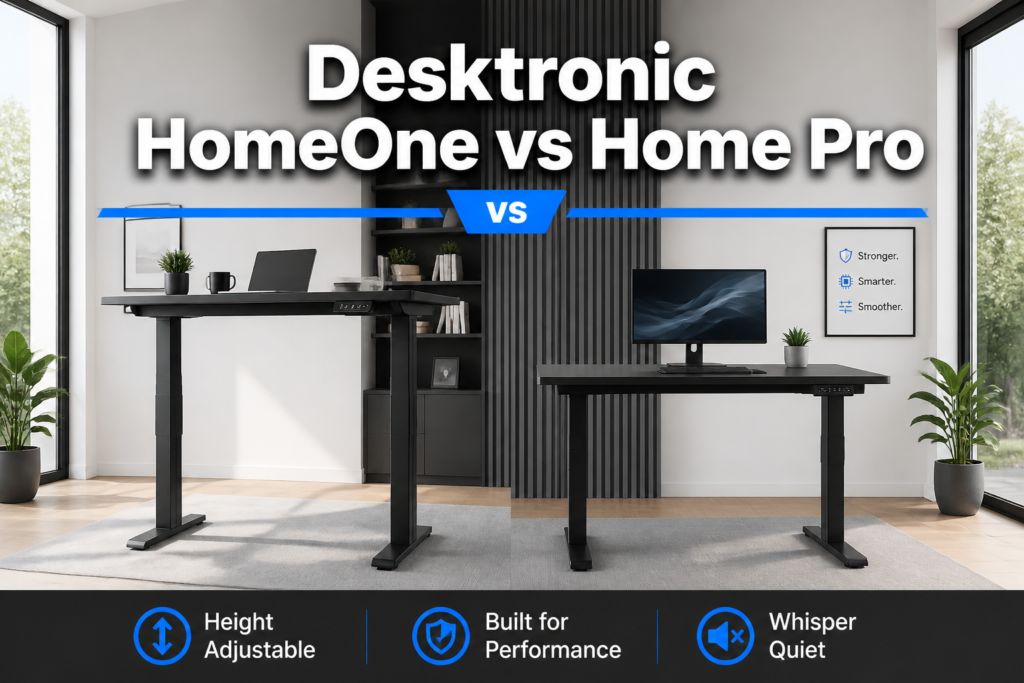
The Desktronic HomeOne vs Home Pro decision comes down to three factors: your height, your load, and your desk size needs.
Buy the HomeOne ($459) if you’re an average-height user (5’4″–6’2″) who wants a reliable, quiet, dual-motor sit-stand desk without paying for features you won’t use. It’s a well-built entry point into ergonomic working.
Buy the HomePro ($539) if you’re outside the average height range, need to support more than 265 lb of equipment, want a desk wider than 60 inches, or simply want the best version of this product for a long-term home office investment. The cable grommets alone are worth something if you care about a clean workspace.
Either way, switching to a height-adjustable desk is one of the most practical upgrades you can make to a home office in 2026. The ability to alternate between sitting and standing throughout the day, with one-touch memory presets, changes how your body feels by end of day.
Ready to choose? Check current pricing and availability on Amazon to see which model fits your budget today.
References
[1] Standing Desks – https://desktronic.com/collections/standing-desks
[2] Height Adjustable Desk Frame Homeone – https://desktronic.co.uk/products/height-adjustable-desk-frame-homeone
[3] Height Adjustable Desk Homepro – https://desktronic.co.uk/products/height-adjustable-desk-homepro