FlexiSpot E5 vs E7
Last updated: July 01, 2026
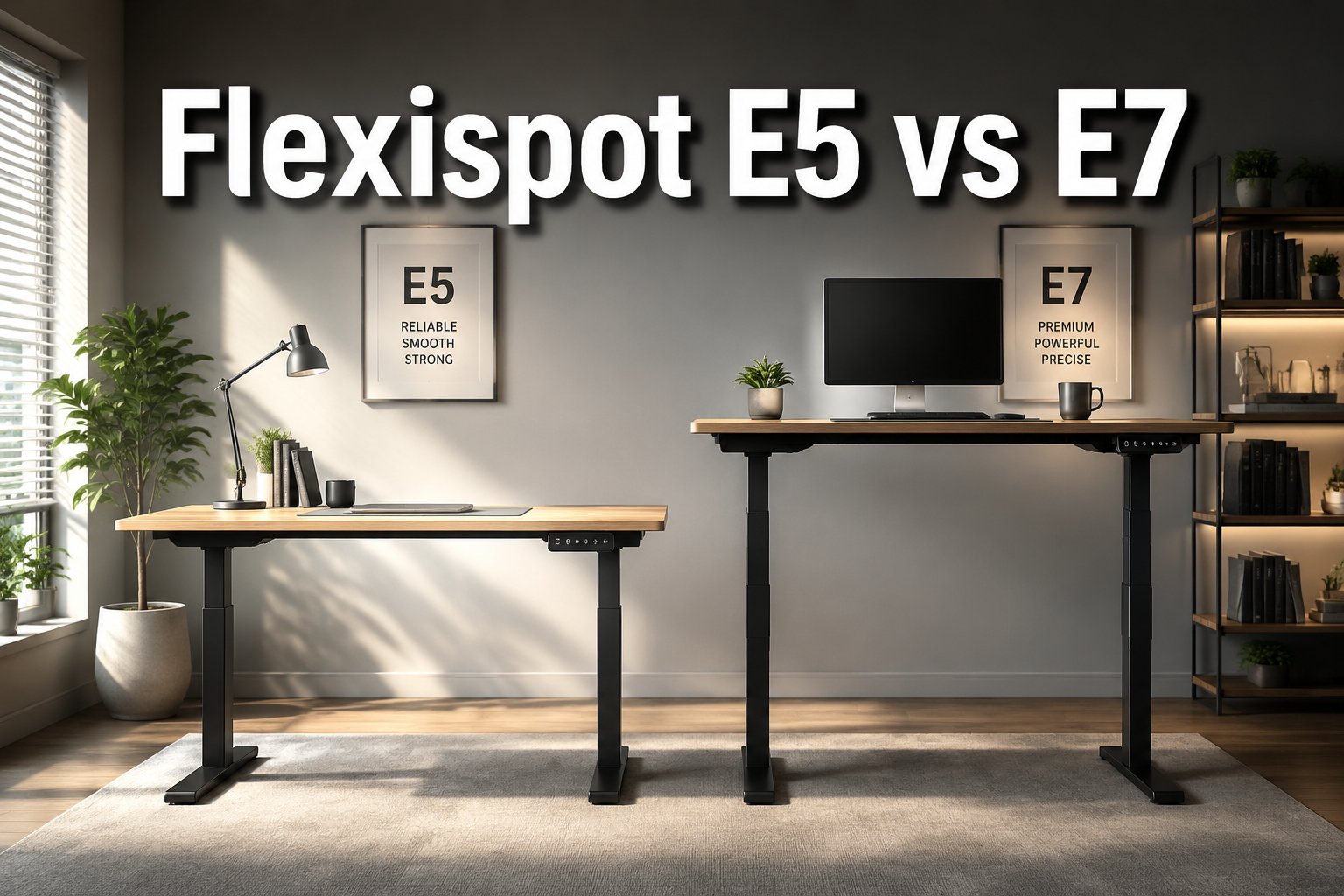
Quick Answer: The FlexiSpot E5 is the better choice for most home-office users on a budget, it delivers a dual-motor, anti-collision standing desk starting around $249.99. The E7 steps up with a heavier-duty carbon-steel frame, a 355 lb weight capacity, and a programmable keypad, making it the right call if you run a heavier workstation or want a more premium build. If neither fully fits, the E7 Pro, E7 Plus, and E7L round out the family for specialized needs.
Key Takeaways
- The E5 starts at roughly $249.99; the E7 is currently listed around $299.99 on FlexiSpot’s deals pages, a smaller gap than many buyers expect.
- The E7 holds up to 355 lbs versus the E5’s 220 lbs, which matters if you have multiple monitors, a heavy desktop, or audio/video gear.
- Both desks use dual motors and include anti-collision protection; neither is a budget single-motor unit.
- The E7 Pro (up to $499.99 frame-only) and E7 Plus ($499.99–$599.99) exist for power users who need even more capacity or a four-leg design.
- The E7L ($549.99) is the only L-shaped option in the family, worth considering if you need a corner setup.
- The E5-A ($209.99) is the cheapest entry point in the FlexiSpot ecosystem if you want to spend as little as possible.
- Height range differences are real but small: the E5 reaches 23.6″–49.2″, while the E7 spans 22.8″–48.4″ neither will disadvantage most users.
- For a complete ergonomic workstation, pairing your desk with a quality chair matters just as much as the desk itself. See our guide to choosing the right office chair for recommendations.
Check Price and Availability Click Here! <—-
Quick Comparison Table
| Product | Price (approx.) | Motor Type | Height Range | Weight Capacity | Best For |
|---|---|---|---|---|---|
| FlexiSpot E5 | $249.99 | Dual motor | 23.6″–49.2″ | 220 lbs | Budget-conscious home office users |
| FlexiSpot E7 | $299.99 | Dual motor | 22.8″–48.4″ | 355 lbs | Heavier setups, premium build preference |
| FlexiSpot E7 Pro | $399.98–$499.99 | Dual motor | 25″–50.6″ | 440 lbs | Power users, demanding workstations |
| FlexiSpot E7 Plus | $499.99–$599.99 | Dual motor | 26″–51.6″ | 540 lbs | Maximum stability, large surfaces |
| FlexiSpot E7L | $549.99 | Dual motor | Not specified | E7-class | Corner offices, L-shaped layouts |
| FlexiSpot E5-A | $209.99 | Dual motor | Not specified | Not specified | Entry-level buyers, lowest price point |
Prices reflect official FlexiSpot US listings and promotional pages as of the research date. Actual checkout prices vary by configuration, desktop choice, and active promotions.
Individual Product Reviews
FlexiSpot E5
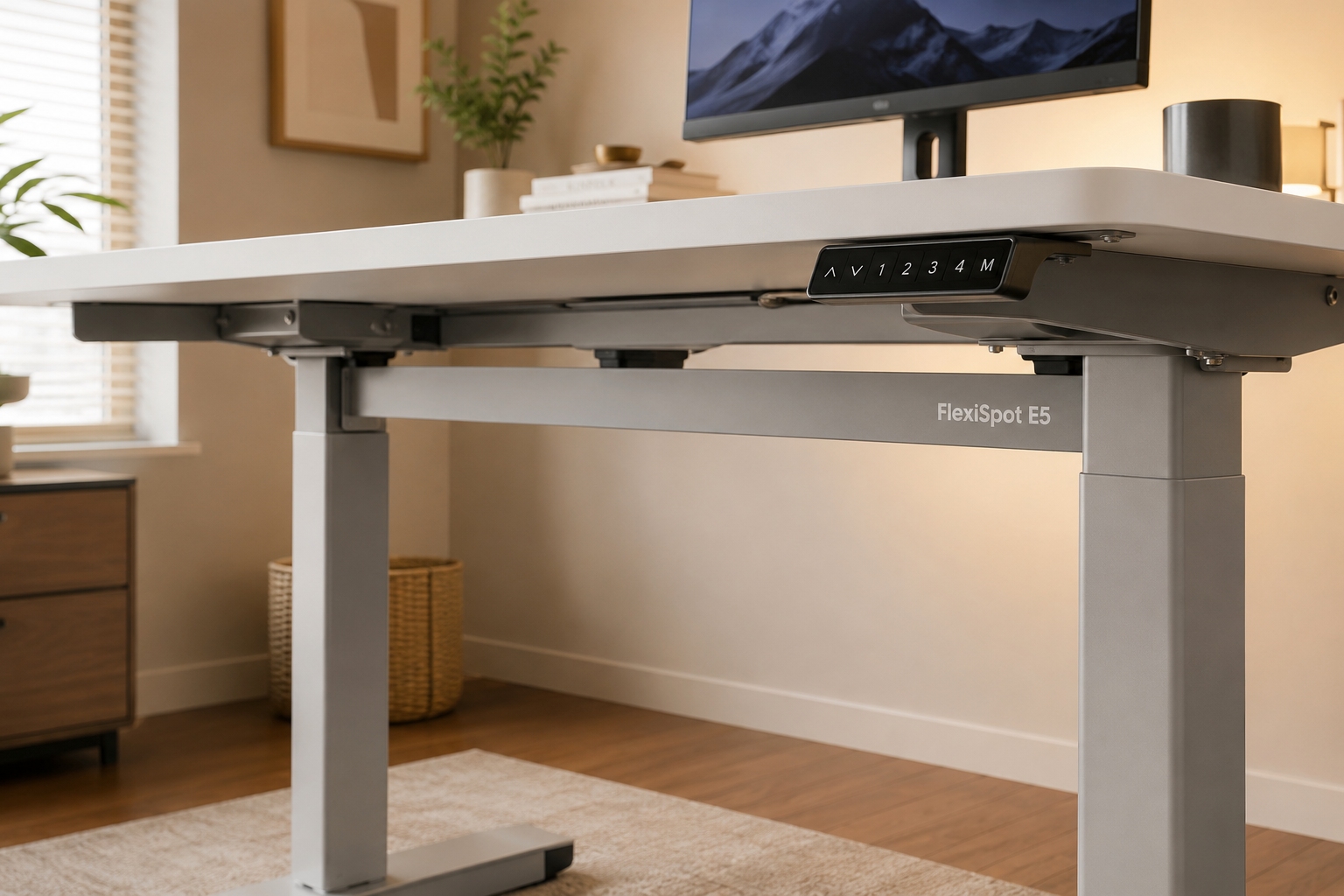
The FlexiSpot E5 is a solid dual-motor standing desk that covers the fundamentals well at a competitive price. For most home-office workers who aren’t running extreme equipment loads, it does everything a sit-stand desk needs to do.
Key Features
- T-form frame with double crossbeam for lateral stability
- Dual motors operating under 50 dB, quiet enough for video calls
- Height range: 23.6″ to 49.2″, which accommodates users from roughly 4’9″ to 6’4″ depending on chair height and monitor arm use
- Four programmable memory presets so you can switch between sitting and standing heights without manually adjusting
- Anti-collision protection that reverses motor direction if the desk meets resistance
- Cable management support built into the frame design
✅ Pros
- Priced accessibly at around $249.99, making it one of the more affordable dual-motor options in FlexiSpot’s lineup
- The double crossbeam reduces wobble at standing height, which is a common complaint on cheaper single-crossbeam desks
- Four memory presets cover most users’ needs, sit height, standing height, and two extras for different tasks or users
- Anti-collision adds meaningful safety if you have pets, kids, or items stored under the desk
- Quiet operation means you won’t disrupt calls or coworkers when adjusting height
❌ Cons
- 220 lb weight capacity is adequate for most setups but limiting if you run three or more monitors, heavy audio equipment, or a large solid-wood desktop
- Build materials are less premium than the E7’s carbon-steel construction
- Official pricing varies depending on desktop configuration and promotions, so the final checkout price may differ from the headline figure
Who It’s Best For
The E5 suits home office users who want a reliable, quiet sit-stand desk without paying for features they won’t use. If your setup includes a standard monitor, laptop dock, and accessories that total well under 200 lbs, the E5 is genuinely hard to beat at this price. It’s also a good fit for shared family spaces where multiple users need different preset heights.
Check Price and Availability Click Here! <—-
FlexiSpot E7
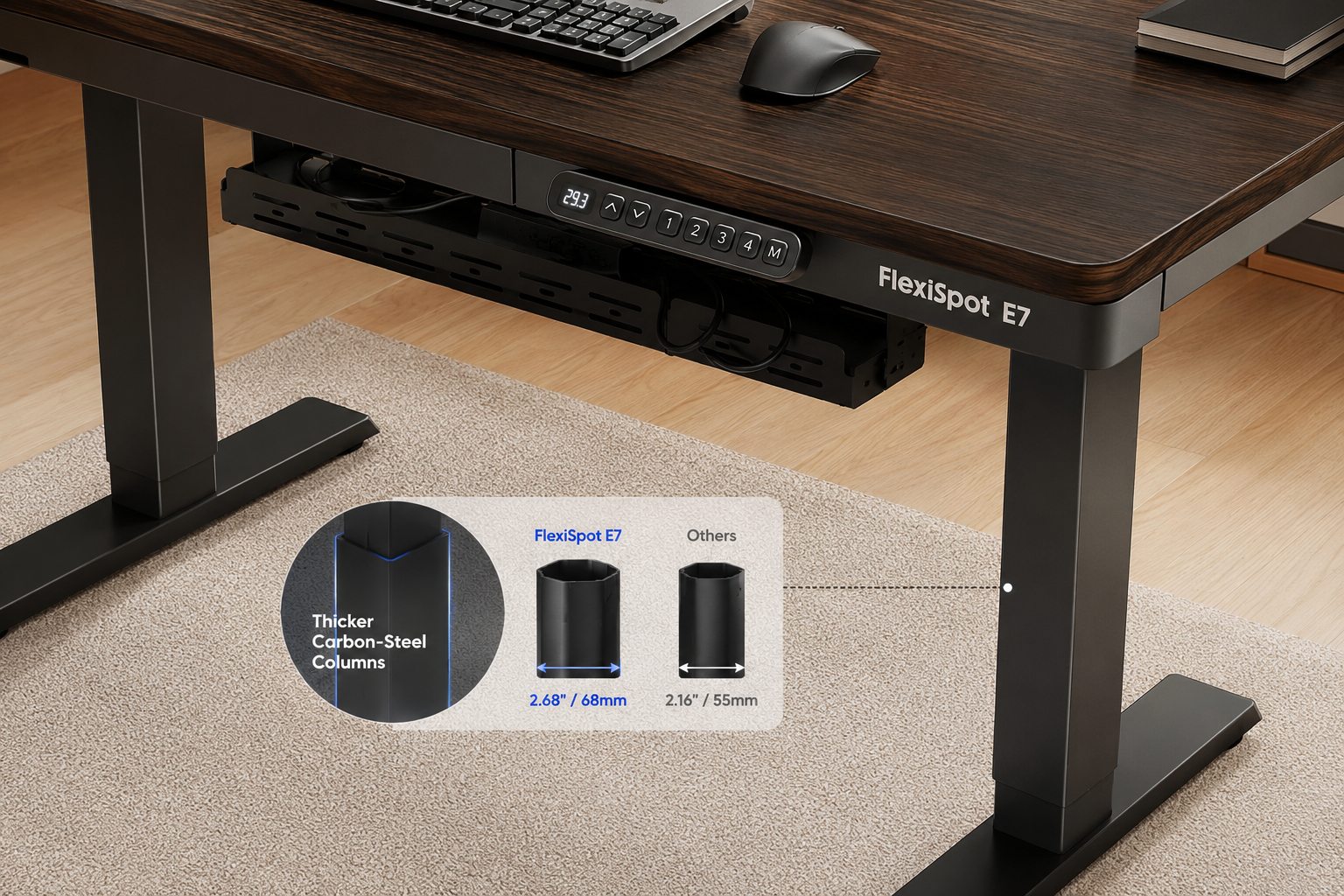
The FlexiSpot E7 is the most popular model in the E7 family for good reason: it hits a strong balance between price, build quality, and weight capacity. At around $299.99 on current FlexiSpot deal pages, only $50 more than the E5, it’s a meaningful upgrade for users who need it.
Key Features
- Thicker leg columns made from carbon steel for improved rigidity
- Dual motors with anti-collision protection
- Programmable keypad with memory presets
- Integrated cable tray for cleaner desk organization
- Height range: 22.8″ to 48.4″ (without desktop)
- Weight capacity: 355 lbs
✅ Pros
- 355 lb capacity handles multi-monitor setups, heavy desktops, and professional equipment comfortably
- Thicker leg columns reduce wobble noticeably compared to thinner-column competitors, including the E5
- The included cable tray is a practical addition that keeps power strips and cables off the floor
- Programmable keypad gives more flexibility than basic up/down controls
- At current promotional pricing, the price gap over the E5 is small enough that the E7 often makes more sense
❌ Cons
- Full-price listings have historically reached $449.99–$529, so the deal-page price of $299.99 may not always be available
- Height range tops out slightly lower than the E5 (48.4″ vs. 49.2″), which is unlikely to matter for most users but worth noting for very tall users
- Does not match the load capacity of the E7 Pro or E7 Plus if you’re building an especially heavy workstation
Who It’s Best For
The E7 is the right pick if you’re running a dual-monitor setup, using a heavy solid-wood or glass desktop, or simply want the added confidence of a stronger frame. It’s also a better long-term investment if you anticipate upgrading your equipment over time.
For users building a full ergonomic workstation, pairing the E7 with a well-designed ergonomic chair with lumbar support completes the setup effectively.
Check Price and Availability Click Here! <—-
FlexiSpot E7 Pro
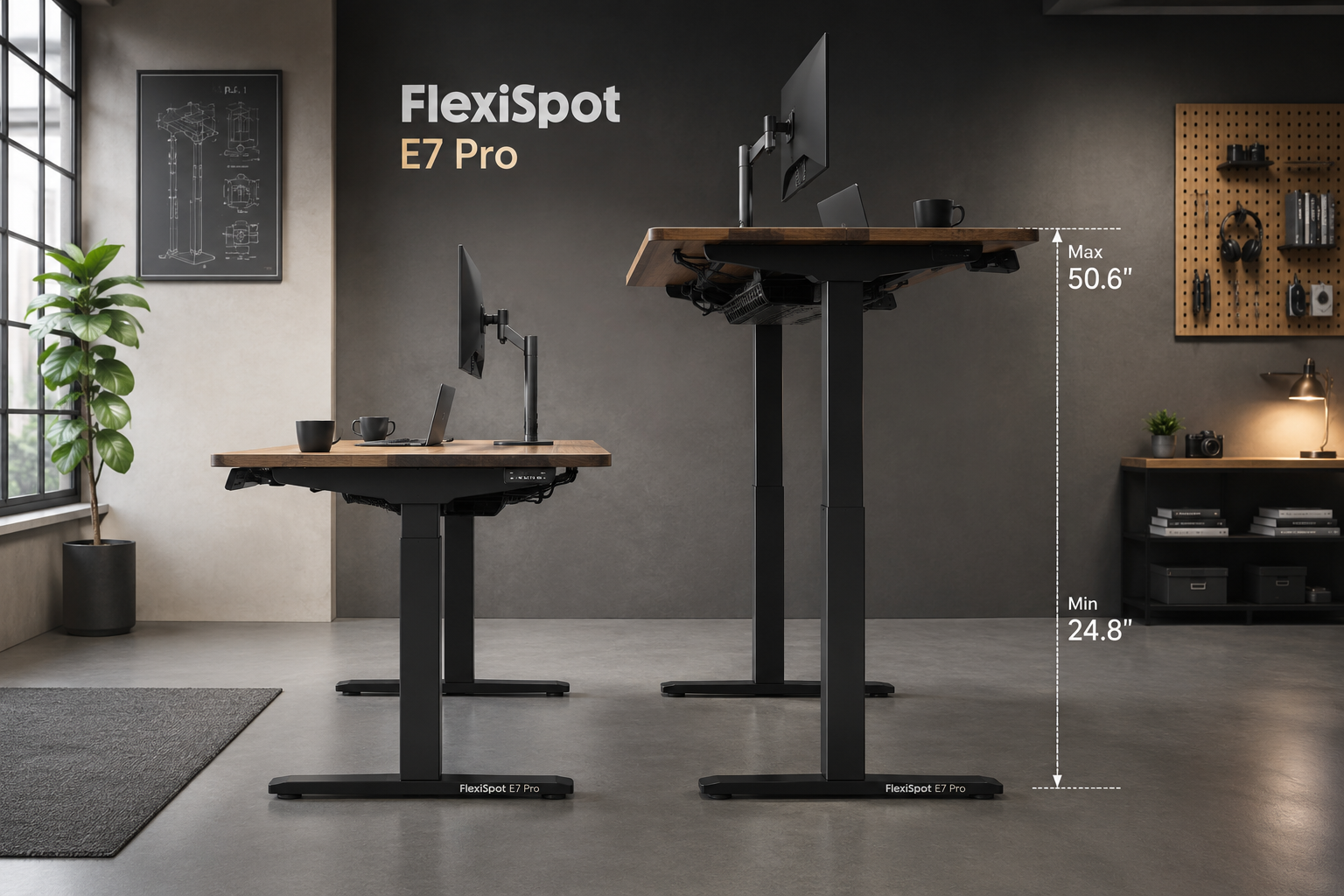
The E7 Pro is the refined step above the standard E7, targeting users who want more height range, more capacity, and better cable management in a single package. At $399.98 to $499.99 for the frame alone, it’s a meaningful price jump, but it’s justified for the right buyer.
Key Features
- Weight capacity: 440 lbs
- Height range: 25″ to 50.6″
- Improved cable management system over the standard E7
- More premium frame finish and construction
- Same dual-motor, anti-collision architecture as the rest of the E7 family
✅ Pros
- 440 lb capacity covers virtually any realistic home or professional workstation
- Extended height range (up to 50.6″) is useful for very tall users or setups with monitor arms that add height
- Better cable management than the base E7, useful if you’re running multiple power adapters, USB hubs, and peripherals
- Premium finish makes it a better fit for professional office environments where aesthetics matter
❌ Cons
- Costs noticeably more than the E7 at full price, and the frame-only price doesn’t include a desktop
- The height range starts at 25″, which is slightly higher than the E7’s 22.8″ potentially an issue for shorter users who need a very low sitting position
- For straightforward home-office use, the extra capacity and features are unlikely to be fully utilized
Who It’s Best For
The E7 Pro is best for users building a high-end workstation, think video editors with large displays, audio producers with heavy gear, or anyone who simply wants the most refined standing desk in the standard E7 line without moving to a four-leg design.
Check Price and Availability Click Here! <—-
FlexiSpot E7 Plus
The E7 Plus takes a fundamentally different approach: four legs instead of two. That design change makes it the most stable option in the FlexiSpot lineup for large, heavy surfaces.
Key Features
- Four-leg frame for maximum stability
- Weight capacity: 540 lbs
- Height range: 26″ to 51.6″
- Designed for large desktops and multi-monitor or multi-zone setups
- Priced at $499.99–$599.99 depending on promotions
✅ Pros
- 540 lb capacity is the highest in the standard FlexiSpot E-series lineup
- Four-leg design eliminates the lateral flex that even premium two-leg desks can exhibit at full standing height
- Wide height range suits tall users and setups with significant equipment overhead
- Ideal for large L-shaped or wide rectangular desktops that would flex on a two-leg frame
❌ Cons
- The four-leg design requires more floor space and makes repositioning the desk more involved
- Pricing at $499.99–$599.99 is a significant investment for most home-office buyers
- For setups under 300 lbs with a standard-size desktop, the four-leg design adds cost and bulk without a practical benefit
Who It’s Best For
The E7 Plus is for users who are building a large, permanent workstation, broadcast setups, engineering workstations, or creative studios where the desk surface spans 70″+ and carries substantial equipment weight.
Check Price and Availability Click Here! <—-
FlexiSpot E7L
The E7L is the only L-shaped standing desk in the E7 family. If you need a corner desk that also adjusts height, it’s the natural choice within the FlexiSpot ecosystem.
Key Features
- L-shaped design for corner office use
- Part of the E7 family, targeting premium use cases
- Priced at $549.99 (down from an original $699.99 on sale listings)
- Designed for multi-zone workflows, separate areas for different tasks on the same surface
✅ Pros
- More usable surface area than any standard rectangular desk in the lineup
- Corner layout suits dedicated home offices or professional spaces with room to spread out
- Useful for combining a primary work zone with a secondary monitor, drawing tablet, or reference materials
- Often priced below the E7 Plus despite offering more surface area
❌ Cons
- Requires a corner placement, not practical for open-plan or small-room setups
- More expensive than the E5 and standard E7
- The L-shape makes the desk harder to reposition once assembled
Who It’s Best For
The E7L is the right choice if you work in a dedicated corner office space, run multiple monitors across a wide surface, or want to separate your primary and secondary work zones. If you’re also exploring desk shape options more broadly, our guide to choosing L-shaped office desks covers the key decision factors.
Check Price and Availability Click Here! <—-
FlexiSpot E5-A
The E5-A is the entry-level option in the E5 family, priced at $209.99 for the black model. It’s the right choice only if budget is the primary constraint and you’re not concerned about premium features.
Key Features
- Starting price: $209.99 (black); $229.99 (white); $219.99 (grey)
- Positioned as the most affordable option in FlexiSpot’s official comparison
- Core sit-stand functionality without the premium additions of the E7 family
✅ Pros
- Lowest entry price in the FlexiSpot ecosystem discussed in official materials
- Color options available at different price points
- Keeps the fundamental sit-stand benefit accessible
❌ Cons
- Limited detailed specifications available in official sources compared to the E5 and E7 pages
- Likely fewer features than any E7-family model
- Not the best long-term investment if your setup is likely to grow
Who It’s Best For
The E5-A suits buyers who need a sit-stand desk at the lowest possible price and have a simple, lightweight setup. It’s a reasonable starting point, but most buyers who can stretch to the E5 or E7 will find the upgrade worthwhile.
Check Price and Availability Click Here! <—-
Buying Guide: What to Consider Before You Choose
Weight capacity is the most important spec to get right. Add up the weight of your desktop, monitors, computer, and accessories. Leave a 20–30% buffer above that total. If your setup weighs 150 lbs, the E5’s 220 lb capacity is fine. If it weighs 250 lbs or more, move to the E7 or higher.
Height range matters more for shorter and taller users. Most desks in this lineup cover the range needed for users between 5’2″ and 6’3″ comfortably. If you’re under 5’2″, check the minimum height carefully, the E7 Pro’s 25″ minimum is higher than the E5’s 23.6″, which can make a difference. If you’re over 6’3″, the E7 Plus’s 51.6″ maximum gives you the most headroom.
Dual motors vs. single motors. Every model reviewed here uses dual motors. That’s worth noting because single-motor desks at similar price points from other brands can wobble more and lift less. You’re getting a meaningful engineering advantage across the entire FlexiSpot E-series lineup.
Desktop included or frame only. FlexiSpot sells frames separately and as bundles with desktops. The E7 Pro’s $399.98 price is frame-only; a desktop bundle starts higher. Factor this into your budget comparison.
E5 vs E7
Stability at height. The E7’s thicker carbon-steel columns, the E7 Pro’s reinforced frame, and the E7 Plus’s four-leg design each reduce wobble progressively. If you type heavily or find desk movement distracting, prioritize the E7 over the E5, and the E7 Plus over the E7 Pro.
Ergonomics beyond the desk. A standing desk is only part of an ergonomic setup. The chair you use while sitting matters equally. If you’re investing in an E7 or higher, it’s worth pairing it with a chair that supports proper posture, our guide to chairs that support better posture covers the key features to look for. For users who also use a standing desk chair or stool, see our overview of the benefits of standing desk chairs.
Pricing volatility. FlexiSpot runs frequent promotions. The E7’s current $299.99 deal-page price is significantly lower than its historical full price of $449.99–$529. Check the official FlexiSpot site directly before purchasing, and consider signing up for deal alerts if you’re not in a rush.
FAQ
Is the FlexiSpot E7 worth the extra cost over the E5? For most buyers, yes, especially at current promotional pricing where the gap is around $50. The E7’s higher weight capacity (355 lbs vs. 220 lbs), thicker frame, and included cable tray justify the difference for anyone running a dual-monitor or heavier setup.
Can the FlexiSpot E5 support dual monitors? Yes, in most cases. Two standard monitors typically weigh 20–40 lbs combined. Add a desktop (30–50 lbs for a standard MDF or bamboo top), a laptop, and accessories, and you’ll likely stay well under the 220 lb limit. Solid-wood or glass desktops are the main risk factor, weigh your desktop before assuming it’s fine.
What is the difference between the E7 and E7 Pro? The E7 Pro adds 85 lbs of additional weight capacity (440 lbs vs. 355 lbs), a taller maximum height (50.6″ vs. 48.4″), and improved cable management. The frame and finish are also more premium. The trade-off is a higher price and a slightly elevated minimum height (25″ vs. 22.8″).
E5 vs E7: FAQs
Do FlexiSpot standing desks come with a warranty? FlexiSpot generally offers warranties on its standing desks, but warranty terms vary by model and region. Check the specific product page on FlexiSpot’s official site for current warranty details before purchasing, as promotional pages don’t always include this information.
Is the E7 Plus overkill for a home office? For most home-office users, yes. Unless you’re running a very large desktop (70″+ wide), multiple heavy monitors, or professional equipment that pushes past 300 lbs total, the standard E7 or E7 Pro will handle your needs. The E7 Plus’s four-leg design and 540 lb capacity are genuinely useful in studio, broadcast, or engineering environments.
FlexiSpot E7 vs E5: FAQs
How loud are FlexiSpot standing desks during adjustment? The E5 is rated under 50 dB during motor operation, which is roughly the volume of a quiet conversation. The E7-family desks operate at similar noise levels. In practice, adjustments take 5–15 seconds and are unlikely to disrupt calls or nearby coworkers.
Can I use a FlexiSpot frame with my own desktop? Yes. FlexiSpot sells frames separately, and most models accept standard desktop sizes. Check the specific frame’s compatible desktop dimensions before purchasing a custom or third-party top.
What’s the best FlexiSpot desk for a corner office setup? The E7L is the only L-shaped option in the FlexiSpot E-series lineup and is purpose-built for corner setups. If you need a corner desk that also adjusts height, it’s the straightforward answer.
For more general guidance on corner desk selection, see our guide to corner office desks for productivity.
Check Price and Availability Click Here! <—-
Final Verdict
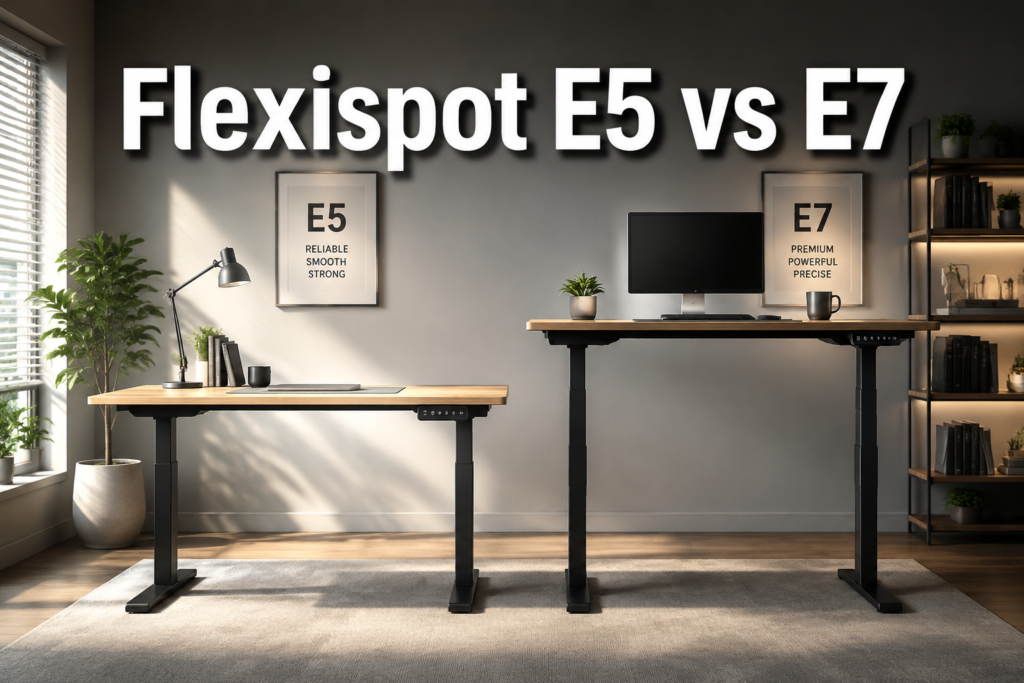
Choose the FlexiSpot E5 if you want a reliable dual-motor standing desk at the lowest reasonable price, your setup weighs well under 200 lbs, and you don’t need a premium frame. It’s a genuinely capable desk for standard home-office use.
Choose the FlexiSpot E7 if you want a stronger frame, higher weight capacity, and better long-term durability, and you’re willing to spend roughly $50 more at current promotional pricing. For most buyers comparing these two models directly, the E7 is the better value when the price gap is this small.
Choose the E7 Pro if you’re building a high-end workstation with heavy equipment, need the extended height range, or want the most refined version of the standard E7 design.
Pick the E7 Plus if you need maximum stability for a very large or very heavy setup and the four-leg design fits your space.
Choose the E7L if you have a corner office and want an L-shaped sit-stand desk in the E7 family.
Choose the E5-A only if budget is the absolute top priority and you have a simple, lightweight setup.
For most readers comparing the E5 and E7 directly: the E7 is the stronger long-term investment, and the current pricing makes it easier to justify than it has been historically.
If you’re also setting up the rest of your workstation, don’t overlook the chair, a standing desk paired with a poorly fitted seat still leads to discomfort.
Our guide to affordable office desks available now covers additional desk options if you want to compare beyond the FlexiSpot lineup.