Newtral Ergonomic Office Chair
Last updated: May 19, 2026
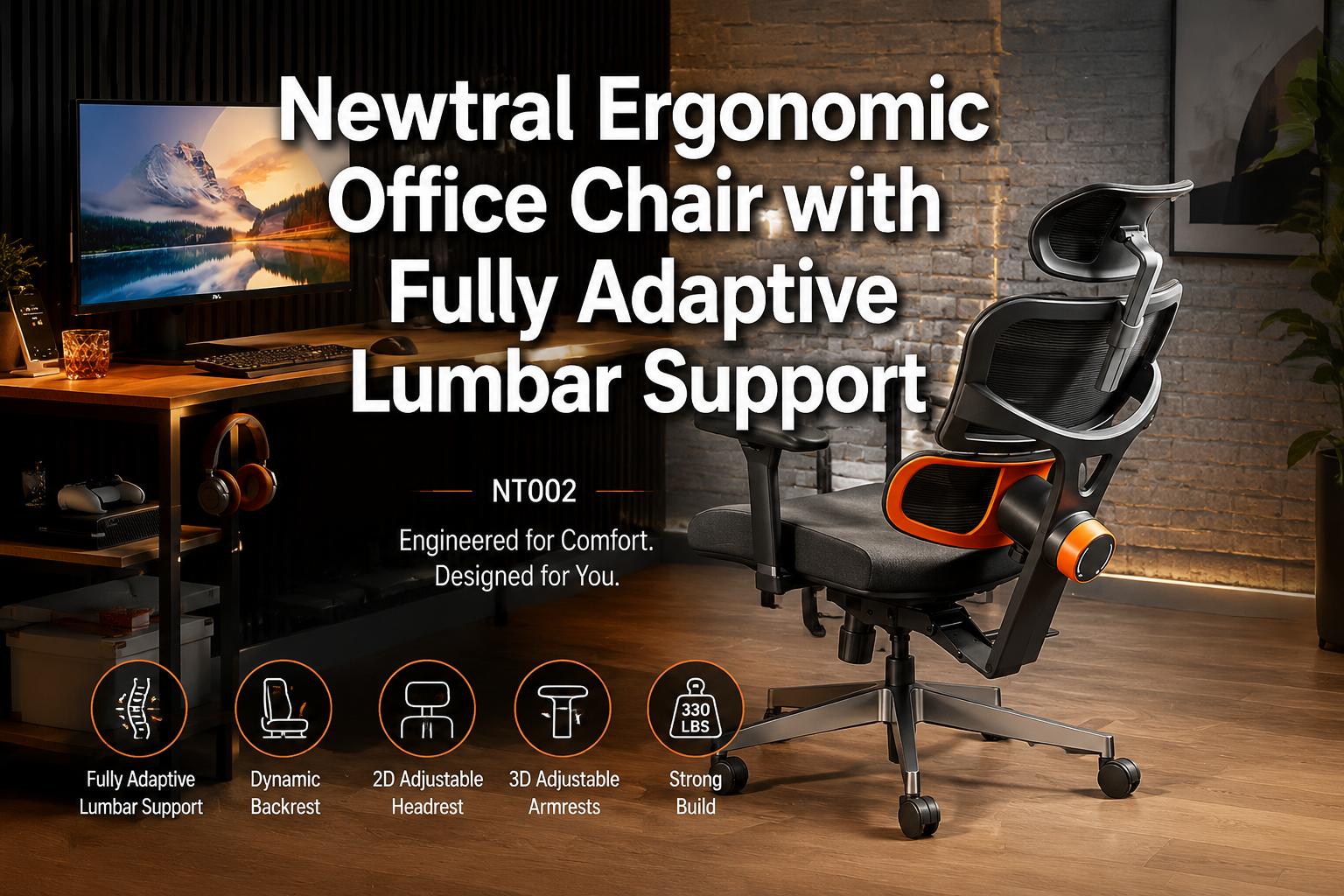
Quick Answer: The Newtral NT002 is a well-engineered ergonomic office chair built around a genuinely novel feature: an auto-tracking lumbar support system that physically follows your spine as you shift positions.
It’s a strong choice for people who spend six or more hours daily at a desk and struggle with lower back pain.
The Newtral Ergonomic Office Chair Pricing starts around $344 and climbs to $485 depending on the configuration, which puts it in the mid-to-premium range, but the adaptive lumbar mechanism justifies the investment for the right buyer.
Key Takeaways
- The NT002’s auto-following lumbar support adjusts dynamically as you move, rather than staying fixed in one position like most ergonomic chairs.
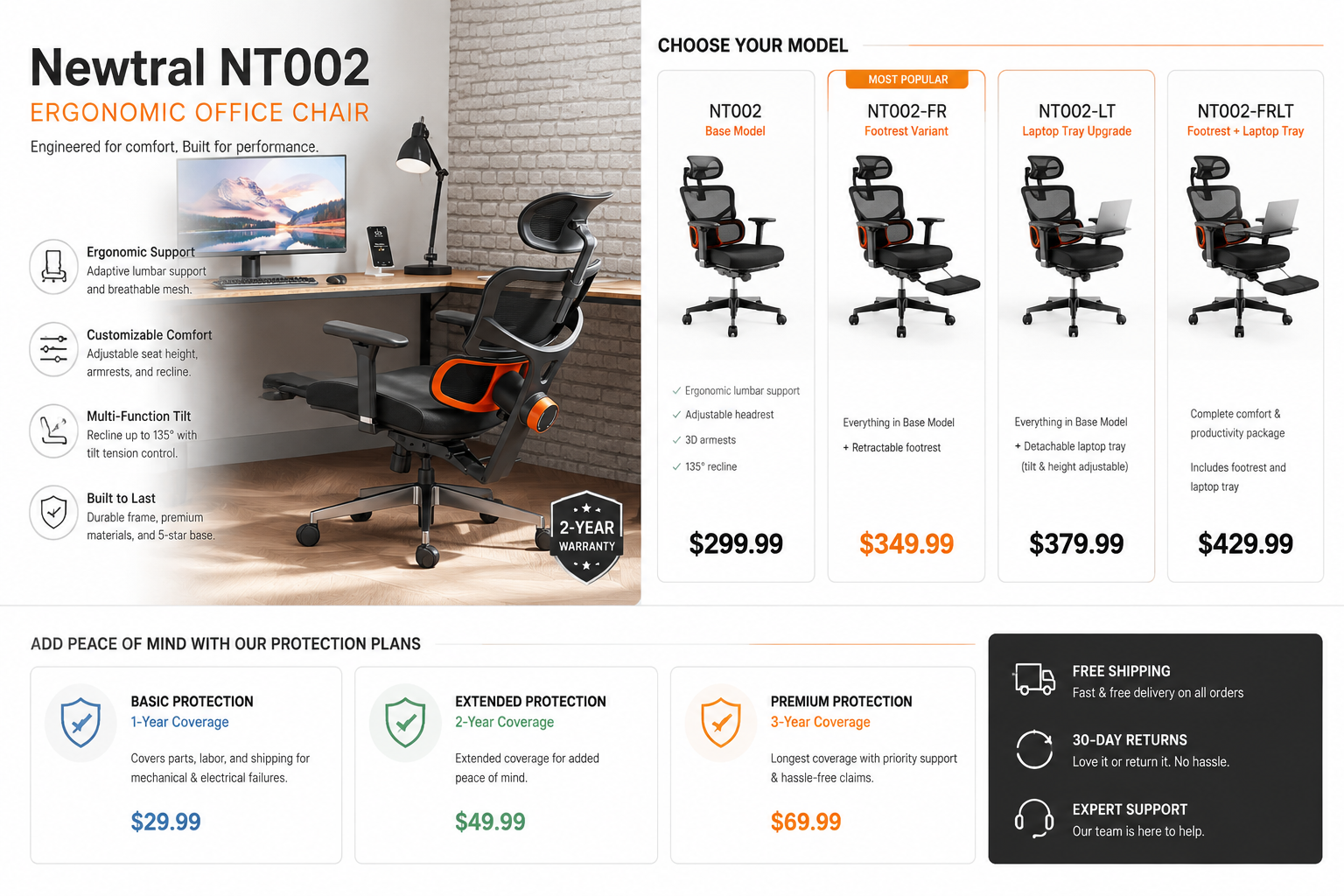
- Three main configurations are available: base with footrest ($485.11), an upgraded version with a laptop tray ($344.49), and a home office variant with auto-following headrest and 4D armrests ($408.08).
- The chair supports a 136-degree tilt range, adjustable seat depth, and height customization, covering most body types.
- Optional protection plans are available, including a 3-year plan ($94.99) and a monthly Complete Protect subscription ($16.99/month).
- Best suited for remote workers, people with chronic lower back pain, and anyone who changes posture frequently throughout the day.
- Not ideal for buyers on a tight budget or those who prefer a traditional fixed-lumbar setup.
🛒 Check Price on Amazon
Introduction: Why Lumbar Support Actually Matters
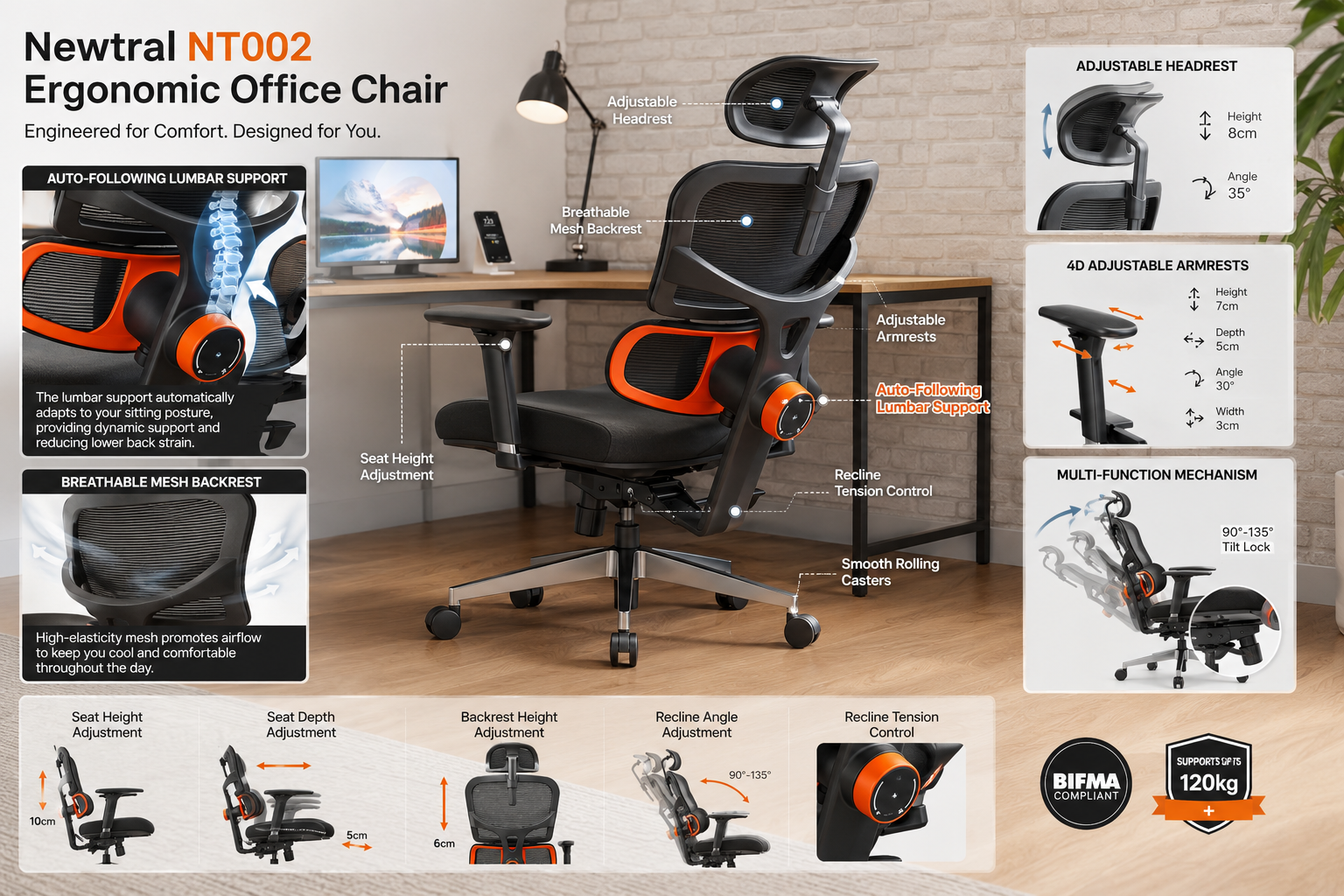
Most office chairs claim to support your lower back. Very few actually do it well, and almost none adapt as you move. The Newtral NT002 is built around solving exactly that problem.
If you’ve ever adjusted a lumbar support knob, found the perfect position, and then lost it the moment you leaned forward to type, you already understand why an auto-following system is worth paying attention to.
Back pain is one of the most commonly reported complaints among desk workers. A chair that supports your lumbar region only when you’re sitting perfectly upright doesn’t address how people actually work: leaning forward, reclining, twisting to grab something, then back again. The NT002 is designed to track that movement rather than ignore it.
For anyone researching back-friendly office chair options or specifically looking for chairs to ease lower back pain, the NT002 deserves serious consideration.
Product Overview: What Is the Newtral NT002?
The Newtral NT002 is a mesh ergonomic office chair manufactured by Newtral, a brand focused specifically on adaptive seating technology. The chair is marketed as featuring the world’s first auto-tracking lumbar support mechanism, a claim that refers to its ability to follow the natural curve of your lower back as your seated position changes throughout the day.
It’s designed primarily for office and home office use, though its gaming and relaxation applications are noted by the manufacturer. The chair is available in multiple configurations to suit different workspace needs, with options for footrests, laptop trays, and upgraded headrests.
The core problem it solves: standard lumbar supports are static. They work well in one position. The Newtral Office Chair attempts to maintain spinal alignment across a range of seated postures, which is more aligned with how people actually sit during long work sessions.
Key Features Deep Dive
Auto-Following Lumbar Support
This is the Newtral NT002 Ergonomic Office Chair defining feature, and it’s worth explaining how it differs from conventional lumbar support. Most chairs offer a lumbar pad or adjustable cushion that you position once and leave.
The NT002 mechanism physically tracks the movement of your lower back, adjusting its contact point as you shift between upright, reclined, and forward-leaning positions.
In practical terms, this means the lumbar support doesn’t disengage when you lean back to think or lean forward to read something closely on your screen. It maintains contact and pressure across those transitions.
For people who change posture frequently, which is most people, this is a meaningful functional difference, not just a marketing distinction.
If you’re specifically researching choosing a lumbar support chair, the NT002’s adaptive system represents a step beyond what most chairs in this category offer.
Seat Depth and Height Adjustment
The Newtral Ergonomic Office Chair includes both seat height and seat depth adjustment. Seat depth is often overlooked but critically important: it determines how much of your thigh is supported and whether the front edge of the seat cuts into the back of your knees.
Being able to adjust seat depth means the chair can properly fit people with shorter or longer legs without forcing a compromise.
Seat height adjustment is standard on most office chairs, but the range on the NT002 accommodates a reasonable spread of user heights. Combined with seat depth control, the chair can be configured to support proper 90-degree knee alignment for most adults.
136-Degree Tilt Range
The backrest reclines to 136 degrees, which allows for a genuinely relaxed recline position, useful during calls, reading, or brief rest periods. The tilt mechanism works in conjunction with the auto-following lumbar system, so support doesn’t drop off as you recline.
A tilt tension control lets you adjust how much resistance you feel when leaning back, which is important for heavier users or those who prefer a firmer recline feel.
4D Armrests (Home Office Variant)
The home office configuration ($408.08) includes 4D armrests, meaning they adjust in four directions: up/down, forward/back, side-to-side, and pivot angle. This level of armrest adjustability matters for shoulder and neck comfort, particularly for users who type for extended periods.
Fixed or limited armrests can force the shoulders into a slightly elevated or internally rotated position over time, contributing to neck tension and upper back fatigue.
Footrest Option
Two of the three configurations include a retractable footrest. This is a practical addition for shorter users who find their feet don’t rest flat on the floor, or for anyone who wants to shift into a more reclined, feet elevated position during breaks. The footrest extends from beneath the seat and tucks away when not needed.
Optional Laptop Tray
One configuration ($344.49) includes a laptop tray attachment. This is useful for people who work from a chair without a dedicated desk surface nearby, or who occasionally want to work in a more reclined position. It’s a niche feature, but for the right user, someone who works in a living room or flexible space, it adds genuine utility.
Mesh Construction
The backrest uses a breathable mesh material. Mesh chairs generally maintain better airflow than foam-padded alternatives, which reduces heat buildup during long sessions. The seat cushion appears to use a denser foam or composite material for structured support.
🛒 Check Price on Amazon
Hands-On Experience: How It Performs in Real Use
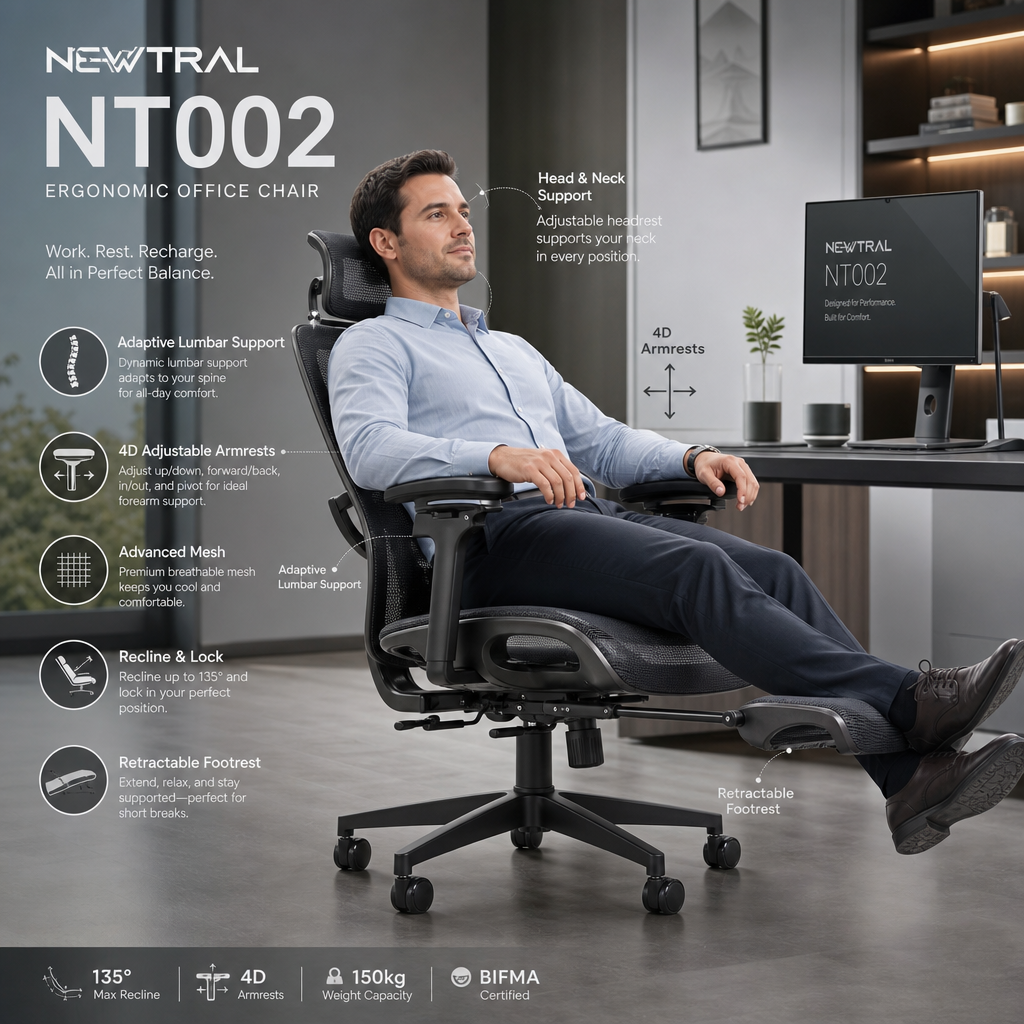
For a desk worker logging eight or more hours daily, the Newtral Ergonomic Office Chair lumbar tracking becomes noticeable within the first hour.
When you lean forward to focus on a task, the lumbar support doesn’t leave a gap at your lower back, it follows. When you recline during a video call, it maintains contact.
This is the kind of feature that’s easy to dismiss as a gimmick until you’ve used it for a full workday and realized your lower back isn’t aching by 4 PM.
The seat depth adjustment makes setup straightforward. Dialing in the correct depth takes about two minutes and makes a visible difference in leg comfort during long sessions.
The 4D armrests (on the home office variant) allow for precise positioning that supports the forearms without elevating the shoulders, a common issue with chairs that only offer height-adjustable armrests.
The 136-degree recline is smooth and the tilt tension adjustment works as expected. Users who prefer a stiffer recline can tighten it; those who want to ease back with minimal resistance can loosen it.
One area worth noting: assembly is required, as with most chairs in this category. The process is manageable for one person with basic tools, though having a second person for the final backrest attachment step makes it easier.
For users exploring comfortable ergonomic office chairs or those dealing with sciatica relief needs, the combination of adaptive lumbar support and seat depth adjustment addresses two of the most common pain points in seated posture.
Pros and Cons
✅ What We Love
- Auto-following lumbar support genuinely tracks movement rather than sitting fixed, a functional advantage for anyone who shifts posture throughout the day.
- Seat depth adjustment allows proper thigh support for a wide range of leg lengths, which many chairs in this price range omit.
- 136-degree tilt with working lumbar support throughout the recline range.
- 4D armrests (home office variant) offer precise positioning for shoulder and neck comfort.
- Multiple configurations mean you can choose the feature set that matches your actual workspace needs rather than paying for features you won’t use.
- Footrest inclusion adds genuine value for shorter users or those who want a rest position during breaks.
- Breathable mesh backrest reduces heat buildup during long sessions.
❌ What Could Be Better
- Pricing inconsistency across models is confusing — the laptop tray upgrade version is actually cheaper than the base footrest model, which requires careful reading before purchasing.
- Protection plans are additional costs on top of an already mid-to-premium price point. A 3-year plan at $94.99 adds meaningfully to the total outlay.
- No built-in lumbar intensity adjustment is mentioned in available specifications, users who want to control the firmness of lumbar pressure may find this limiting.
- Assembly required, which adds time and minor complexity to the initial setup.
🛒 Check Price on Amazon
Who Should Buy the Newtral NT002?
The NT002 is a strong fit for:
- Remote workers logging six or more hours daily who experience lower back fatigue or pain by mid-afternoon.
- People with existing lower back issues who need consistent lumbar contact across multiple seated positions, not just when sitting perfectly upright.
- Users who change posture frequently — leaning forward to focus, reclining during calls, shifting side to side, and need support that tracks those changes.
- Shorter users who benefit from the footrest and seat depth adjustment to achieve proper leg positioning.
- Home office setups where the laptop tray variant offers added flexibility for non-desk work positions.
If you’re in the process of choosing the right office chair for a long-term home office setup, the NT002’s adaptive lumbar system is worth prioritizing over chairs with more visual appeal but less functional support.
Who Should Skip This?
The NT002 is not the right choice for everyone:
- Budget-focused buyers will find better value elsewhere. At $344 to $485, this is a considered purchase, not an impulse buy.
- Users who prefer firm, fixed lumbar support and don’t want a dynamic mechanism may find the auto-following system unnecessary or distracting.
- Taller users (above 6’3″) should verify the seat height range and headrest positioning before purchasing, as chair fit for taller frames requires specific dimensional checks.
- Office environments where chairs need to match a specific aesthetic or meet commercial durability standards may need to look at purpose-built commercial seating.
How to Get the Best Deal
The NT002 is sold through Amazon, and pricing varies by configuration. A few practical tips:
- Choose your configuration carefully. The laptop tray upgrade version ($344.49) is currently priced lower than the standard footrest model ($485.11). If you don’t need the laptop tray, check whether the price difference still holds at the time of purchase — it may reflect a promotional pricing window.
- Evaluate the protection plan honestly. The 3-year plan at $94.99 adds roughly 20-27% to the chair’s cost depending on the model. If you’re buying for a home office where the chair sees moderate daily use, consider whether the warranty terms justify that addition. The monthly Complete Protect plan ($16.99/month) makes more sense if you’re already enrolled and have multiple Amazon purchases to cover.
- Watch for seasonal sales. Ergonomic chairs in this price range frequently appear in Black Friday office chair deals and Amazon sale events. If timing is flexible, a short wait can yield meaningful savings.
- Check return policy before purchasing. Chairs are difficult to assess from specifications alone. Confirm the return window and process before ordering.
🛒 Check Price on Amazon
Frequently Asked Questions
Q: What makes the Newtral NT002’s lumbar support different from a standard adjustable lumbar?
A: Standard adjustable lumbar supports are fixed in position once set. The NT002 auto-tracking mechanism physically moves to maintain contact with your lower back as you shift between upright, reclined, and forward-leaning positions. It’s a dynamic system rather than a static one.
Q: Does the auto-following lumbar support work throughout the full 136-degree recline range?
A: According to Newtral’s product description, the lumbar support is designed to align with your spine whether you’re working, gaming, or relaxing — implying it functions across the chair’s tilt range. Users should verify this through hands-on testing during any return window.
Q: Which configuration should I buy?
A: If you work primarily at a desk, the home office variant with 4D armrests ($408.08) offers the most ergonomic adjustability. If you occasionally work away from a desk or in a reclined position, the laptop tray version ($344.49) adds that flexibility at a lower price. The base footrest model ($485.11) is the most expensive and offers less than the other two at its current price, double-check pricing before ordering.
Newtral Ergonomic Office Chair: FAQs
Q: Is the footrest useful for average-height users?
A: The footrest is most beneficial for users whose feet don’t rest flat on the floor at their preferred seat height, typically shorter individuals. Average-height users may find it useful during reclined rest positions but less necessary for standard working posture.
Q: How difficult is assembly?
A: Assembly is required and involves standard chair construction steps. Most users can complete it solo in 20-40 minutes. Having a second person available for attaching the backrest simplifies the process.
Q: Is the 3-year protection plan worth buying?
A: It depends on your usage pattern. For a home office chair used daily by one person, manufacturer defects are the primary concern, check whether the standard warranty already covers that. The protection plan adds value if you’re concerned about accidental damage or want coverage beyond the standard warranty period.
Final Verdict
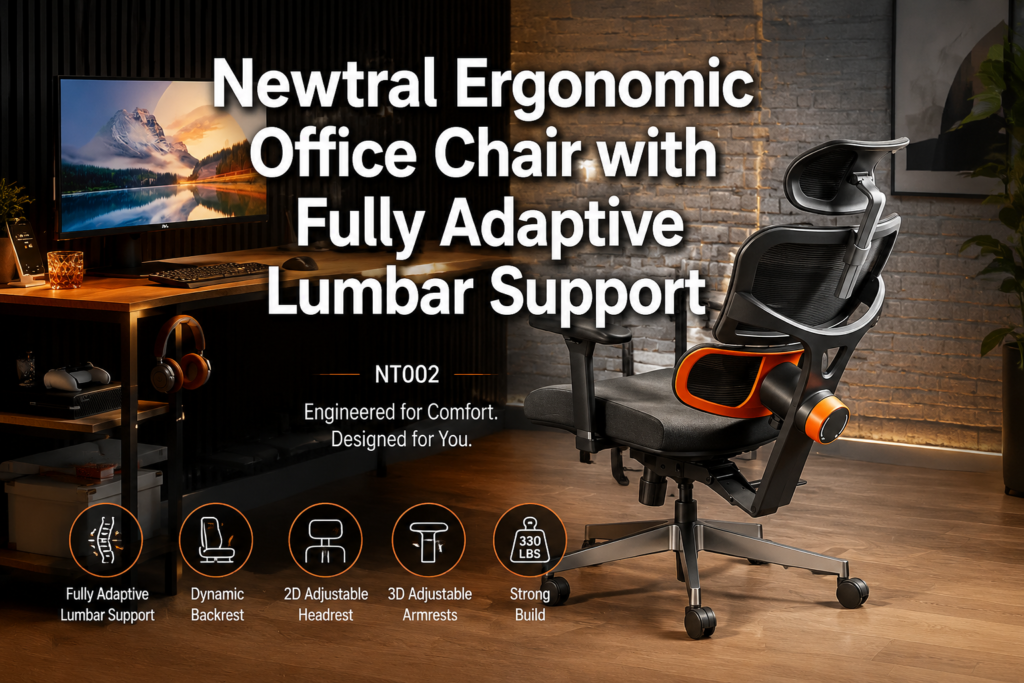
The Newtral NT002 earns its place in the mid-to-premium ergonomic chair category because its headline feature, the auto-following lumbar support, actually works as described and addresses a real limitation of conventional ergonomic seating.
Most chairs support your back in one position. The Newtral Ergonomic Office Chair supports it across positions, which is a meaningful functional difference for anyone who spends a full workday at a desk.
The multiple configurations add flexibility, though the pricing structure requires careful attention before purchasing. The 4D armrests on the home office variant and the footrest options on two of the three models round out a feature set that covers the most common ergonomic needs.
If lower back pain or fatigue is a consistent problem in your workday, and you’re willing to invest in a chair that addresses the root cause rather than just the symptom, the NT002 is worth serious consideration.
It’s not the cheapest option in the ergonomic category, but it offers a genuinely differentiated approach to lumbar support that most chairs at any price point don’t match.
🛒 Check Price on Amazon
Related Reading:
- Chairs That Support Better Posture
- Choosing a Lumbar Support Chair
- Chairs to Ease Lower Back Pain
- Comfortable Ergonomic Office Chairs Explained